Intro and loading Images - OpenCV with Python for Image and Video Analysis 1
TL;DR
This tutorial series covers OpenCV with Python, an image processing library that has bindings for Python, Java, and C, with the focus on Python programming.
Transcript
what's going on everybody welcome to another Python tutorial series this tutorial series is going to be covering OpenCV with pythons so OpenCV is an image processing library that has bindings for Python Java and C so a lot of the functionality and fundamentals that you'll learn here pretty much applicable across the board but most of the programs t... Read More
Key Insights
- 📚 OpenCV is a versatile image processing library that can be used with Python, Java, and C.
- 👤 Python is primarily used in the tutorial series, making it accessible and user-friendly for beginners.
- ❓ The installation process for OpenCV with Python can vary depending on the operating system.
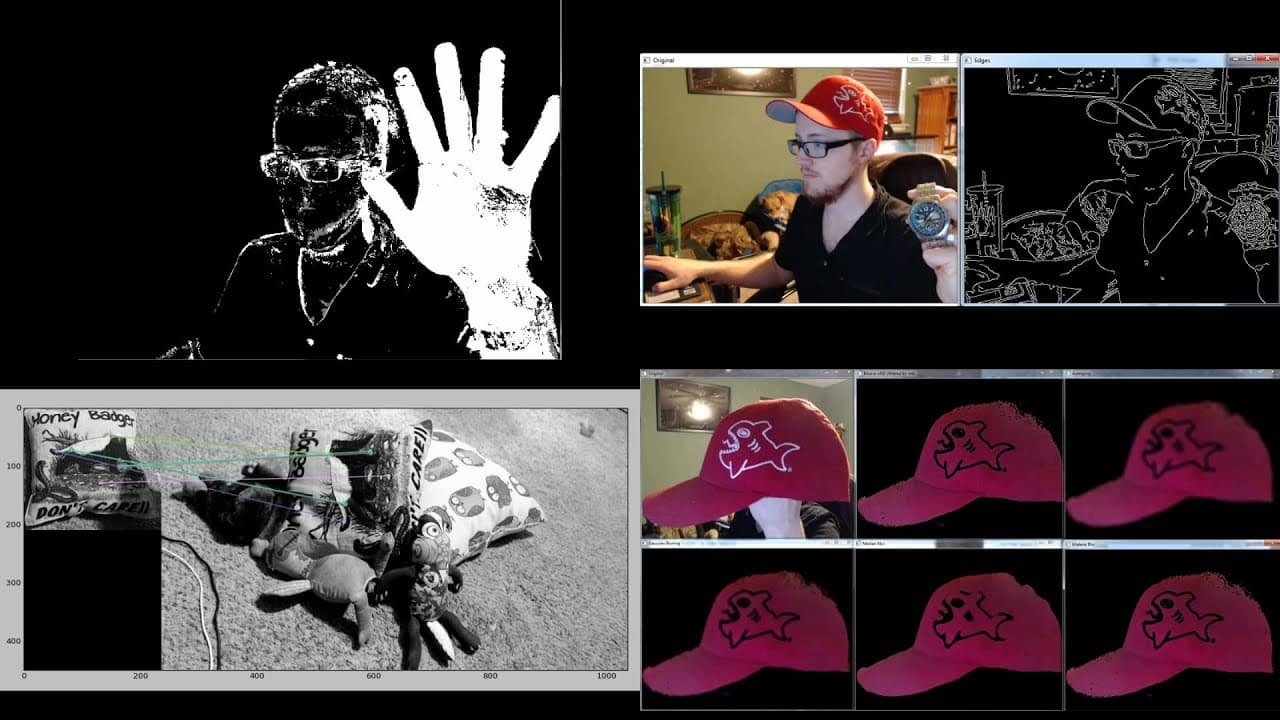
- 🦔 OpenCV provides various functionalities, such as background subtraction, edge detection, feature matching, and object recognition.
- ❓ Grayscale images are often used for analysis as they simplify the processing and analysis tasks.
- ❓ Both OpenCV and matplotlib can be used for displaying and analyzing images, with matplotlib offering additional plotting capabilities.
- 💾 Images can be saved using the cv2.imwrite() function in OpenCV.
Install to Summarize YouTube Videos and Get Transcripts
Explore YouTube Video Summarizer or Get YouTube Transcript Extractor
Questions & Answers
Q: What is OpenCV?
OpenCV is an image processing library that provides functionality for image and video analysis. It has bindings for Python, Java, and C.
Q: What are the main programming languages compatible with OpenCV?
OpenCV has bindings for Python, Java, and C, allowing programmers to use their preferred language for image processing and analysis.
Q: How do I install OpenCV with Python?
On Windows, you can install OpenCV with Python using pip install numpy, pip install matplotlib, and pip install cv2. On Linux or Mac, you can use pip3 install numpy, apt-get install python3-numpy, apt-get install python-openCV for Python 2, or apt-get install python3-openCV for Python 3.
Q: What are some of the functionalities covered in the tutorial series?
The tutorial covers various functionalities of OpenCV, including background subtraction, edge detection, feature matching, object recognition (face, eye, watch detection), and image filtering.
Summary & Key Takeaways
-
OpenCV is an image processing library that has bindings for Python, Java, and C.
-
The tutorial series will primarily focus on using Python with OpenCV.
-
The tutorial covers installation of OpenCV and the necessary dependencies, image loading, displaying, and saving, as well as an introduction to video feeds and analysis.
Read in Other Languages (beta)
Share This Summary 📚
Summarize YouTube Videos and Get Video Transcripts with 1-Click
Try YouTube Summary with ChatGPT & Claude or YouTube Transcript Generator
Explore More Summaries from sentdex 📚






Summarize YouTube Videos and Get Video Transcripts with 1-Click
Try YouTube Summary with ChatGPT & Claude or YouTube Transcript Generator