How to Organize Your Bullet Journal for July
TL;DR
To effectively organize your bullet journal for July, create pages for a monthly tracker, reading goals, an apartment shopping list, and a gratitude journal. Utilize simple designs and new fonts to keep it visually appealing and functional. Experimenting with layouts can enhance both organization and motivation while tracking your goals and daily activities.
Transcript
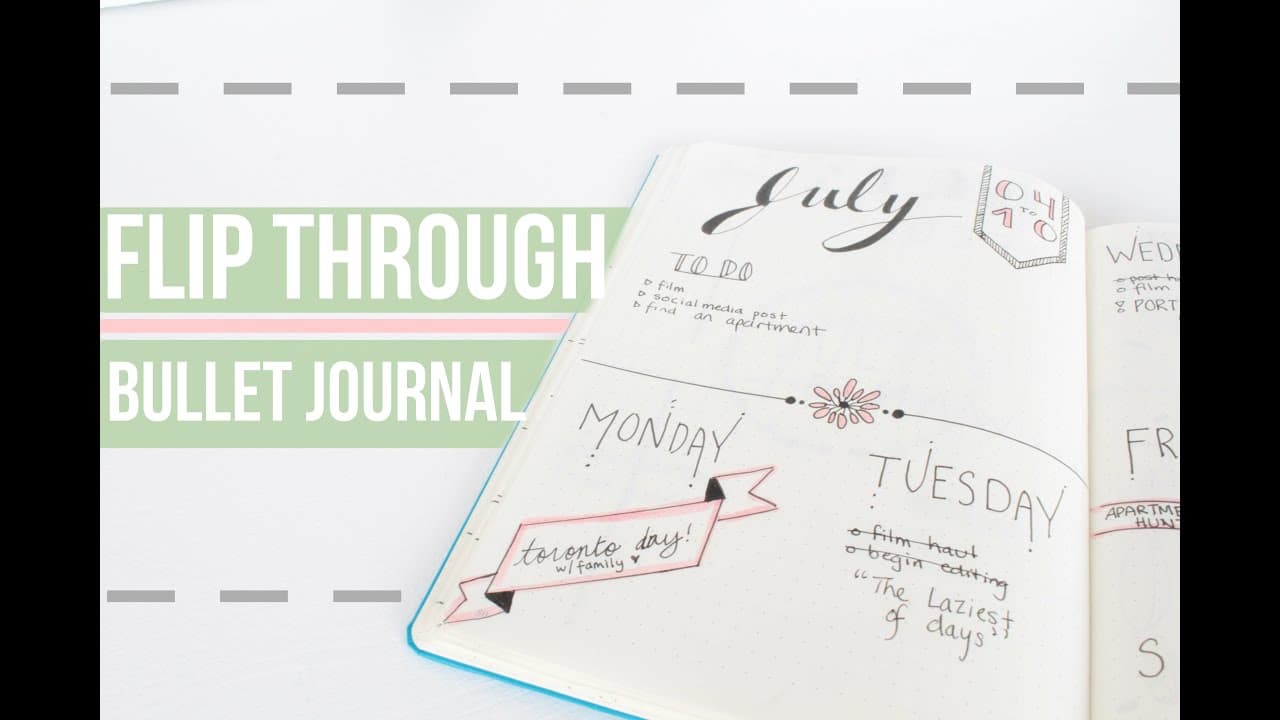
hey everyone I hope you're having a fantastic start to your week so far today I'm going to be doing a Mini flip through of my July or the pages I've set up for July usually I would have shown these um in a plan with me video but at the beginning of the month like on July 1st 2ish I didn't really have any time because it was Canada Day here in Canad... Read More
Key Insights
- 🚄 Experimenting with different fonts and styles can make bullet journal pages interesting and visually appealing.
- 🫠 Tracking different aspects of life, such as monthly goals, reading progress, apartment shopping list, favorites, finances, and exercise, can help stay organized and motivated.
- 😑 The bullet journal serves as a tool for planning and reflection, allowing the creator to document their daily activities and express gratitude.
Install to Summarize YouTube Videos and Get Transcripts
Explore YouTube Video Summarizer or Get YouTube Transcript Extractor
Questions & Answers
Q: How does the creator track their monthly goals in their bullet journal?
The creator uses a monthly tracker page where different categories are color-coded and filled in with a black pen to easily visualize progress. They decided to keep it simple for July to make tracking and updating easier.
Q: What is the purpose of the Reading Tracker page?
The Reading Tracker page helps the creator keep track of their reading goal for the month. They title it "Readers gonna read" and created a bookshelf graphic to track the number of books read. They jot down the title and some points about each book for future reference.
Q: What does the Apartment Shopping List page contain?
The creator is moving into an apartment in September, so they created a page divided into categories such as kitchen, bedroom, living room, bathroom, and other. This helps them list down all the items they will need for the new place.
Q: How does the creator track their finances in their bullet journal?
The creator has a simple financial tracker or spending tracker page titled "Oops." They categorize the page into "needs" and "wants" and write a description of each purchase along with its cost. This allows them to have a better idea of where their money is going.
Summary & Key Takeaways
-
The video showcases various bullet journal pages set up for the month of July, including a monthly tracker, reading tracker, apartment shopping list, favorites, spending tracker, dailies, exercise tracker, book haul tracker, gratitude journal, and vision board planner.
-
The creator highlights the use of new fonts and different styles for each page.
-
The goal is to keep the bullet journal simple and visually appealing while tracking different aspects of life.
Read in Other Languages (beta)
Share This Summary 📚
Summarize YouTube Videos and Get Video Transcripts with 1-Click
Try YouTube Summary with ChatGPT & Claude or YouTube Transcript Generator
Explore More Summaries from Caitlin's Corner 📚





Summarize YouTube Videos and Get Video Transcripts with 1-Click
Try YouTube Summary with ChatGPT & Claude or YouTube Transcript Generator