Streaming Tweets and Sentiment - Data Visualization GUIs with Dash and Python p.7
TL;DR
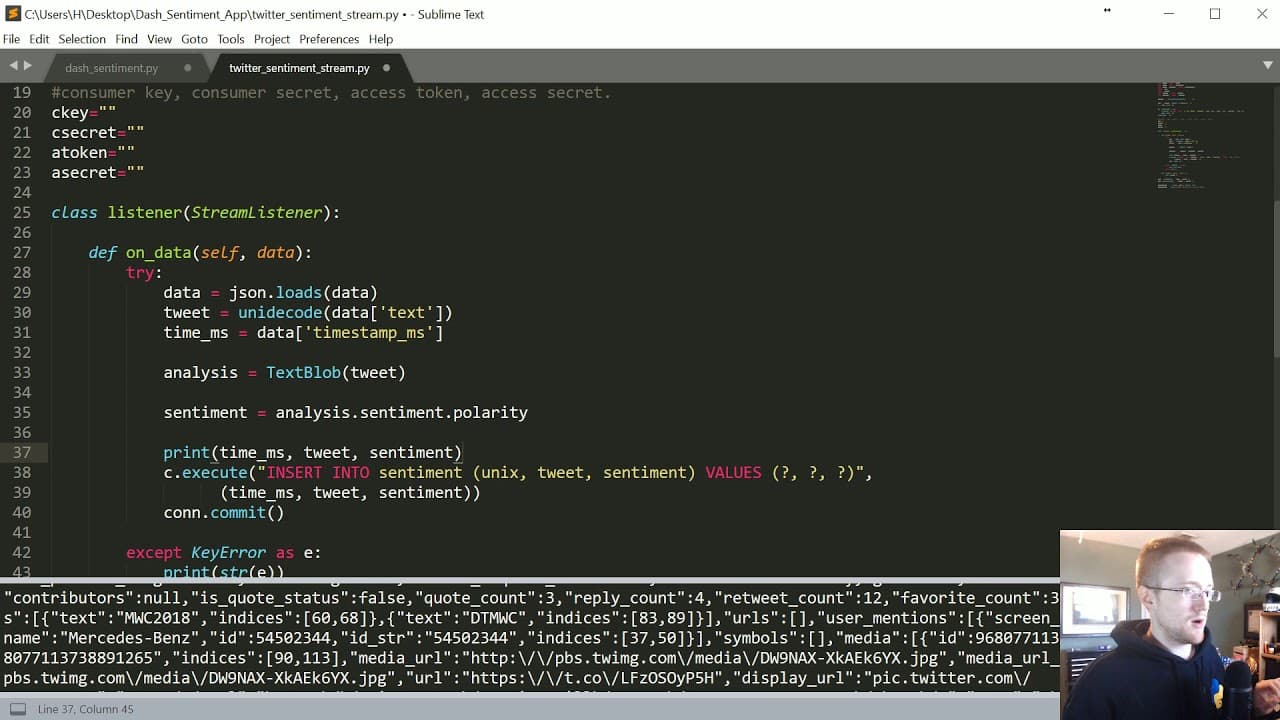
This tutorial covers streaming tweets from Twitter into a database, calculating sentiment, and visualizing the data.
Transcript
what's going on everybody welcome to part two of sentiment analysis streaming app with dash and awesomeness tutorial series in this story what we're doing is streaming tweets from Twitter into a database and before we insert into a database we're calculating the sentiment and saving that as well with the idea being we can later do analysis and all ... Read More
Key Insights
- ♿ SQLite is recommended over MySQL for easier setup and accessibility in this tutorial.
- 📚 The tweetP library is used for streaming tweets from Twitter.
- 🎏 Sentiment analysis can be performed on the streamed tweets using the textblob library.
- 🏪 The sentiment data is stored in a SQLite database for further analysis and visualization.
- ❓ Some tweets may not have a sentiment value, and the 0.0 polarity suggests neutrality in sentiment analysis.
- ❓ Non-English tweets may affect the sentiment analysis results.
- 🫰 Creating indexes for the database tables may improve performance but may also consume more memory.
Install to Summarize YouTube Videos and Get Transcripts
Explore YouTube Video Summarizer or Get YouTube Transcript Extractor
Questions & Answers
Q: What are the prerequisites for following this tutorial?
Prior knowledge of MySQL, SQLite, and streaming tweets with the tweetP library is recommended. It is also necessary to have Python and the tweetP library installed.
Q: How can I obtain the required API keys to stream tweets from Twitter?
To obtain the required keys, you need to create a Twitter app and connect a phone number to your Twitter account. You can follow the tutorial provided in the description for detailed instructions.
Q: How can I parse and extract relevant information from the streamed tweets?
After streaming the tweets, you can parse the JSON objects returned by the Twitter API and extract the desired information, such as the tweet content, using the JSON library in Python.
Q: What is the purpose of calculating sentiment in this tutorial?
The tutorial aims to analyze the sentiment of the streamed tweets and store this information in the database. This allows for later analysis and visualization of the sentiment data.
Summary & Key Takeaways
-
The tutorial covers streaming tweets from Twitter into a database and calculating sentiment.
-
It suggests using SQLite instead of MySQL for easier setup and accessibility.
-
The tutorial demonstrates how to create a table in SQLite for storing the streamed tweets and sentiment.
Read in Other Languages (beta)
Share This Summary 📚
Summarize YouTube Videos and Get Video Transcripts with 1-Click
Try YouTube Summary with ChatGPT & Claude or YouTube Transcript Generator
Explore More Summaries from sentdex 📚






Summarize YouTube Videos and Get Video Transcripts with 1-Click
Try YouTube Summary with ChatGPT & Claude or YouTube Transcript Generator