Cyber Python 2077 Part 2 - Getting to our objective
TL;DR
In this video, the content creator explores following different paths in the game Cyberpunk 2077 and implements motion detection to handle obstacles and jump over them.
Transcript
what is going on everybody welcome to part two of the cyber python 2077 series uh the universe is actively conspiring against me to film this video the camera continues to freeze i have a neighbor that is determined that today is the day to sit in your driveway and just rev your engine for like 30 minutes so here we are on like take attempt number ... Read More
Key Insights
- 💙 The content creator suggests following the blue path in Cyberpunk 2077 to interact with police scanner events.
- 💳 By implementing color filters, the content creator can easily switch between different paths in their script.
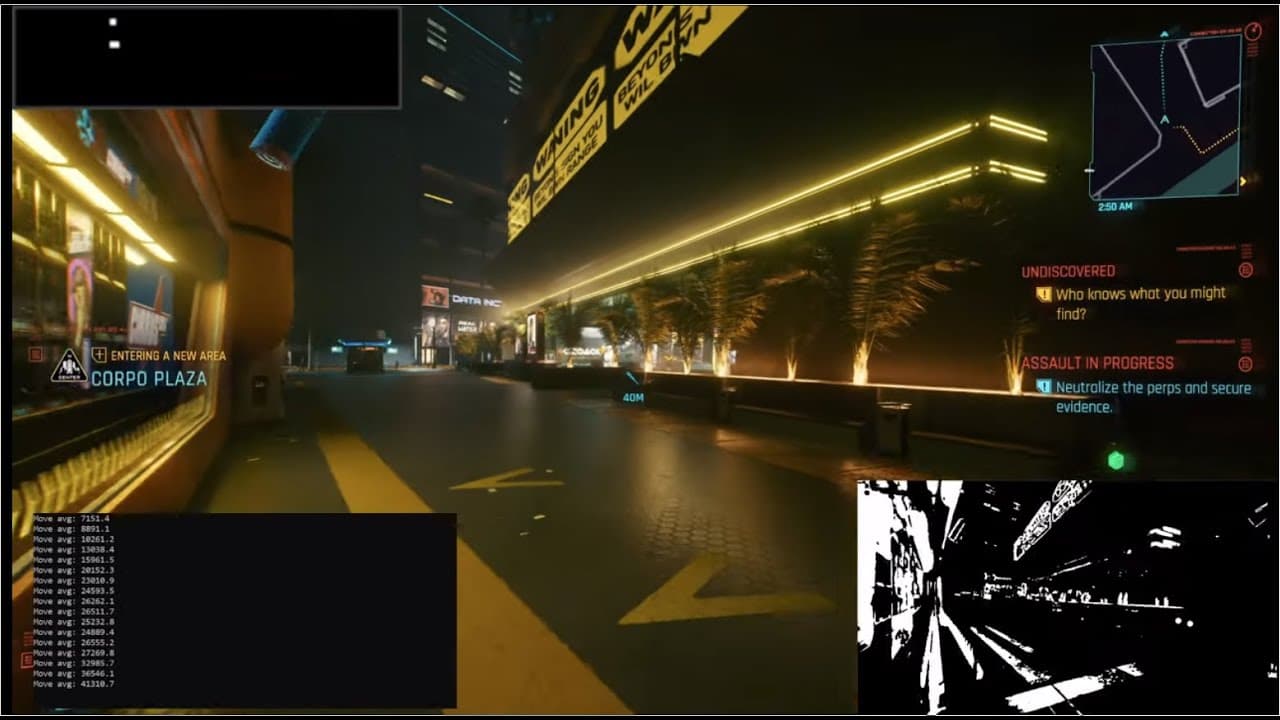
- 🍵 Motion detection is used to handle obstacles and jump over them, enhancing the script's navigation capabilities.
- 💋 The content creator also addresses issues such as getting stuck on objects and proposes solutions using motion detection and jumping.
- 🎮 The script can be paused using the get keys script from the Pi GTA series, allowing for better control and flexibility during gameplay.
- 👾 The content creator explores various ways to improve the smoothness of mouse movements in the game.
- 🔫 Viewers are asked for input on how to handle enemies in the game, with options including using different weapons or implementing random weapon switching.
Install to Summarize YouTube Videos and Get Transcripts
Explore YouTube Video Summarizer or Get YouTube Transcript Extractor
Questions & Answers
Q: What is the difference between the yellow and blue paths in Cyberpunk 2077?
The yellow path leads to main game objectives, while the blue path leads to police scanner events where you encounter and fight bad guys.
Q: How does the content creator handle getting stuck on objects?
The content creator implements motion detection to detect obstacles and if the movement average is below a threshold, they press the space bar to make the character jump over the obstacle.
Q: What changes are made to the code to implement motion detection?
The content creator imports the deque function from the collections module to create a deque of screens. They calculate the difference between screens, grayscale it, apply blur and threshold to get the movement count. They store the movement count in a deque of movements and calculate the average. If the average is below a threshold, they initiate a jump using the space bar.
Q: How does the content creator handle pausing the script?
The content creator utilizes the get keys script from their previous Pi GTA series to detect if the 'y' key is pressed. If pressed, they toggle the paused status and if not paused, they continue running the script.
Summary & Key Takeaways
-
The content creator starts by discussing the yellow and blue paths in Cyberpunk 2077, where the yellow path leads to main objectives and the blue path leads to police scanner events.
-
They propose using the blue path for their script and demonstrate how to save different color filters as constants in the code.
-
They also address issues such as getting stuck on objects and introduce methods to handle it, including implementing motion detection and enabling the character to jump over obstacles.
Read in Other Languages (beta)
Share This Summary 📚
Summarize YouTube Videos and Get Video Transcripts with 1-Click
Try YouTube Summary with ChatGPT & Claude or YouTube Transcript Generator
Explore More Summaries from sentdex 📚






Summarize YouTube Videos and Get Video Transcripts with 1-Click
Try YouTube Summary with ChatGPT & Claude or YouTube Transcript Generator