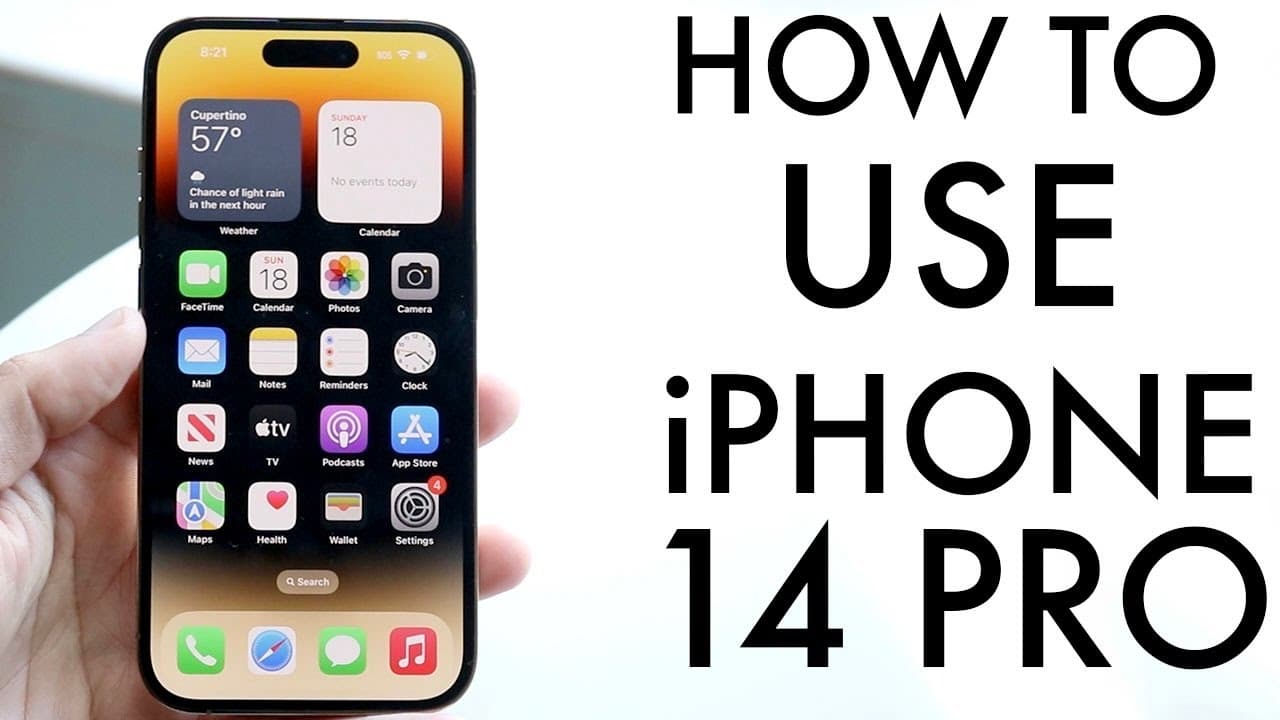
How To Use iPhone 14 Pro/iPhone 14 Pro Max! (Complete Beginners Guide)
TL;DR
A comprehensive guide on how to use the iPhone 14 Pro features effectively.
Transcript
congratulations if you just picked up an iphone 14 pro now this phone is a lot of more different than the iphone 14 so we're making a separate video for it but this is a great iphone it's going to last you a very long amount of time so let's get into basically how you can use this iphone now first of all on the outside we have a beautiful 6.1 inch ... Read More
Key Insights
- 🕳️ The iPhone 14 Pro offers advanced display technology with a 6.1-inch Super Retina XDR OLED, enhancing visual clarity and color accuracy.
- 👤 The transition from a notch to a dynamic island display represents a significant design evolution, providing a unique user interaction model.
- 👻 iOS 16 unlocks a variety of personalization features, allowing users to tweak their device to reflect their style while managing functionality.
- 🤗 The integration of a lidar sensor not only improves photography but also opens doors to augmented reality applications, enriching the device’s capabilities.
- ✅ The introduction of gesture controls facilitates a more fluid navigation experience within apps, marking a shift away from traditional button interactions.
- 💦 The phone’s MagSafe capabilities and water resistance enhance its durability and functionality in everyday scenarios.
- 👶 Users should regularly check for software updates to ensure optimal performance and take advantage of new features and security enhancements.
Install to Summarize YouTube Videos and Get Transcripts
Explore YouTube Video Summarizer or Get YouTube Transcript Extractor
Questions & Answers
Q: What are the key design features of the iPhone 14 Pro?
The iPhone 14 Pro boasts a 6.1-inch Super Retina XDR OLED panel, transitioning from a traditional notch to a dynamic island display, which provides a more immersive viewing experience. The external design includes a frosted glass back, volume buttons, a mute switch, and no sim card tray, emphasizing the shift to eSIM technology.
Q: How can users customize their lock screen with iOS 16?
In iOS 16, users can customize their lock screen by tapping and holding the display to access options for changing the wallpaper, adding widgets, and adjusting the font style of the time display. This feature enhances personalization, allowing users to tailor their experience to suit their preferences.
Q: What is the dynamic island display, and how does it work?
The dynamic island display is a new feature that provides notifications and interactions for various applications in an elongated form at the top of the screen. Users can tap on this area to see more information about ongoing tasks like music playback or screen recording, with the potential for more apps to utilize this feature in the future.
Q: What steps should users take when setting up their iPhone 14 Pro for the first time?
Upon starting their iPhone 14 Pro, users should ensure they set up their eSIM, customize their home screen, and access the settings to update the software to the latest version. Familiarizing themselves with the control center, lock screen, and settings system will enhance the overall experience right from the beginning.
Q: How do gesture controls enhance the user experience on the iPhone 14 Pro?
Gesture controls on the iPhone 14 Pro allow users to easily navigate between applications and access the multitasking panel with simple swipes. This intuitive method streamlines the process of switching between apps, making the overall navigation smoother and more responsive compared to using physical buttons.
Q: What is the purpose of the SOS satellite feature, and how does it function?
The SOS satellite feature enables users to send messages and potentially receive calls in areas without cellular coverage by connecting to specific satellites. This feature is particularly useful for emergency situations when traditional networks are unavailable, thus adding an extra layer of safety for users.
Summary & Key Takeaways
-
The iPhone 14 Pro features a 6.1-inch OLED display, a dynamic island feature instead of a notch, and various new camera capabilities including a lidar sensor for augmented reality.
-
Users can customize their experience through the new iOS 16 features, including the lock screen design, widget integration, and control center access for quick adjustments.
-
The device includes unique functionalities like an SOS satellite mode and enhanced gesture controls, allowing easier navigation and multitasking within applications.
Read in Other Languages (beta)
Share This Summary 📚
Summarize YouTube Videos and Get Video Transcripts with 1-Click
Try YouTube Summary with ChatGPT & Claude or YouTube Transcript Generator
Explore More Summaries from Simple Alpaca 📚






Summarize YouTube Videos and Get Video Transcripts with 1-Click
Try YouTube Summary with ChatGPT & Claude or YouTube Transcript Generator