Google Messages Vs Samsung Messages! (Which Should You Use?)
TL;DR
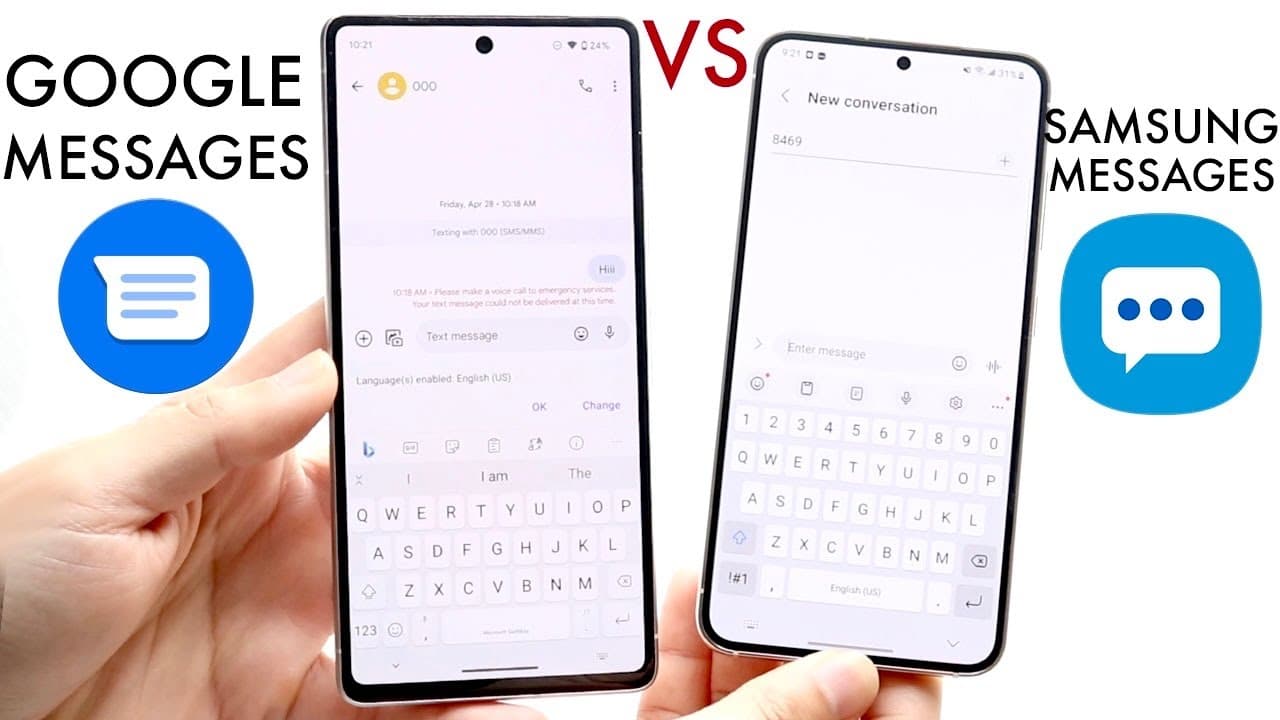
Google Messages is preferred over Samsung Messages for its features and user interface.
Transcript
well everyone it's time for us to go and compare Google messages and compare it against Samsung messages and see which specific application the exact messenger that you should actually use now I definitely do think that there are definitely overlaps but I don't think there's one that you should definitely use I'll be honest Google messages is the o... Read More
Key Insights
- 😀 Google Messages has become the default messaging app on many modern Android devices, enhancing its accessibility.
- 👀 The user interface of Google Messages is often seen as cleaner and more appealing compared to the more cluttered look of Samsung Messages.
- 👶 Google is more likely to introduce new messaging features, particularly related to RCS, which may not be immediately available in Samsung Messages.
- 👤 Features like message scheduling, smart replies, and GIF sharing are more fluid in Google Messages, enhancing the overall user experience.
- 👤 Samsung Messages may have some limitations, such as restrictions on stickers usage, which can frustrate users wanting a versatile messaging platform.
- 👤 The ability to use Google Messages across multiple devices is a significant factor for users who prefer a seamless messaging experience.
- 💯 Both applications share core messaging features like photo and video sharing, making them both functional choices depending on user preference.
Install to Summarize YouTube Videos and Get Transcripts
Explore YouTube Video Summarizer or Get YouTube Transcript Extractor
Questions & Answers
Q: What are the primary reasons to choose Google Messages over Samsung Messages?
Google Messages generally provides a cleaner user interface and a more extensive feature set compared to Samsung Messages. Since it is now the default messaging app on many Android devices, Google Messages also receives timely updates and new features, specifically those related to Rich Communication Services (RCS). As Google continues to innovate, its messaging app likely will have more advanced functionalities in the future, making it a strong choice for users.
Q: Are there any significant differences in functionality between the two apps?
Yes, while both messaging apps allow for text and multimedia messaging, Google Messages offers enhanced capabilities such as sending stickers and GIFs without restrictions that can occur in Samsung Messages. For instance, users may find limitations in sending stickers unless using the Samsung keyboard, which does not apply when using other keyboards like Gboard. Thus, Google Messages tends to have more varied options for user expression.
Q: Can Google Messages be accessed on a computer?
Absolutely! Google Messages provides a feature that allows users to sync their messaging experience across devices. By visiting messages.google.com and scanning a QR code with their phone, users can access and send messages directly from their web browser. This cross-device functionality is a major convenience that enhances the messaging experience beyond just the phone.
Q: Is Samsung Messages still a good option for users?
Yes, Samsung Messages remains a solid choice for users, especially those who do not require extensive messaging functionalities. It offers standard messaging features, so it can serve users well who are content with basic messaging tasks and do not need the advanced capabilities that Google Messages provides.
Summary & Key Takeaways
-
The speaker recommends Google Messages as the primary messaging app due to its user-friendly interface and advanced features, which are regularly updated by Google.
-
While Samsung Messages is decent and functional, it lacks some of the newer features and capabilities that Google Messages offers, particularly regarding RCS functionality.
-
Both applications share core functionalities like sending images and GIFs, but Google Messages allows for greater customization and flexibility, making it the more preferable option.
Read in Other Languages (beta)
Share This Summary 📚
Summarize YouTube Videos and Get Video Transcripts with 1-Click
Try YouTube Summary with ChatGPT & Claude or YouTube Transcript Generator
Explore More Summaries from Simple Alpaca 📚






Summarize YouTube Videos and Get Video Transcripts with 1-Click
Try YouTube Summary with ChatGPT & Claude or YouTube Transcript Generator