How to Buy a Domain and Start a Blog
TL;DR
Learn to register a domain and set up hosting with Bluehost.
Transcript
everyone my name is Spencer Hawes from niche pursuits comm and today I'm going to actually show you how to register a domain name and get set up on Bluehost so you can do it a number of different ways but I'm over here on Namecheap I'm going to search for my domain I'm going to search for marathon boosts comm which is what I think sounds like a coo... Read More
Key Insights
- 🤸 Registering a domain requires checking availability, adding it to your cart, and completing a straightforward checkout process.
- 🥶 It’s possible to obtain a free domain through a Bluehost hosting plan, making it a cost-efficient option for new websites.
- 🌱 When selecting a hosting plan, consider future needs; the Basic plan is economical, while Plus and Prime offer scalability with multiple sites.
- 👻 Unchecking unnecessary features at checkout can significantly reduce initial costs, making hosting more budget-friendly.
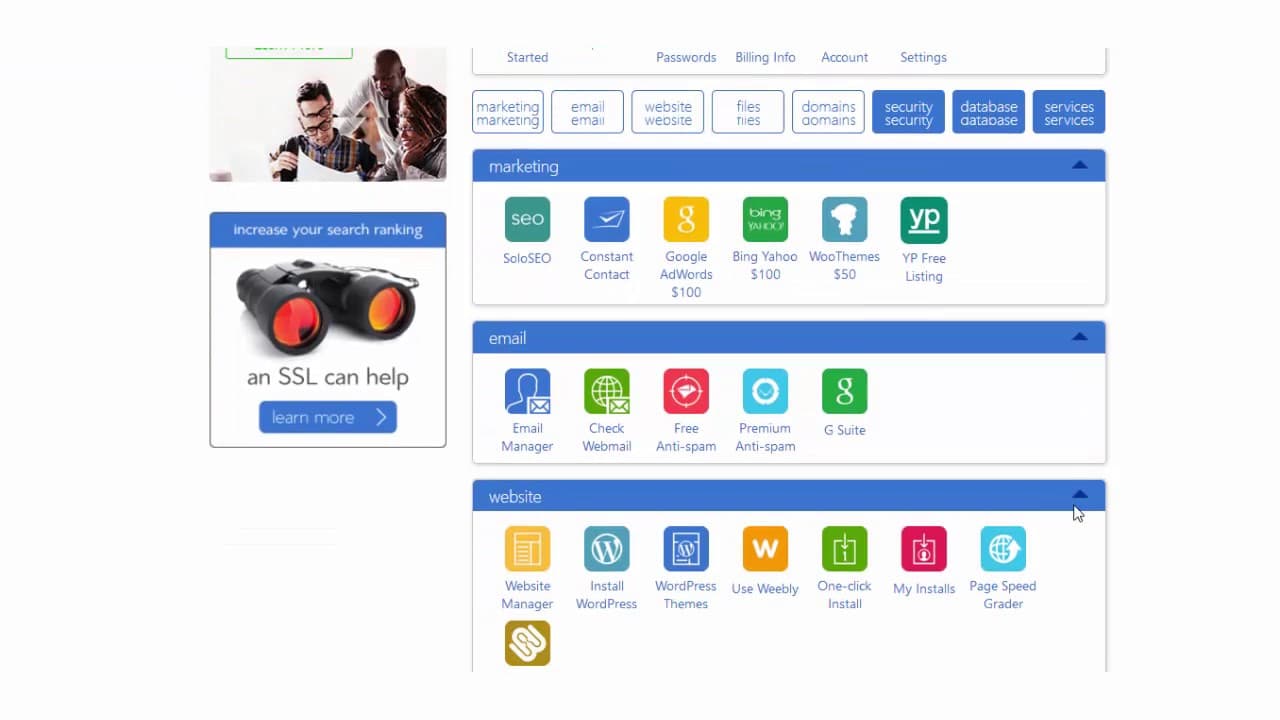
- 😫 Setting up name servers is critical when purchasing a domain separately, and Bluehost simplifies the process by providing default DNS settings.
- 🏃 Installing WordPress is straightforward on Bluehost, enabling users to get their website running effectively with just a few steps.
- 👶 New website owners are encouraged to customize their sites early by publishing their own content and deleting default posts.
Install to Summarize YouTube Videos and Get Transcripts
Explore YouTube Video Summarizer or Get YouTube Transcript Extractor
Questions & Answers
Q: What is the process for registering a domain on Namecheap?
To register a domain on Namecheap, begin by searching for your desired domain name. If it's available, add it to your cart, proceed to checkout, and complete your purchase using available payment methods like PayPal. Namecheap also allows for privacy protection, keeping your registration details confidential.
Q: What options are available when hosting on Bluehost?
Bluehost offers multiple plan options including Basic, Plus, and Prime, each with different website allowances and features. The Basic plan supports one website and includes a free domain, while Plus and Prime allow for multiple websites, catering to potential future needs for expansion.
Q: How can I save money when signing up for hosting with Bluehost?
To save money when signing up for Bluehost, consider unchecking unnecessary add-ons in the package selection section, such as 'Site Backup Pro.' Additionally, opting for a 12-month payment plan instead of three years significantly reduces upfront costs without drastically increasing monthly rates.
Q: What are name servers, and how do I change them if purchased from Namecheap?
Name servers are what connect your domain to your hosting provider. If you purchased your domain from Namecheap, you’ll need to enter custom DNS and input Bluehost's name servers, which are ns1.bluehost.com and ns2.bluehost.com, to ensure the domain points to your Bluehost account.
Q: How do you install WordPress on your new Bluehost account?
To install WordPress on Bluehost, log into your hosting account, locate the 'Install WordPress' option, and follow the prompts. Select your domain from a dropdown, leave default settings as they are for a home page, and provide your admin details to complete the installation seamlessly.
Q: What should I do after installing WordPress on my website?
After installing WordPress, log into your dashboard, where you’ll find a default post named “Hello World.” It’s advisable to delete this post and create your own first blog post. This prepares your website for content and establishes your online presence.
Summary & Key Takeaways
-
Spencer Hawes demonstrates how to register a domain using Namecheap, specifically focusing on selecting an available domain and purchasing it through simple checkout steps.
-
He elaborates on how to set up a hosting account on Bluehost, highlighting plan options, domain registration, and ways to save costs by unchecking unnecessary add-ons.
-
The tutorial concludes with a step-by-step guide to installing WordPress and managing domain settings, ensuring viewers can easily launch their website.
Read in Other Languages (beta)
Share This Summary 📚
Summarize YouTube Videos and Get Video Transcripts with 1-Click
Try YouTube Summary with ChatGPT & Claude or YouTube Transcript Generator
Explore More Summaries from Niche Pursuits 📚




Summarize YouTube Videos and Get Video Transcripts with 1-Click
Try YouTube Summary with ChatGPT & Claude or YouTube Transcript Generator