GTA-Style Menus in REAPER? (Radial Menu)
TL;DR
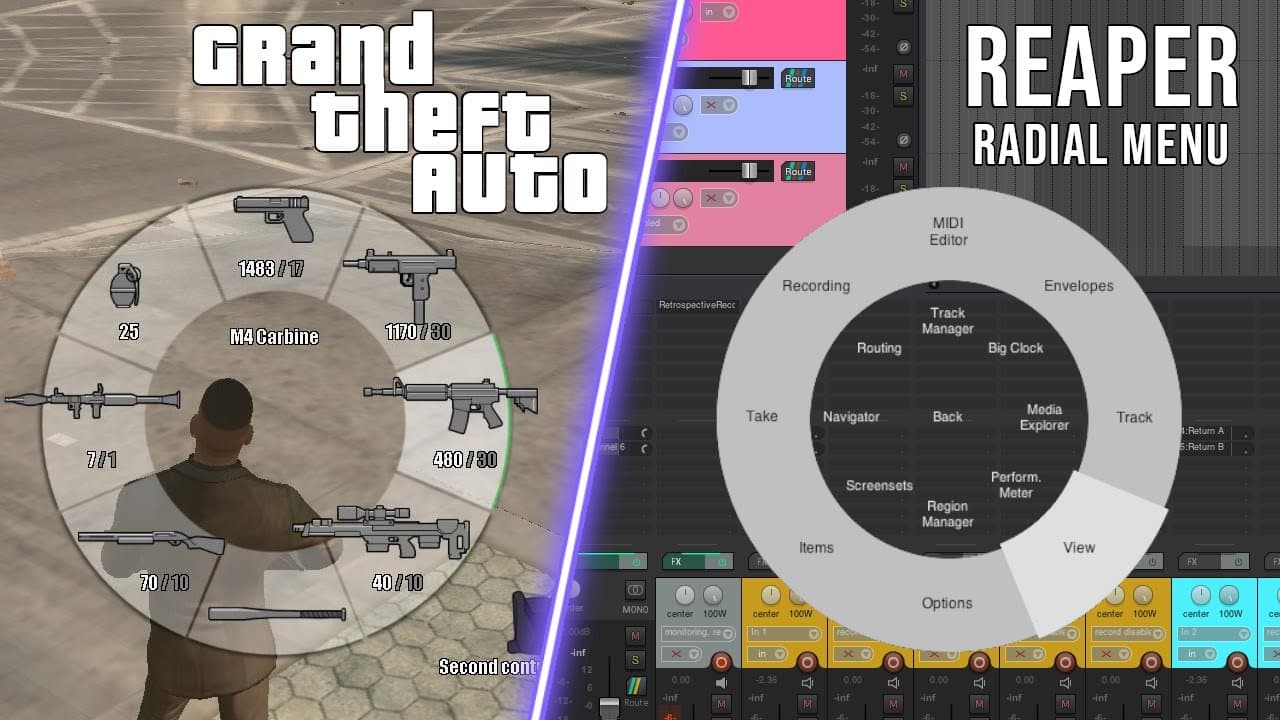
The radio menu in Reaper is a customizable script that allows users to access a wide range of actions with just one hotkey, simplifying complex workflows.
Transcript
hello and welcome to the most popular Reaper channel on the internet don't fact check that so today we're going to cover a whole new and very exciting way to trigger actions in Reaper which I believe would be very useful to all of you with complex action needs but who don't want to have to memorize a million hotkeys to do them so say hello to my li... Read More
Key Insights
- 🧡 The radio menu in Reaper provides a convenient way to access a wide range of actions without the need for multiple hotkeys.
- 🤩 Customization is key with the radio menu, allowing users to personalize their workflows by adding their own actions and creating nested menus.
- 👣 The radio menu can also be used to quickly access plugins, simplifying the process of adding effects to tracks or items.
- 📦 Installation of the radio menu is made easy through Ria pack and the lokasana GUI Library, both of which are included in the ReaTeam scripts packages.
- 👤 Users can donate to the creators of the radio menu (lokasana) as well as other contributors to the Reaper community, such as SWS and Ria pack.
- 🤩 The radio menu offers various options for adjusting its behavior, including choosing what happens when the shortcut key is released and enabling options like click or grid snapping.
- ☠️ The advanced editing tab within the radio menu provides additional features such as pitch adjustment, playback rate control, and automation actions.
Install to Summarize YouTube Videos and Get Transcripts
Explore YouTube Video Summarizer or Get YouTube Transcript Extractor
Questions & Answers
Q: How can the radio menu in Reaper be installed?
The radio menu can be installed through Ria pack, which includes the necessary lokasana scripts. Users can find installation instructions and links to Ria pack in the description below the video.
Q: Can users add their own actions to the radio menu?
Yes, users can easily add their own actions to the radio menu. By accessing the settings window, users can navigate to the desired menu and add buttons with specific actions assigned to them.
Q: How can users navigate between menus within the radio menu?
Users can add buttons that navigate to different menus within the radio menu. By assigning the "menu" command followed by the menu number or name, users can create submenus and easily access specific actions.
Q: Can the radio menu be used to quickly access plugins?
Yes, the radio menu can be customized to include plugins. Users can create a separate plugin section within the menu and assign actions for inserting specific plugins onto tracks or items.
Key Insights:
- The radio menu in Reaper provides a convenient way to access a wide range of actions without the need for multiple hotkeys.
- Customization is key with the radio menu, allowing users to personalize their workflows by adding their own actions and creating nested menus.
- The radio menu can also be used to quickly access plugins, simplifying the process of adding effects to tracks or items.
- Installation of the radio menu is made easy through Ria pack and the lokasana GUI Library, both of which are included in the ReaTeam scripts packages.
- Users can donate to the creators of the radio menu (lokasana) as well as other contributors to the Reaper community, such as SWS and Ria pack.
- The radio menu offers various options for adjusting its behavior, including choosing what happens when the shortcut key is released and enabling options like click or grid snapping.
- The advanced editing tab within the radio menu provides additional features such as pitch adjustment, playback rate control, and automation actions.
- The radio menu allows for a more efficient workflow by eliminating the need for extensive hotkey memorization and reducing the number of menu selections required.
Summary & Key Takeaways
-
The radio menu in Reaper, created by lokasana, provides a comprehensive set of actions that can be accessed with a single hotkey, eliminating the need to memorize multiple shortcuts.
-
Installing the radio menu is made easy through Ria pack and lokasana GUI Library, both of which can be found in the ReaTeam scripts packages.
-
Users can customize the radio menu by adding their own actions and menus, creating a personalized workflow that improves efficiency.
Read in Other Languages (beta)
Share This Summary 📚
Summarize YouTube Videos and Get Video Transcripts with 1-Click
Try YouTube Summary with ChatGPT & Claude or YouTube Transcript Generator
Explore More Summaries from IDDQD Sound 📚

Summarize YouTube Videos and Get Video Transcripts with 1-Click
Try YouTube Summary with ChatGPT & Claude or YouTube Transcript Generator