Xbox One March Update Walkthrough
TL;DR
Xbox Live's Major Nelson discusses the new features rolling out in the Xbox One update, including the Beam streaming service, updated guide, improved home screen, and enhanced multitasking.
Transcript
hi everybody I'm Larry herb Xbox Live's major now I'm here today to talk about some new features that are beginning to roll out today - the Xbox one community the team has been working hard on this update for months which includes being streaming and updated Xbox experience with the new guides home and multitasking scenarios plus much more let's ta... Read More
Key Insights
- ⌚ The Xbox One update introduces the Beam streaming service, allowing viewers to watch and play along with streamers in real-time.
- 🎮 The updated guide provides easy access to game DVR, music controls, and a new achievement tracker.
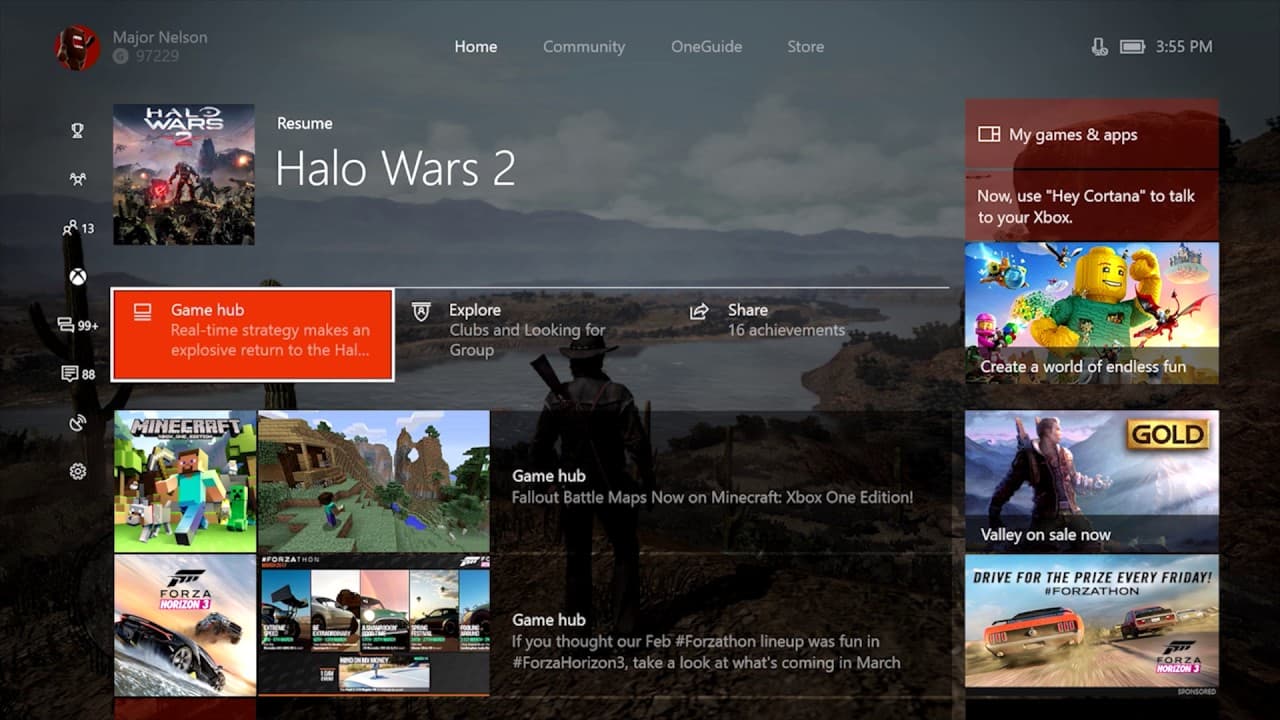
- 👪 The redesigned home screen offers a simplified experience and improved navigation.
- 💨 The update brings overall performance and stability improvements, making menus feel faster and smoother.
- 💻 Cortana has been updated, with improved performance and reliability, and now appears as an overlay on the screen.
Install to Summarize YouTube Videos and Get Transcripts
Explore YouTube Video Summarizer or Get YouTube Transcript Extractor
Questions & Answers
Q: What is the Beam streaming service in the Xbox One update?
The Beam streaming service is an interactive live streaming platform that allows viewers to watch and play along with their favorite streamers in near real-time. It has sub-second latency, enabling instant interaction between viewers and streamers.
Q: How can gamers start broadcasting on Beam?
To start broadcasting on Beam, users can open the newly updated guide with one click of the Xbox button on their controller. From there, they can select the options for their stream and start broadcasting with a single click. Users can also link their Beam account to their Xbox account in the system settings.
Q: What new features are included in the updated guide?
The updated guide includes features like easier game DVR access, music controls for background apps, and a new achievement tracker that allows users to track multiple achievements while playing a game.
Q: What improvements have been made to the Xbox One's home screen?
The home screen has been redesigned to make better use of space and provide a simpler experience. It features smaller icons for games, options to dive deeper into the game's community, interactions with clubs, looking for group posts, viewing achievements, and more.
Summary & Key Takeaways
-
The Xbox One update brings several new features, including the Beam streaming service, which allows viewers to interact with their favorite streamers in real-time.
-
The updated guide provides easy access to frequently used features like game DVR, music controls, and a new achievement tracker.
-
The home screen has been redesigned to provide a simplified experience and better navigation, with improved performance and stability.
Read in Other Languages (beta)
Share This Summary 📚
Summarize YouTube Videos and Get Video Transcripts with 1-Click
Try YouTube Summary with ChatGPT & Claude or YouTube Transcript Generator