Dreamweaver Tutorial : How to Use Dreamweaver Templates
TL;DR
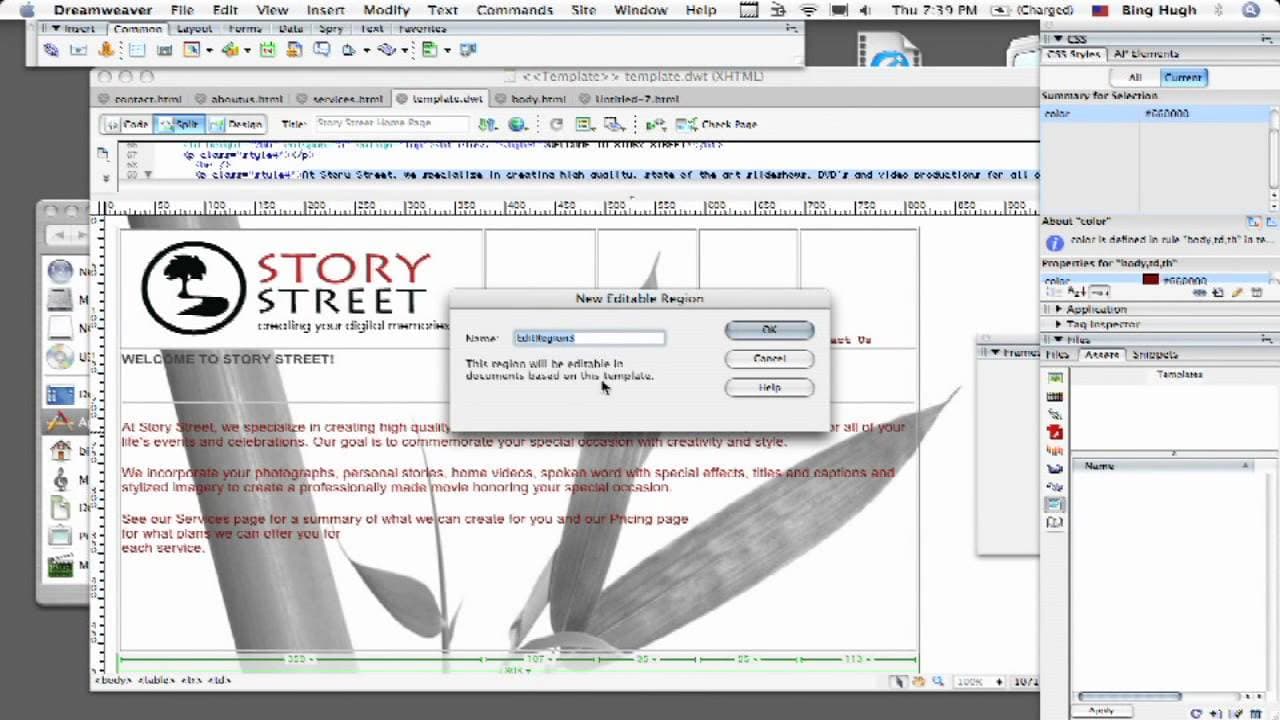
Learn how to create editable regions in Dreamweaver templates to save time and maintain design consistency.
Transcript
hello everyone my name is Dave kazuto from San Francisco computer tutors and in this video tutorial we're gonna show you how to use and create templates using Dreamweaver template to be very valuable for you to save time and energy so you don't have to basically create the same thing over and over again within your website so the way to tell a drea... Read More
Key Insights
- 🕸️ Dreamweaver templates enable the creation of editable regions and static elements for efficient web design.
- 🛟 Maintaining design consistency is simplified with Dreamweaver templates preserving page properties like stylesheets.
- 👶 The assets panel in Dreamweaver provides easy management of templates for quick edits and application to new pages.
- 🕸️ Using Dreamweaver templates can streamline the web design process, saving time and energy.
Install to Summarize YouTube Videos and Get Transcripts
Explore YouTube Video Summarizer or Get YouTube Transcript Extractor
Questions & Answers
Q: How can Dreamweaver templates help save time in web design?
Dreamweaver templates allow you to define editable regions and static content, ensuring design consistency across multiple pages and saving time by eliminating repetitive tasks.
Q: What is the process for creating an editable region in Dreamweaver?
To create an editable region in Dreamweaver, simply highlight the content you want to be editable, right-click to access the templates menu, and choose "new editable region." Name the region and it will be ready for future edits.
Q: How does Dreamweaver handle page properties and stylesheets within templates?
Dreamweaver templates preserve page properties, including applied stylesheets, making it easy to maintain design consistency and apply formatting across multiple pages based on the template.
Q: How can assets panels in Dreamweaver assist in managing templates?
The assets panel in Dreamweaver allows easy access to templates for editing, creating new templates, and applying templates to existing pages, streamlining the design process and ensuring consistency.
Summary & Key Takeaways
-
Using Dreamweaver templates saves time by allowing you to create editable regions and static elements for consistent design.
-
Templates retain page properties, including stylesheets and formatting, for easy application to new pages.
-
Access and manage templates through the assets panel in Dreamweaver, enabling quick edits and updates.
Read in Other Languages (beta)
Share This Summary 📚
Summarize YouTube Videos and Get Video Transcripts with 1-Click
Try YouTube Summary with ChatGPT & Claude or YouTube Transcript Generator
Explore More Summaries from ehow 📚

Summarize YouTube Videos and Get Video Transcripts with 1-Click
Try YouTube Summary with ChatGPT & Claude or YouTube Transcript Generator