Final Cut Camera vs iPhone Camera: Which Is Better?
TL;DR
The Final Cut camera app offers advanced features for professionals, allowing precise control over settings like audio sources and multi-cam filming. In contrast, the iPhone's stock camera app excels in ease of use and convenience for casual users, making it ideal for quick photography and videography without extensive setup. Choose based on your needs: casual shooting or professional quality.
Transcript
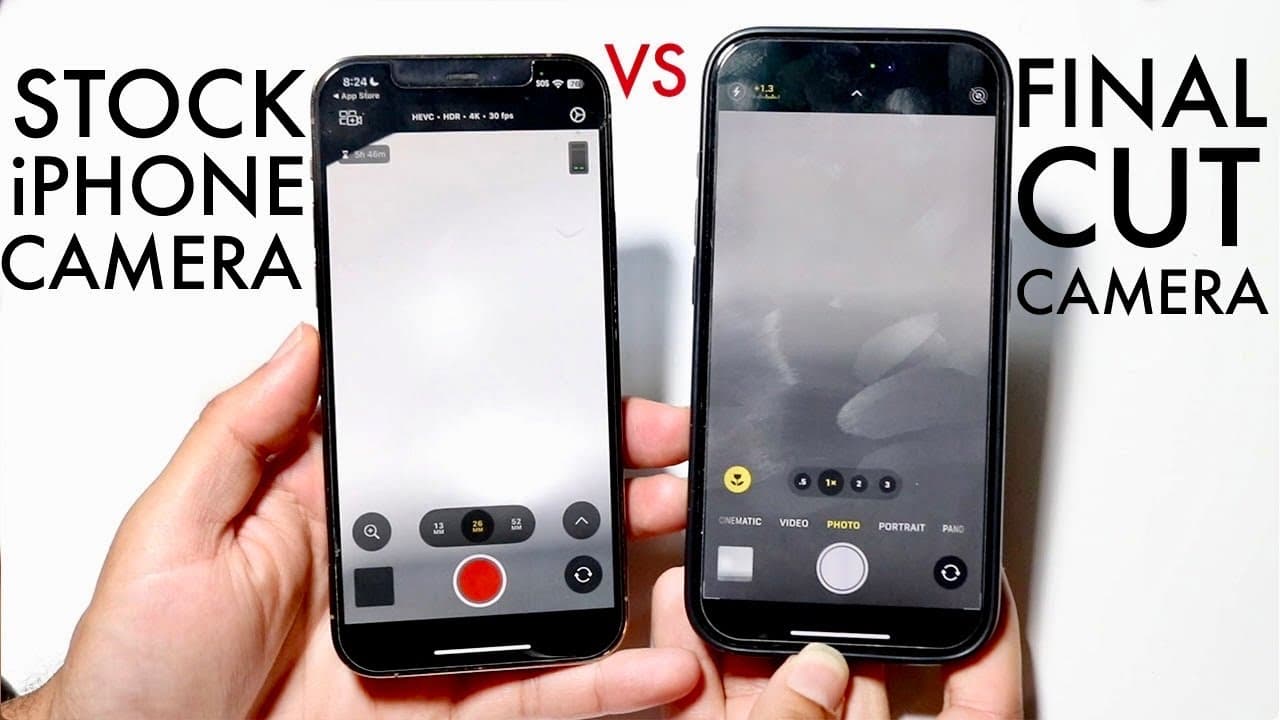
so as some of you may know there is a new camera app in town and it actually is a pretty crazy difference between the two so I'll go and show you the main differences between the stock camera application we have on our iPhones and compared against Final Cut camera that's on my left which is the new Pro enhanced you know camera app that apple is bas... Read More
Key Insights
- 😀 The Final Cut camera app is more suited for professionals seeking advanced features and detailed controls for videography.
- 🎥 The stock camera app is perfect for casual users who value quick access and simplicity in capturing images and videos.
- 😀 Both apps complement each other; while the Final Cut app excels in video editing capabilities, the stock app remains versatile for various photography needs.
- 😀 Users can switch between different focal lengths more easily within the Final Cut app, enhancing shooting flexibility.
- 😀 The experience of adjusting audio levels and source selection in the Final Cut app can significantly improve video production quality.
- 😑 Portrait and cinematic modes included in the stock camera offer pre-determined settings, making high-quality photography accessible to everyone.
- 👏 Users are encouraged to choose between the two apps based on their specific needs, with stock app sufficing for general use and Final Cut for professional production.
Install to Summarize YouTube Videos and Get Transcripts
Explore YouTube Video Summarizer or Get YouTube Transcript Extractor
Questions & Answers
Q: What are the main advantages of the Final Cut camera app over the stock iPhone camera?
The Final Cut camera app shines in its professional features, including live multi-cam options, real-time audio level monitoring, and the ability to modify audio sources. It allows users to quickly adjust video settings directly within the app, providing more control over the filming process which is beneficial for professional videographers needing high-quality outputs.
Q: How does the stock camera app cater to everyday users?
The stock camera app is designed for convenience and ease of use, making it ideal for everyday users who want quick access to photography features. It allows for swift photo and video capturing, featuring built-in modes like portrait and cinematic that apply preset settings, thus requiring no extra time for adjustment.
Q: Are there significant differences in photography options between the two apps?
Yes, while both apps allow users to take photos, the stock camera app has more diverse photo modes, such as portrait and cinematic, which are optimized for consumer use. In contrast, the Final Cut camera app is primarily designed for video, focusing less on preset photo options but offering more control for custom settings.
Q: Is the Final Cut camera app suitable for beginners?
The Final Cut camera app is more aligned with professional users who need in-depth controls and customization. Beginners might find it overwhelming due to its complexity and the requirement for more detailed settings corrections. For most casual users, the stock camera app remains the more convenient choice.
Q: What features do the stock camera app and Final Cut camera have in common?
Both the stock camera app and Final Cut camera app serve the fundamental purpose of capturing photos and videos. They include basic video and photo mode capabilities, as well as zoom features. However, the availability of advanced tools and professional options is what differentiates them significantly.
Q: How does stabilization work in both camera apps?
The Final Cut camera app offers advanced stabilization options directly visible in the interface, allowing users to adjust settings intuitively. On the other hand, the stock camera app provides essential stabilization features but requires users to navigate to settings outside the camera interface, making it less user-friendly in comparison.
Summary & Key Takeaways
-
The iPhone's stock camera app provides an accessible option for casual photography and videography, benefiting average users with quick access and usability.
-
The Final Cut camera app includes advanced features like live multi-cam, audio source changes, and more detailed controls for professionals, but requires more setup time.
-
While both apps are free, the stock app excels in ease of use, while the Final Cut app is suited for users seeking extensive customization and professional quality in their videos.
Read in Other Languages (beta)
Share This Summary 📚
Summarize YouTube Videos and Get Video Transcripts with 1-Click
Try YouTube Summary with ChatGPT & Claude or YouTube Transcript Generator
Explore More Summaries from Simple Alpaca 📚






Summarize YouTube Videos and Get Video Transcripts with 1-Click
Try YouTube Summary with ChatGPT & Claude or YouTube Transcript Generator