How To Use Your Steam Deck! (Complete Beginners Guide)
TL;DR
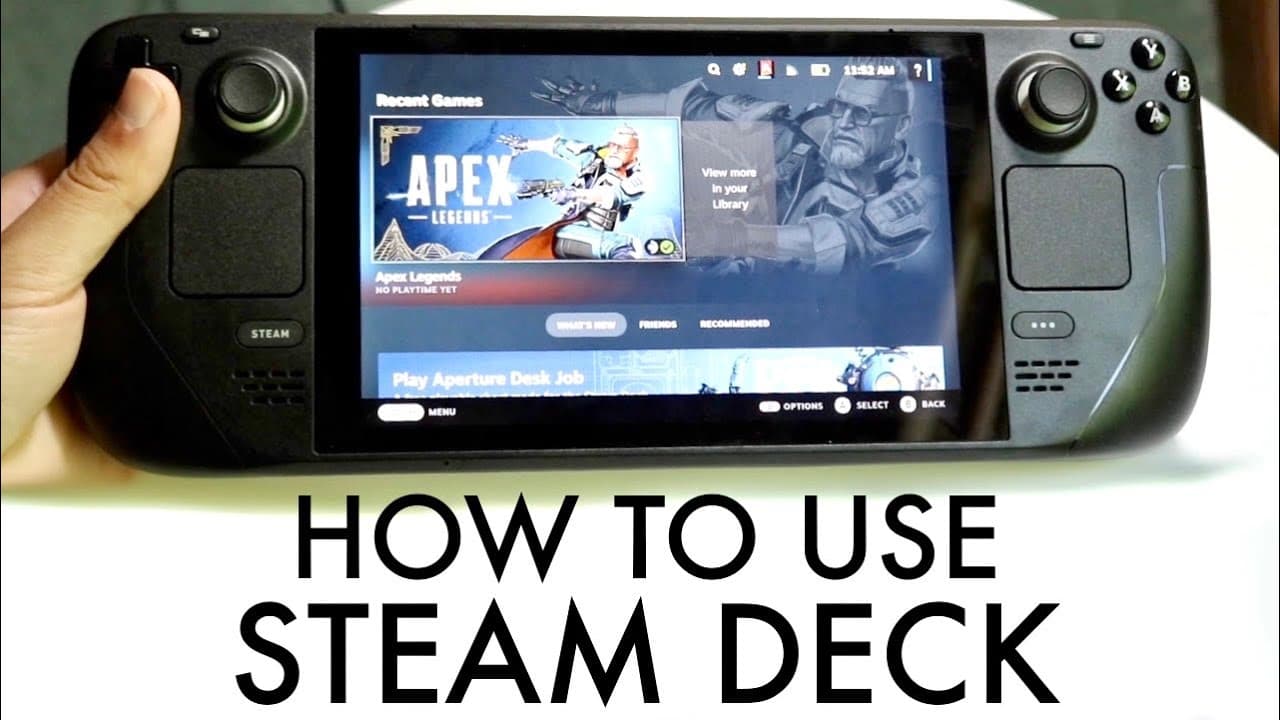
This guide explains how to use and navigate the Steam Deck effectively.
Transcript
so you may have just picked up your steam deck and you might be trying to figure out how you can use this specific gaming handheld now luckily for you I'll explain exactly how to use it hopefully it's a good enough tutorial for you guys but here's the thing the steam deck you made a great choice picking it up and it's still easily a really good con... Read More
Key Insights
- 🎨 The Steam Deck is intuitively designed for easy navigation, suitable for both casual and dedicated gamers.
- 👻 The quick toggle options enhance user experience by allowing fast adjustments to settings like brightness and audio directly during gameplay.
- 😤 Steam OS offers a straightforward interface for both accessing games and managing console settings, streamlining the gaming experience.
- 👾 Users can switch between game modes and system functionality seamlessly, enhancing multitasking capabilities on the device.
- ❎ The device's negative features, such as tougher back buttons, are balanced by overall ergonomic design elements that improve usability.
- 😪 Battery life management is integral, with features such as sleep mode available to extend usage during gaming sessions.
- 👻 The Steam Deck allows installation of alternative operating systems, like Linux or Windows, adding versatility for tech-savvy users.
Install to Summarize YouTube Videos and Get Transcripts
Explore YouTube Video Summarizer or Get YouTube Transcript Extractor
Questions & Answers
Q: What are the main control features on the Steam Deck?
The Steam Deck includes several control features such as a D-pad, two joysticks, multiple buttons (A, B, X, Y), trackpads for precise navigation, shoulder buttons, and back buttons, which add versatility for various game types. Each control is designed to optimize gameplay by catering to different input requirements, ensuring a smooth gaming experience.
Q: How do you navigate the Steam OS on the Steam Deck?
Navigating Steam OS is straightforward. Users can access their game library through the main interface. By clicking on the Steam button, they can explore settings, notifications, and friends' lists. The layout is designed for easy access to the store and game downloads, ensuring gamers can quickly find what they need without confusion.
Q: What is the significance of the micro SD card slot in the Steam Deck?
The inclusion of a micro SD card slot is significant as it allows for expanded storage options. Users can easily increase their available game space without relying solely on the built-in storage, making it easier to manage large game libraries on the go, which is especially useful for digital-only consoles.
Q: What options are available for customizing settings on the Steam Deck?
The Steam Deck offers extensive customization settings, including general preferences, audio adjustments, display brightness, internet connection management, and controller configurations. Users can also manage notifications, Bluetooth device connections, and monitor storage, providing a tailored gaming experience that meets individual preferences.
Summary & Key Takeaways
-
The Steam Deck features a user-friendly design, incorporating various buttons, joysticks, and trackpads that enhance gameplay and accessibility for users, making it suitable for both new and experienced gamers.
-
The console operates on Steam OS, providing an intuitive interface for accessing games, settings, and various functionalities, such as notifications and quick toggles for features like brightness and audio.
-
Users can customize their gaming experience using the settings panel, which allows for adjustments in audio, display, and storage management, as well as adding Bluetooth devices and managing notifications.
Read in Other Languages (beta)
Share This Summary 📚
Summarize YouTube Videos and Get Video Transcripts with 1-Click
Try YouTube Summary with ChatGPT & Claude or YouTube Transcript Generator
Explore More Summaries from Simple Alpaca 📚





Summarize YouTube Videos and Get Video Transcripts with 1-Click
Try YouTube Summary with ChatGPT & Claude or YouTube Transcript Generator