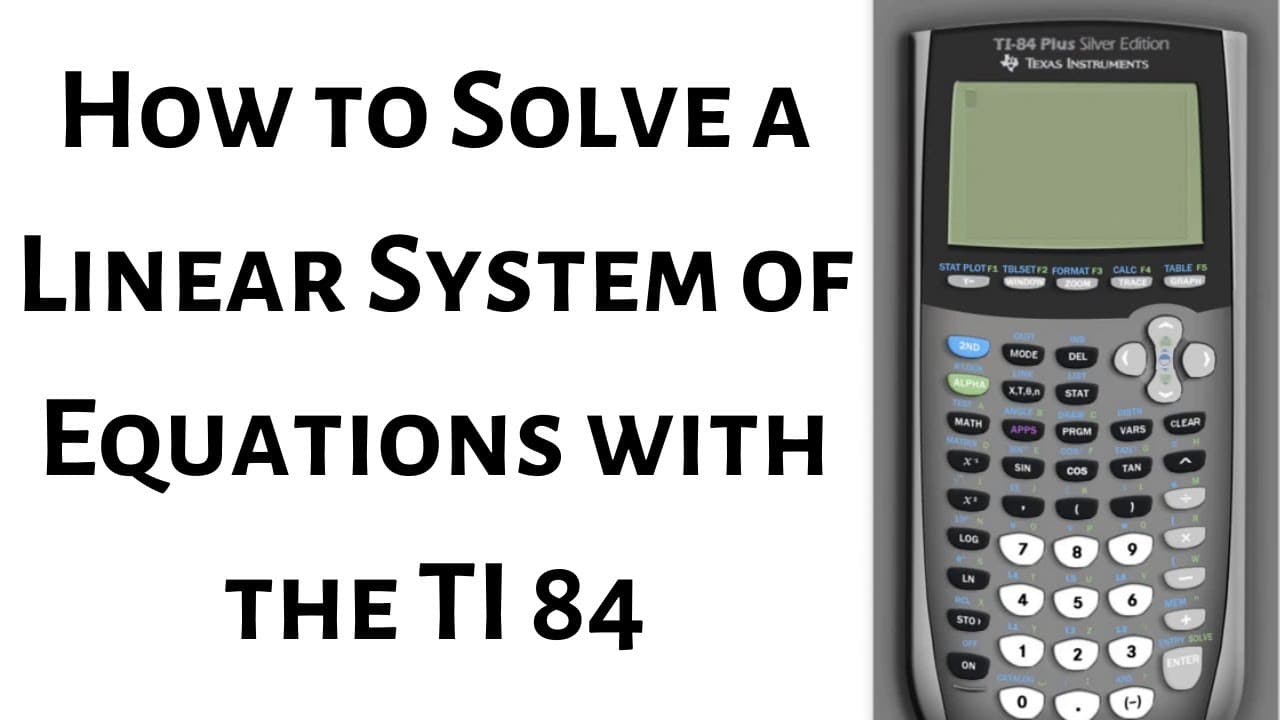
How to Solve a Linear System of Equations with the TI 84
TL;DR
Learn to solve systems of equations quickly using your calculator by entering an augmented matrix and performing matrix operations.
Transcript
hi everyone in this video I'm gonna show you how to solve the system of equations in your calculator as fast as possible so there's a couple of ways to do it and I think this is the shortest way so the trick is to enter a matrix so you want to go to the matrix menu right here where it says matrix and that is a blue key so you want to hit second fir... Read More
Key Insights
- ❓ Efficiently solve systems of equations by entering an augmented matrix on a calculator.
- 🤨 Understand matrices as a way to represent equations using rows and columns.
- 🤨 Use the rref function in the math menu to find solutions in reduced row echelon form.
- 🤩 Exit the matrix menu by pressing the blue 'quit' key to return to the main menu.
- ❓ Convert decimal solutions into fractions on the calculator using the 'math' function.
- 👻 Mastery of this method allows for quick and accurate solutions to systems of equations on calculators.
- 🎭 Practice entering coefficients and performing matrix operations to improve efficiency.
Install to Summarize YouTube Videos and Get Transcripts
Explore YouTube Video Summarizer or Get YouTube Transcript Extractor
Questions & Answers
Q: How can you solve systems of equations efficiently on a calculator?
You can efficiently solve systems of equations on a calculator by entering an augmented matrix and using matrix operations like the rref function to find solutions in reduced row echelon form.
Q: What do rows and columns represent when entering coefficients in a matrix?
Rows represent the number of equations (2 for two equations, 3 for three, and so on), while columns represent the number of variables (usually 1 for each variable).
Q: How do you exit the matrix menu on the calculator?
To exit the matrix menu on the calculator, you need to press the blue 'quit' key (second mode) to return to the main menu.
Q: How can you convert decimal solutions into fractions on the calculator?
You can convert decimal solutions into fractions on the calculator by selecting the decimal value and then using the 'math' key followed by 'enter' two times to display the fraction.
Summary & Key Takeaways
-
Quickly solve systems of equations in a calculator by entering an augmented matrix.
-
Understand matrices as rows and columns when entering coefficients.
-
Use the rref function to find solutions in reduced row echelon form.
Read in Other Languages (beta)
Share This Summary 📚
Summarize YouTube Videos and Get Video Transcripts with 1-Click
Try YouTube Summary with ChatGPT & Claude or YouTube Transcript Generator
Explore More Summaries from The Math Sorcerer 📚



Summarize YouTube Videos and Get Video Transcripts with 1-Click
Try YouTube Summary with ChatGPT & Claude or YouTube Transcript Generator