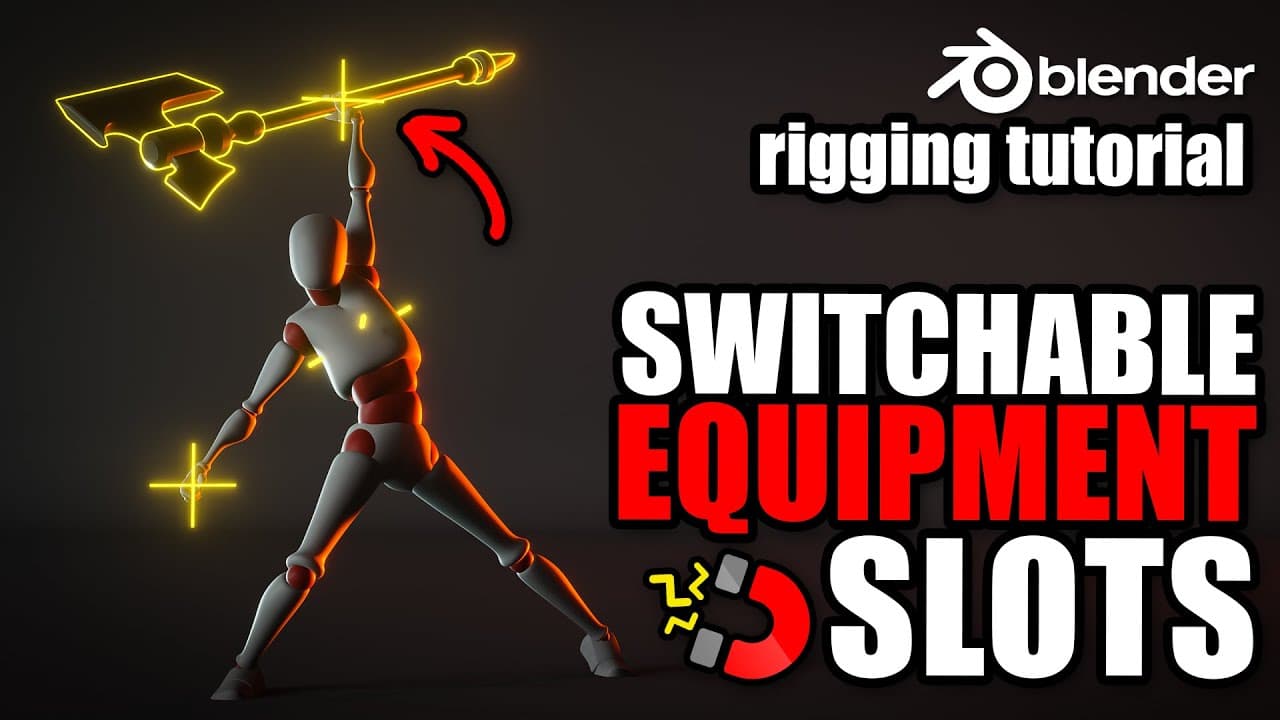
Rigging equipment and weapon slot in Blender
TL;DR
Learn to rig equipment slots and switch mechanisms in Blender.
Transcript
being able to attached of snap and ask a weapon or any piece of equipment on the character is a pretty common religion let's see how we can do it in this video I will show you how to read equipment slot so that we can snap a weapon or any piece of equipment to a given controller and how to switch from one to the other we will also build a m... Read More
Key Insights
- The tutorial demonstrates how to rig equipment slots in Blender, allowing users to attach and switch equipment easily.
- A mechanism is built to handle double-handed weapons, ensuring smooth transitions and control over complex rigs.
- The process involves creating deformation bones, target bones, and using copy transform constraints to achieve desired movements.
- Adjusting bone orientation and organization is crucial for effective rigging, ensuring that bones are easily identifiable and manageable.
- Custom properties and drivers are utilized to create a switch mechanism, allowing for easy toggling between different equipment positions.
- The tutorial addresses issues like scaling inheritance by creating intermediary bones, preventing undesired transformations.
- A master controller is introduced for managing double-handed weapons, avoiding cycling dependency issues.
- Custom shapes and bone groups are used to enhance readability and organization, aiding animators in their workflow.
Install to Summarize YouTube Videos and Get Transcripts
Explore YouTube Video Summarizer or Get YouTube Transcript Extractor
Questions & Answers
Q: How do you attach a weapon to a rig in Blender?
To attach a weapon to a rig in Blender, you start by creating a deformation bone for the weapon, then duplicate it to create a target bone. In pose mode, add a copy transform constraint from the target bone to the deformation bone. Assign vertices to the deformation bone in edit mode, ensuring the weapon follows the bone's movement.
Q: What is the purpose of using a copy transform constraint?
A copy transform constraint is used to make one bone mimic the transformations of another. This is crucial in rigging as it allows for precise control over how different parts of the model move in relation to each other. In the context of this tutorial, it ensures that the weapon follows the rig's movements accurately.
Q: How can you prevent scaling inheritance issues in Blender rigging?
To prevent scaling inheritance issues, you can create intermediary bones. These bones are parented to the main structure but do not inherit scaling transformations. Instead, they copy location and rotation, allowing the rig to maintain its shape and proportions even when the parent bones are scaled.
Q: What is the role of custom properties in this rigging tutorial?
Custom properties are used to create a switch mechanism that allows users to toggle between different equipment positions. By assigning integer values to these properties and linking them to drivers, the tutorial demonstrates how to control the influence of constraints, enabling seamless switching between equipment slots.
Q: How do you create a master controller for double-handed weapons?
A master controller for double-handed weapons is created by duplicating the axe controller and removing its custom shape. This new controller is then used to manage both the weapon and the inverse kinematic hands, avoiding cycling dependency. It allows for coordinated movements of the weapon and hands, ensuring smooth animation.
Q: Why is bone orientation important in rigging?
Bone orientation is important in rigging because it affects how bones interact with each other and how they are manipulated during animation. Proper orientation ensures that transformations are intuitive and predictable, making it easier for animators to control the rig without encountering unexpected behavior.
Q: How do you refine the position of a bone in Blender?
To refine the position of a bone, you can enter pose mode and adjust its rotation and position until it aligns correctly with the rest of the rig. Once satisfied, apply the transformation as the bone's rest pose to maintain its default position, ensuring consistent behavior across different animation states.
Q: What improvements are suggested for better rigging practices?
The tutorial suggests improvements such as using custom shapes for better readability, organizing bones into groups, and ensuring proper naming conventions. It also highlights the importance of isolating control bones on separate layers to maintain a clean workspace, which is crucial for efficient rigging and animation workflows.
Summary & Key Takeaways
-
This tutorial guides users through the process of rigging equipment slots in Blender, focusing on attaching and switching equipment using custom controllers. It covers the creation of deformation and target bones, as well as the use of constraints and custom properties.
-
The video addresses common rigging challenges, such as scaling inheritance and bone orientation, providing solutions like intermediary bones and custom drivers. It emphasizes the importance of organization and clarity in rigging setups.
-
A master controller mechanism is introduced for managing double-handed weapons, ensuring smooth control without causing cycling dependency issues. The tutorial concludes with tips on using custom shapes and bone groups for better readability.
Read in Other Languages (beta)
Share This Summary 📚
Summarize YouTube Videos and Get Video Transcripts with 1-Click
Try YouTube Summary with ChatGPT & Claude or YouTube Transcript Generator
Explore More Summaries from Pierrick Picaut 📚
Summarize YouTube Videos and Get Video Transcripts with 1-Click
Try YouTube Summary with ChatGPT & Claude or YouTube Transcript Generator