First Look at Next Major Xbox System Update
TL;DR
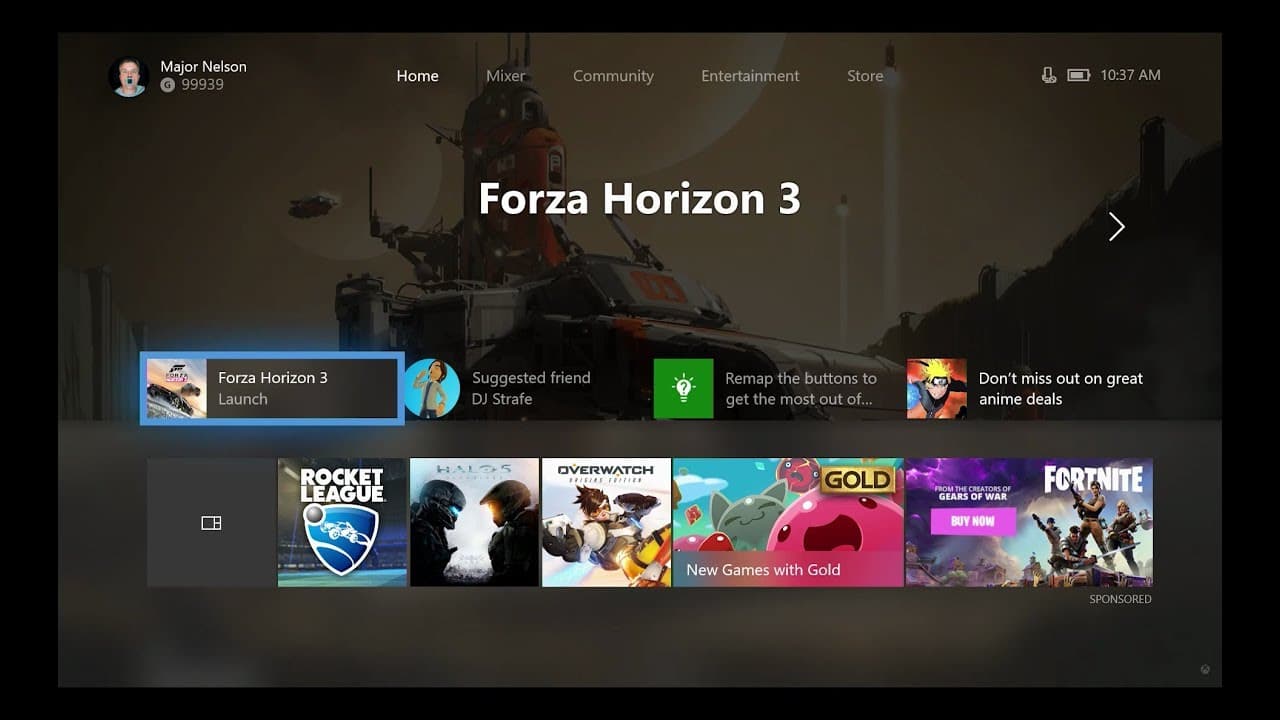
Xbox One is introducing new features, including a redesigned home screen, customizable content blocks, and improvements to the guide and community tab.
Transcript
Hi, it's Larry Herb, XBox Live's Major Nelson. I'm here today with Mikey Ybarra head of platform engineering to talk about some big updates coming to Xbox One. Many of the new features will be rolling out to Alpha Ring Xbox Insiders starting today. More insiders will gain access over time with general availability. Mike, thanks for joining me. >> T... Read More
Key Insights
- 👶 The new updates to Xbox One focus on customization, speed, and user feedback.
- 👻 Content blocks and customizable home screens allow users to prioritize their interests and quickly access their favorite games or friends.
- 👾 The guide improvements aim to minimize interruptions and keep users engaged in their games while providing easy access to social features.
- 👤 The modernized community tab enhances social interactions and provides an updated, user-friendly interface.
- 🖐️ Feedback from Xbox Insiders plays a crucial role in shaping these updates and ensuring a valuable user experience.
- 🤣 The updates will roll out gradually to Xbox Insiders, with general availability scheduled for later in the year.
Install to Summarize YouTube Videos and Get Transcripts
Explore YouTube Video Summarizer or Get YouTube Transcript Extractor
Questions & Answers
Q: What are the new features coming to Xbox One?
The new features include a redesigned home screen, customizable content blocks, improvements to the guide, and modernization of the community tab.
Q: How can users customize their home screen?
Users can choose and pin content blocks that align with their interests, such as specific games or friends. These blocks can be edited, reordered, and updated regularly.
Q: What changes have been made to the guide?
The guide now has horizontal tabs for easy navigation, allowing users to quickly access different features while staying in their game. It also offers multiple windows and deeper layers for added functionality.
Q: What can users expect from the modernized community tab?
The community tab now offers a more visually appealing layout, making it easier to browse and see what friends and game developers are doing. Users can also filter their activity feed to show specific content.
Summary & Key Takeaways
-
Xbox One is getting a new look with the addition of four areas on the dashboard, allowing users to quickly resume their games or shows and receive suggestions for friends to connect with.
-
The home screen now features content blocks that can be customized to show specific interests, such as games, friends, or updates from the Gold Lounge.
-
The guide has been revamped for faster navigation, with horizontal tabs and the ability to access multiple windows within the guide.
-
The community tab has undergone modernization, making it easier to browse and interact with friends, game developers, and activity feeds.
Read in Other Languages (beta)
Share This Summary 📚
Summarize YouTube Videos and Get Video Transcripts with 1-Click
Try YouTube Summary with ChatGPT & Claude or YouTube Transcript Generator