How to Identify Phishing Emails That Look Legitimate
TL;DR
To identify phishing emails that appear genuine, be cautious of messages requesting upgrades or credentials. Always check the sender's email address and scrutinize any links for SSL security issues before entering your information. If you suspect you've been phished, change your passwords immediately to protect your account.
Transcript
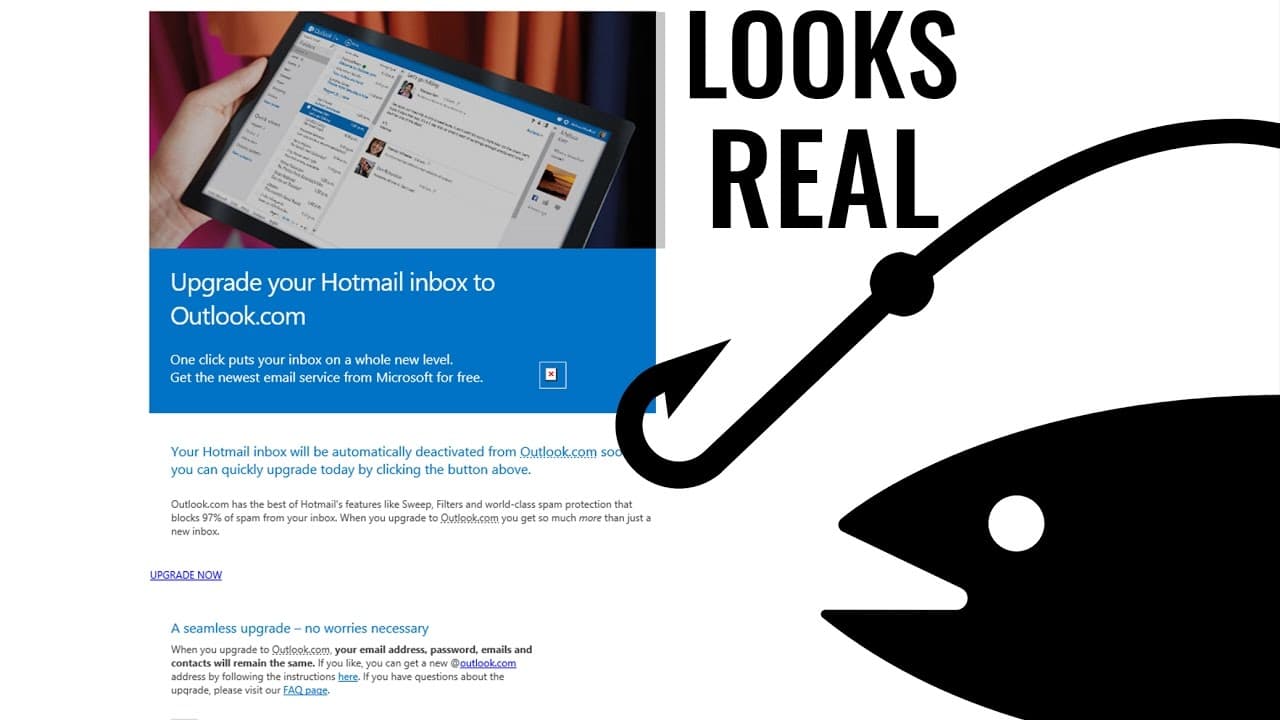
did you recently receive any email from Microsoft Hotmail or Outlook to upgrade your inbox regardless of whether or not you did you should watch carefully because here is a classic example of how the fissures get to you in the last couple of weeks I've received several emails from the quote-unquote MSN team asking me to upgrade my inbox one of them... Read More
Key Insights
- 💌 Phishing scams rely on tricking users into divulging sensitive information through deceptive emails that mimic legitimate companies.
- 💌 Even experienced users can be susceptible to phishing attacks, highlighting the need for constant vigilance and education on email security.
- 👤 Phishing websites not only steal login credentials but may also redirect users to genuine websites, further obscuring their malicious intentions.
- 👊 Neither spam filters nor antivirus programs can fully protect against all phishing attacks, emphasizing the importance of user awareness and caution.
- 🍂 Changing passwords immediately after falling victim to a phishing scam can mitigate potential damages.
- 👊 Cybercriminals exploit human fallibility and the potential to make mistakes, making awareness and skepticism crucial in preventing phishing attacks.
- 💌 Companies like Microsoft or Gmail may legitimately send upgrade emails, but users should verify their authenticity by closely inspecting the sender and URLs.
Install to Summarize YouTube Videos and Get Transcripts
Explore YouTube Video Summarizer or Get YouTube Transcript Extractor
Questions & Answers
Q: How do phishing scam emails imitate legitimate companies like Microsoft?
Phishing emails carefully replicate the appearance of genuine company communications, including similar language and visual elements, making them difficult to identify as scams at first glance.
Q: What red flags should one look for in a phishing email?
Pay attention to the email address of the sender, which might contain subtle variations or unfamiliar domain names. Additionally, scrutinize the webpage URLs and look for SSL issues or discrepancies indicating a fraudulent site.
Q: Can antivirus software protect against phishing scams?
While antivirus programs help protect against malware, they may not always detect or block phishing attempts. Users must rely on their awareness and skepticism to recognize and avoid these scams.
Q: How can individuals protect themselves from falling victim to phishing attacks?
Stay informed about current tactics used by cybercriminals, double-check the sender's email address and webpage URLs, and never provide personal information or login credentials unless absolutely certain of the legitimacy of the request.
Summary & Key Takeaways
-
The content warns about receiving phishing emails from the "MSN team" urging users to upgrade their inbox, which appear deceptively legitimate.
-
Clicking on the upgrade button leads to a convincing fake Microsoft sign-in page where users unknowingly provide their email and password.
-
Phishing websites capture the login credentials and redirect users to the genuine Outlook website, leaving them vulnerable to account hijacking.
Read in Other Languages (beta)
Share This Summary 📚
Summarize YouTube Videos and Get Video Transcripts with 1-Click
Try YouTube Summary with ChatGPT & Claude or YouTube Transcript Generator
Explore More Summaries from The PC Security Channel 📚






Summarize YouTube Videos and Get Video Transcripts with 1-Click
Try YouTube Summary with ChatGPT & Claude or YouTube Transcript Generator