How to Put a Computer in Your Car with the Raspberry Pi
TL;DR
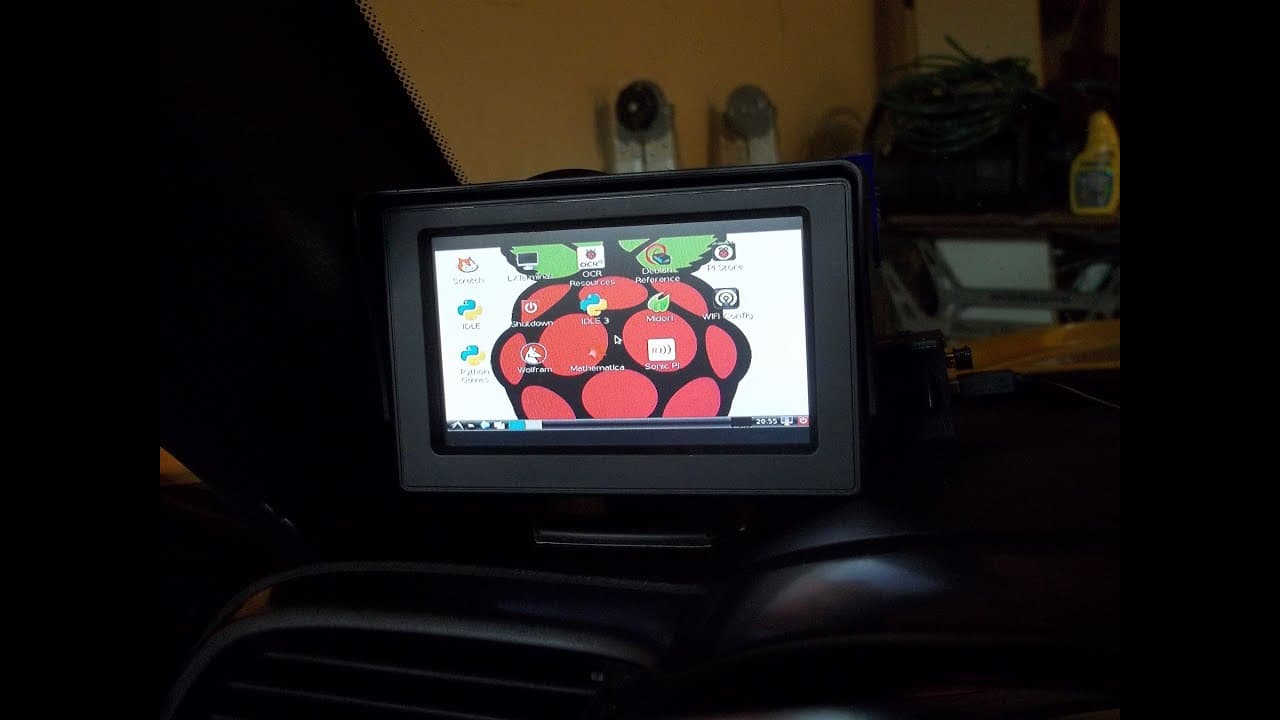
Learn how to install a complete computer system in your car using a Raspberry Pi and other affordable components.
Transcript
everybody what is going on today I'm going to be showing you guys how you can put a computer a full computer in your car for under $100 so what I'm going to show you right now is all the you know stuff that's really required for this as well as some of the stuff that's not necessarily required but might be fun to have and really the only thing that... Read More
Key Insights
- 😨 Installing a computer in your car can be done affordably using a Raspberry Pi and inexpensive components.
- 💻 Adding a composite screen with 3M tape and Velcro allows for easy placement and removal.
- ✊ Powering the computer system can be achieved by connecting it to the car's power supply or other power sources.
- 😨 With an OBD2 cable, you can access and monitor various car stats using the Raspberry Pi.
- 🎮 Additional features like video recording, remote control, and voice commands can enhance the car computer system.
- ✊ Using power switches like those from MCM Electronics can help overcome power shutdown issues when turning off the car.
- 👻 The USB hub allows for connecting peripherals like a keyboard and mouse for added functionality.
Install to Summarize YouTube Videos and Get Transcripts
Explore YouTube Video Summarizer or Get YouTube Transcript Extractor
Questions & Answers
Q: What are the main components needed to install a computer in your car?
To install a computer in your car, you will need a composite screen, Raspberry Pi, USB hub, power supply, and potentially a camera, keyboard, and mouse.
Q: How can you power the computer system in your car?
You can power the computer system using the car's power supply by connecting it to the accessory slot or other power sources like the cigarette lighter or overhead light.
Q: Can you access car data using the Raspberry Pi?
Yes, with an OBD2 cable, you can connect the Raspberry Pi to the car's onboard computer and access various data, such as RPM, throttle position, and check engine codes.
Q: What are some additional features you can add to a car computer system?
Apart from accessing car data, you can also record video, control the car remotely, and use voice commands for actions like remote start.
Summary & Key Takeaways
-
This video demonstrates how to set up a computer system in your car using a Raspberry Pi and inexpensive components.
-
The required components include a composite screen, Raspberry Pi, USB hub, and power supply.
-
Additional optional components include a camera, keyboard, mouse, OBD2 cable, and power switches.
Read in Other Languages (beta)
Share This Summary 📚
Summarize YouTube Videos and Get Video Transcripts with 1-Click
Try YouTube Summary with ChatGPT & Claude or YouTube Transcript Generator
Explore More Summaries from sentdex 📚






Summarize YouTube Videos and Get Video Transcripts with 1-Click
Try YouTube Summary with ChatGPT & Claude or YouTube Transcript Generator