kubernetes use cases on job and pod annotations
TL;DR
Learn how to simplify logs retrieval and automate data seeding in Kubernetes using annotations and the job object.
Transcript
hi everyone this is dikshit welcome to my channel in this particular video i'm to discuss about scenarios which i've recently came across when i was working on kubernetes the first scenario is very simple let's say for example uh we have a multi-container pad so you can see in on the screen where in like my pod name is multi-container and also unde... Read More
Key Insights
- 😫 Logs retrieval in multi-container pods can be simplified by setting a default container using annotations.
- 👻 The job object in Kubernetes allows for automated data seeding without manual intervention.
- 🥟 Using the job object, multiple data dump files can be executed sequentially.
- 🦕 The pod created by the job can be easily managed and removed once the task is complete.
- 🛟 The job object serves as a versatile tool for executing specific operations within a Kubernetes cluster.
- ❓ By leveraging annotations and job objects, common tasks can be streamlined and automated in Kubernetes.
- 🧑💻 Simplifying logs retrieval and data seeding improves efficiency and reduces manual effort in Kubernetes environments.
Install to Summarize YouTube Videos and Get Transcripts
Explore YouTube Video Summarizer or Get YouTube Transcript Extractor
Questions & Answers
Q: How can I retrieve logs for a specific container within a multi-container pod in Kubernetes?
To retrieve logs for a specific container within a multi-container pod, you can add the option '-c' followed by the container name to the 'kubectl logs' command. However, by using annotations, you can set a default container for log retrieval, simplifying the process.
Q: How can I automate data seeding in MySQL pods in Kubernetes?
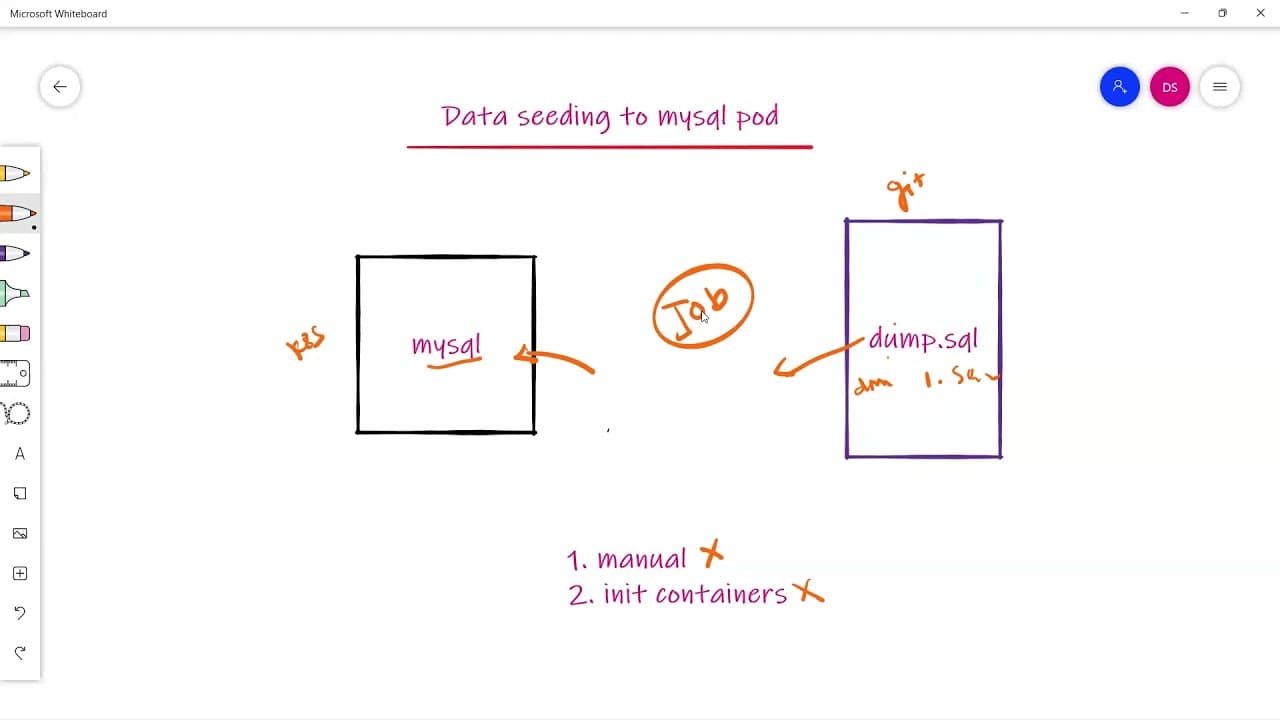
Data seeding in MySQL pods can be automated using the job object in Kubernetes. By defining a job with the necessary commands to download and execute the data dump file, the job will create a pod to perform the seeding. After completion, both the pod and job will be automatically deleted.
Q: Why is using a job object preferred for data seeding in Kubernetes?
Using a job object for data seeding in Kubernetes allows for automation and scalability. It eliminates the need for manual intervention and enables the execution of multiple data dump files sequentially. The pod created by the job can be easily managed and removed once the seeding is complete.
Q: Can the job object be used for tasks other than data seeding?
Yes, the job object in Kubernetes can be used for various tasks that require running a specific operation to completion, such as data migrations, batch processing, and running scheduled tasks. It provides a way to manage and track the execution of these tasks within a Kubernetes cluster.
Key Insights:
- Logs retrieval in multi-container pods can be simplified by setting a default container using annotations.
- The job object in Kubernetes allows for automated data seeding without manual intervention.
- Using the job object, multiple data dump files can be executed sequentially.
- The pod created by the job can be easily managed and removed once the task is complete.
- The job object serves as a versatile tool for executing specific operations within a Kubernetes cluster.
- By leveraging annotations and job objects, common tasks can be streamlined and automated in Kubernetes.
- Simplifying logs retrieval and data seeding improves efficiency and reduces manual effort in Kubernetes environments.
- Kubernetes provides various features and objects to optimize and enhance containerized application management.
Summary & Key Takeaways
-
Scenario 1: Retrieving logs for a specific container within a multi-container pod in Kubernetes can be challenging. By adding a specific annotation, you can set a default container for log retrieval, simplifying the process.
-
Scenario 2: Seeding data into MySQL pods in Kubernetes can be done manually or using an init container. However, using the job object allows for automated data seeding and easy execution of multiple data dump files.
Read in Other Languages (beta)
Share This Summary 📚
Summarize YouTube Videos and Get Video Transcripts with 1-Click
Try YouTube Summary with ChatGPT & Claude or YouTube Transcript Generator
Explore More Summaries from Deekshith SN 📚

Summarize YouTube Videos and Get Video Transcripts with 1-Click
Try YouTube Summary with ChatGPT & Claude or YouTube Transcript Generator