How to Create a Quiz App Using React JS
TL;DR
To create a quiz app in React JS, start by setting up a new React project. Develop components for questions and options, manage state using hooks, and implement functionality for answer selection and scoring. Use CSS for styling and offer a reset option to restart the quiz after completion.
Transcript
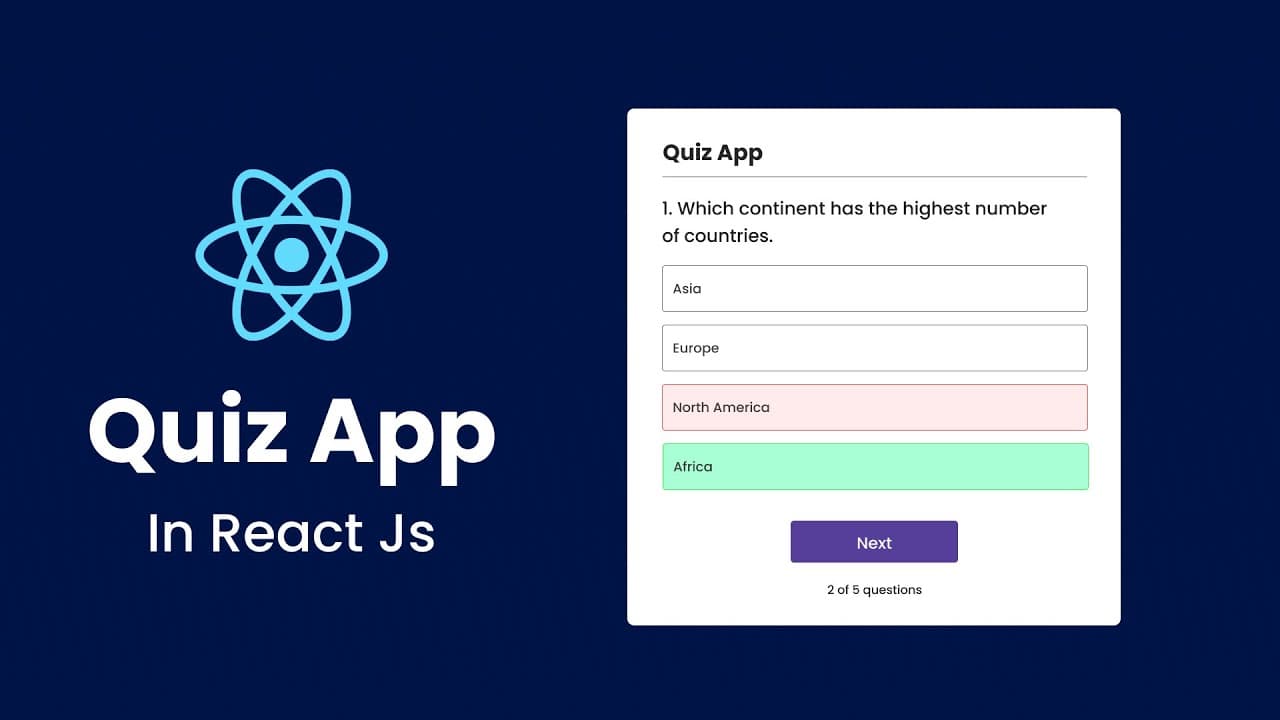
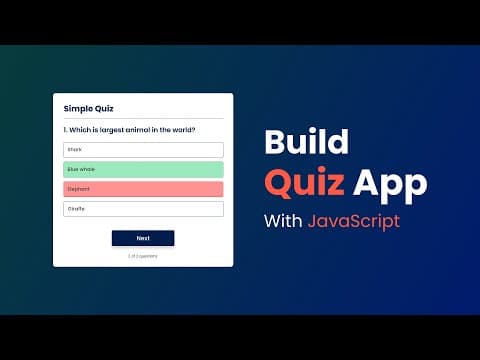
hi guys welcome back to another video of creat a tag today in this video we are going to create a quiz app using reactjs here on my computer screen you can see here we have one quiz app where we have one question and we have four options for this question out of these four options one option is correct and other three are incorrect so if I click on... Read More
Key Insights
- 😀 The quiz app showcases fundamental ReactJS concepts like component structure, hooks for state management, and event handling.
- 😀 CSS plays a crucial role in styling the app, making it visually appealing and user-friendly.
- 👤 Implementing state management effectively enhances user interaction by tracking selected options and displaying feedback.
- 👏 The app demonstrates the use of imports to manage external data, such as question sets, efficiently.
- 👨💻 Code refactoring and organizing project files contribute significantly to maintainability and readability.
- 😒 The tutorial emphasizes the importance of functional programming principles through the use of arrow functions to manage components and events.
- 😀 Utilizing built-in React hooks like
useStateallows easier management of the app's state throughout user interactions.
Install to Summarize YouTube Videos and Get Transcripts
Explore YouTube Video Summarizer or Get YouTube Transcript Extractor
Questions & Answers
Q: What is the purpose of the quiz app created in this tutorial?
The quiz app serves as an educational tool that allows users to answer multiple-choice questions, receive immediate feedback on their selections, and track their scores throughout the quiz. It's a practical application that demonstrates foundational ReactJS concepts, like state management and component structure.
Q: How are correct and incorrect answers highlighted in the app?
When a user selects an answer, the app checks if it matches the correct answer. If it does, the answer is highlighted in green; if it doesn’t, it is highlighted in red. The correct answer is also visually marked for clarity, providing users immediate feedback on their selections.
Q: What steps are involved in setting up the quiz application project?
The project setup begins with creating a React project using npm, followed by opening the project in a code editor like VS Code. The tutorial then guides users through creating components, installing dependencies, and organizing the folder structure necessary for the quiz app.
Q: How can users restart the quiz after completion?
The app features a reset button that, when clicked, resets all the states managing the quiz, including the current question index, score, and user selections. This allows users to start over from the first question of the quiz without needing to refresh the page.
Summary & Key Takeaways
-
The video guides viewers through creating a quiz application using ReactJS, highlighting features like multiple choice questions with scoring.
-
It covers setting up the project, including folder structure, component creation, and styling with CSS, to enhance user experience.
-
The tutorial also details implementing functionality such as tracking answers, displaying correct/incorrect selections, and resetting the quiz.
Read in Other Languages (beta)
Share This Summary 📚
Summarize YouTube Videos and Get Video Transcripts with 1-Click
Try YouTube Summary with ChatGPT & Claude or YouTube Transcript Generator
Explore More Summaries from GreatStack 📚
Summarize YouTube Videos and Get Video Transcripts with 1-Click
Try YouTube Summary with ChatGPT & Claude or YouTube Transcript Generator