How to Customize Sony WF-1000XM5 Earbuds Settings
TL;DR
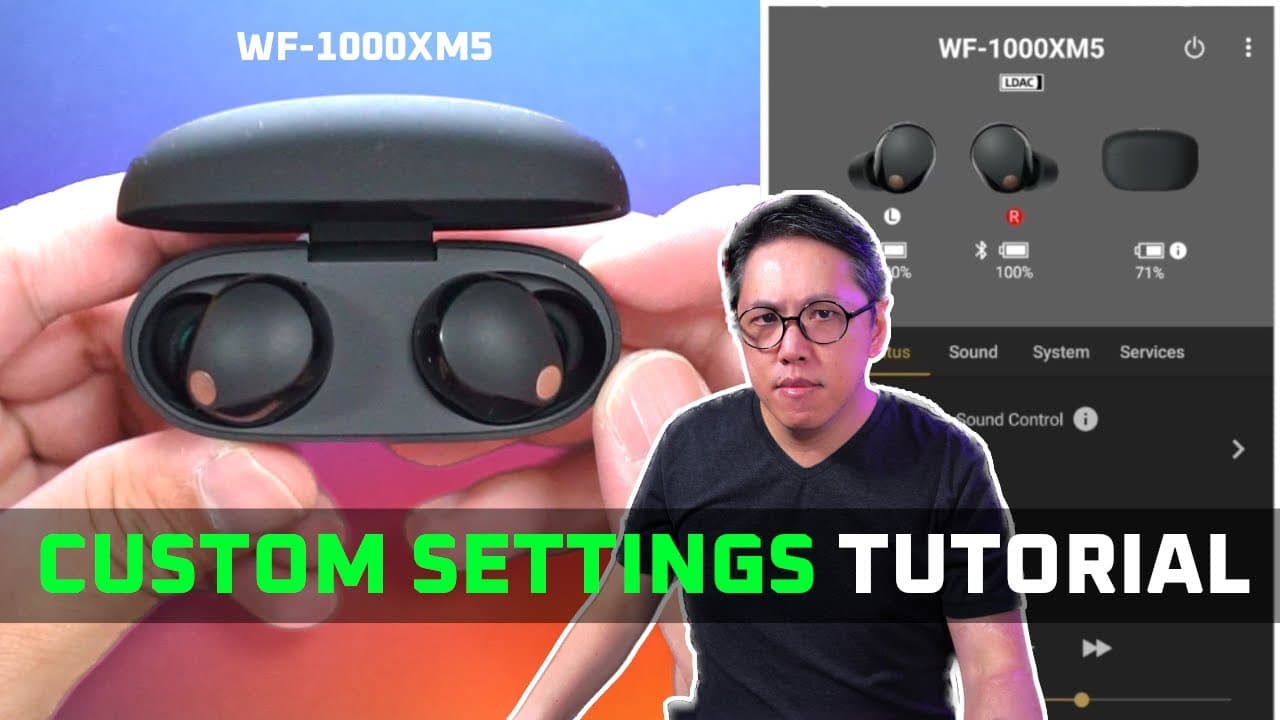
To customize your Sony WF-1000XM5 earbuds, use the Sony Headphones Connect app to adjust features like adaptive sound control, equalizer settings, and noise canceling modes. This allows you to optimize sound quality and ambient awareness based on your activities and environment, ensuring a personalized listening experience.
Transcript
foreign xm5 congratulations you're now a proud owner of one of the most full featured noise canceling earbuds in the market and it's good that you're watching this video because it's so full featured that at first if you look at the Sony headphones Cracked app you'll be quite overwhelmed and the worst thing that anyone can do after spending all of ... Read More
Key Insights
- 😀 The Sony WF-1000XM5 earbuds are equipped with robust customization options via the Connect app, enhancing user control over sound quality and ambient awareness.
- 👂 Adaptive sound control is a standout feature that personalizes listening experiences based on user activity and location, heightening both convenience and safety.
- 🔊 The earbuds support high-definition audio streaming through codecs such as LDAC on Android devices, ensuring sound quality remains uncompromised during transmission.
- 🙊 Speak to chat provides a seamless way to transition between listening to music and engaging in conversations, significantly improving usability in social settings.
- 👻 Equalizer settings allow users to cater sound output to their preference, enhancing the overall listening experience across genres.
- 👤 The My Places feature utilizes real-time location data to optimize ambient noise settings automatically, making it less burdensome for users to adjust their earbud settings manually.
- 🔊 The audio upscaling feature, DSEE Extreme, enhances music clarity, appealing to audiophiles who demand high-fidelity sound from their wireless earbuds.
Install to Summarize YouTube Videos and Get Transcripts
Explore YouTube Video Summarizer or Get YouTube Transcript Extractor
Questions & Answers
Q: What is the primary function of the adaptive sound control feature?
Adaptive sound control allows users to set preferred ambient sound levels based on activities or locations, adapting automatically as you switch from walking to running or visiting different locations. This setting enhances safety and awareness, especially during activities where environmental sounds are significant—like running in a busy area.
Q: How can users customize the equalizer settings on their Sony XM5 earbuds?
Users can customize the equalizer settings by selecting from various presets or using manual adjustments via a five-band EQ. There’s also a new "find your equalizer" feature that suggests settings based on listening preferences after sampling different audio variations, helping to achieve a more tailored sound experience.
Q: What steps are involved in setting location-based adaptive sound control?
To set location-based adaptive sound control, users can register locations through the Sony Headphones Connect app, either automatically through Google Maps or manually by pinpointing spots on a map. Once locations are registered, specific ambient sound levels can be assigned to activate when entering those areas, allowing for seamless adjustments without manual intervention.
Q: How does the ‘speak to chat’ feature improve user experience during conversations?
The 'speak to chat' feature utilizes built-in microphones to detect when users begin speaking. Once activated, it automatically switches to ambient sound mode, allowing users to engage in conversations without removing the earbuds. The feature also includes sensitivity options and duration settings before returning to noise canceling mode, offering flexibility based on user preference.
Summary & Key Takeaways
-
The video serves as an essential guide for users of the Sony WF-1000XM5 earbuds, emphasizing the importance of understanding the Sony Headphones Connect app to enhance the listening experience.
-
Users can customize various features such as adaptive sound control, equalizer settings, and noise canceling modes according to their preferences and environments, making the earbuds versatile for different activities and locations.
-
The tutorial also covers key functionalities like “speak to chat,” spatial audio settings, and how to effectively connect multiple devices, ensuring users fully leverage the advanced offerings of the XM5 earbuds.
Read in Other Languages (beta)
Share This Summary 📚
Summarize YouTube Videos and Get Video Transcripts with 1-Click
Try YouTube Summary with ChatGPT & Claude or YouTube Transcript Generator
Explore More Summaries from Aaron X Loud and Wireless Reviews 📚





Summarize YouTube Videos and Get Video Transcripts with 1-Click
Try YouTube Summary with ChatGPT & Claude or YouTube Transcript Generator