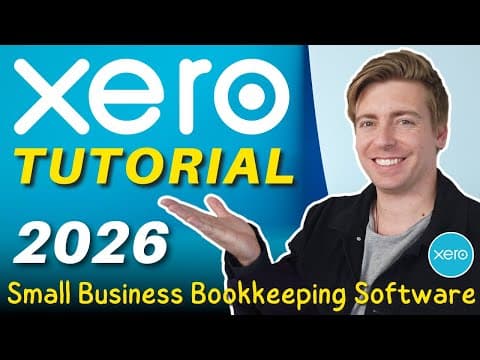
How To Use XERO | Accounting Software Tutorial for Small Business (Beginners Overview)

TL;DR
Learn how to use Xero for small business accounting.
Transcript
xero is a leading user-friendly online accounting software for small business and is designed to simplify your day-to-day business tasks this is to essentially streamline your workflow and give you back more time so you can focus on the things you're best at within your small business hey team welcome back to another small business tutorial... Read More
Key Insights
- Xero is a cloud-based accounting software designed to simplify day-to-day business tasks for small businesses, enhancing workflow efficiency.
- Users can create a new organization and access a demo account to explore Xero’s features before fully integrating it into their business operations.
- Xero allows seamless connection with accountants, enabling them to access and monitor accounts for financial reporting and support when needed.
- Setting up business information, connecting bank accounts, and customizing invoices are initial steps to effectively use Xero for accounting tasks.
- The Xero dashboard provides a comprehensive overview of business operations, including bank feeds, cash flow, and account watch lists.
- Invoices and bills can be created directly from the dashboard, and users can automate their sending and delivery for efficiency.
- Bank reconciliation is simplified with Xero, as transactions are automatically imported and can be easily matched and reconciled.
- Xero offers additional features such as payroll management, project tracking, and integration with various apps to enhance accounting capabilities.
Install to Summarize YouTube Videos and Get Transcripts
Explore YouTube Video Summarizer or Get YouTube Transcript Extractor
Questions & Answers
Q: What is the primary purpose of Xero?
Xero is designed to simplify and streamline the accounting tasks of small businesses. Its primary purpose is to provide an easy-to-use platform for managing day-to-day financial operations, such as invoicing, bank reconciliation, and financial reporting, ultimately saving time and improving workflow efficiency.
Q: How does Xero help with bank reconciliation?
Xero simplifies bank reconciliation by automatically importing transactions from connected bank accounts into the software. Users can then easily match and reconcile these transactions, ensuring their financial records are accurate and up-to-date. This process helps in maintaining balanced accounts and provides a clear view of the business's financial status.
Q: Can Xero be used for managing payroll?
Yes, Xero offers payroll management features that allow businesses to handle employee payments, manage leave, and track timesheets. The payroll section provides an overview of pay runs and other related tasks, making it easier for small businesses to manage their payroll processes efficiently.
Q: What are the benefits of connecting an accountant to your Xero account?
Connecting an accountant to your Xero account allows them to access and monitor your financial data for accurate and timely financial reporting. It facilitates better collaboration, as accountants can provide support and advice based on real-time data, ensuring compliance with financial regulations and helping optimize business performance.
Q: How can Xero's project tracking feature benefit a business?
Xero's project tracking feature helps businesses manage and optimize jobs and projects by providing tools for tracking profitability and efficiency. It enables users to monitor project progress, allocate resources effectively, and ensure that projects are completed on time and within budget, ultimately contributing to increased profitability.
Q: What options does Xero offer for integrating with other apps?
Xero offers integration with a wide range of apps to enhance its functionality and streamline accounting tasks. Users can connect apps for payment processing, such as Stripe and PayPal, as well as other business tools that complement Xero's features, allowing for a more comprehensive and efficient accounting system.
Q: Is it possible to try Xero before committing to a plan?
Yes, Xero offers a 30-day free trial for users to explore its features and determine if it suits their business needs. This trial period allows small business owners to familiarize themselves with the software and assess its capabilities before committing to a paid plan, ensuring it aligns with their accounting requirements.
Q: How does Xero support small business owners in managing invoices?
Xero supports small business owners by providing an intuitive platform for creating, sending, and managing invoices. Users can customize invoices with business information, automate sending and delivery, and track outstanding payments, ensuring efficient invoicing processes that contribute to better cash flow management and customer relationship management.
Summary & Key Takeaways
-
Xero is a user-friendly online accounting software designed to streamline small business operations. This tutorial provides a beginner's guide to using Xero, covering essential features like setting up business accounts, connecting bank feeds, and managing invoices and bills.
-
The tutorial emphasizes the importance of connecting Xero with your accountant for seamless financial management and highlights the software’s ability to automate and simplify accounting tasks, saving time and resources for small business owners.
-
Xero's dashboard offers a comprehensive view of business finances, allowing users to manage cash flow, reconcile transactions, and monitor important accounts. The tutorial also introduces additional features like payroll management and project tracking for enhanced business operations.
Read in Other Languages (beta)
Share This Summary 📚
Summarize YouTube Videos and Get Video Transcripts with 1-Click
Try YouTube Summary with ChatGPT & Claude or YouTube Transcript Generator
Explore More Summaries from Stewart Gauld 📚



Summarize YouTube Videos and Get Video Transcripts with 1-Click
Try YouTube Summary with ChatGPT & Claude or YouTube Transcript Generator