How to Replace the Unreal Engine G5 Mannequin with a Metahuman
TL;DR
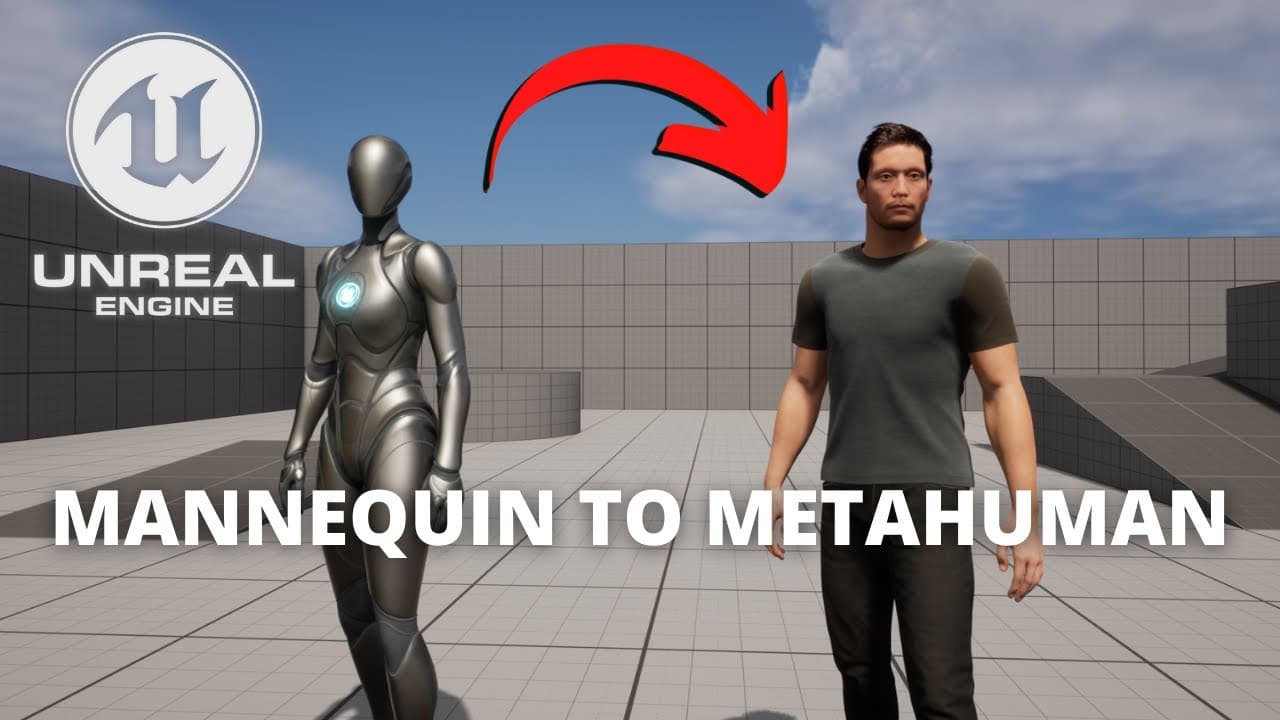
To replace the default Unreal G5 mannequin with a metahuman, access the Quixel Bridge in Unreal Engine, import a preset or create your own metahuman. Enable missing plugins, restart the engine, and copy the necessary components from the metahuman blueprint into your project. Finally, assign the correct skeletons to ensure proper animations and display of the character.
Transcript
what's up guys welcome to new unreal engine 5 turtle and today we are going to replace the default unreal g5 mannequin with a metahuman it's going to be a very easy tutorial to follow and sharp so let's get started all right to be able to import a midi human you have to do is go to window and go into the quick so bridge also you have two options cr... Read More
Key Insights
- 👻 Unreal Engine 5 allows for easy replacement of the default G5 mannequin with metahumans.
- ♿ Accessing the Quixel Bridge within the Unreal Engine Editor is essential when importing or creating metahumans.
- 🎟️ Enabling missing plugins and restarting the editor ensures proper functionality.
- 🥳 Copying and adjusting various parts from the metahuman blueprint into the third person blueprint results in a correctly displayed metahuman.
- 🥳 Assigning the appropriate skeleton to the metahuman's body and body parts is necessary for proper animation.
- 👱 The inclusion of hair and other grooming elements requires additional steps to display correctly.
- ☠️ Displaying metahumans with all their grooming elements may impact performance and frame rates.
Install to Summarize YouTube Videos and Get Transcripts
Explore YouTube Video Summarizer or Get YouTube Transcript Extractor
Questions & Answers
Q: What is the first step to replace the default Unreal G5 mannequin with a metahuman?
The first step is to access the Quixel Bridge in the Unreal Engine Editor and choose to import a preset metahuman or create your own custom one.
Q: How can I ensure proper functionality after importing the metahuman?
After importing the metahuman, enable all the missing plugins and restart the Unreal Engine Editor to allow the shaders to compile.
Q: How do I copy different parts from the metahuman blueprint into the third person blueprint?
In the metahumans folder, locate the skeletal mesh for the imported or created metahuman. Right-click on the body, select "Copy," and then paste it into the third person blueprint.
Q: What adjustments are necessary to display the metahuman properly in the third person blueprint?
After pasting the metahuman parts into the third person blueprint, adjust their positions to ensure they are correctly aligned. Additionally, assign the sk mannequin skeleton to the body and other body parts, such as the torso, legs, and feet.
Key Insights:
- Unreal Engine 5 allows for easy replacement of the default G5 mannequin with metahumans.
- Accessing the Quixel Bridge within the Unreal Engine Editor is essential when importing or creating metahumans.
- Enabling missing plugins and restarting the editor ensures proper functionality.
- Copying and adjusting various parts from the metahuman blueprint into the third person blueprint results in a correctly displayed metahuman.
- Assigning the appropriate skeleton to the metahuman's body and body parts is necessary for proper animation.
- The inclusion of hair and other grooming elements requires additional steps to display correctly.
- Displaying metahumans with all their grooming elements may impact performance and frame rates.
- The tutorial provides a comprehensive guide for replacing the default Unreal G5 mannequin with a metahuman, enabling developers to create more realistic characters in their games.
Summary & Key Takeaways
-
Access the Quixel Bridge in the Unreal Engine Editor and choose to import a preset metahuman or create your own custom one.
-
Enable all missing plugins and restart the Unreal Engine Editor to ensure proper functionality.
-
Copy different parts from the metahuman blueprint into the third person blueprint, adjust their positions, assign skeletons, and update the animation blueprint to display the metahuman properly.
Read in Other Languages (beta)
Share This Summary 📚
Summarize YouTube Videos and Get Video Transcripts with 1-Click
Try YouTube Summary with ChatGPT & Claude or YouTube Transcript Generator
Explore More Summaries from Gorka Games 📚
Summarize YouTube Videos and Get Video Transcripts with 1-Click
Try YouTube Summary with ChatGPT & Claude or YouTube Transcript Generator