The SIMPLE Digital Minimalism Guide (for normal people)
TL;DR
Learn how to simplify and organize your digital devices for enhanced productivity and reduced distractions.
Transcript
ever since I started to simplify my life I've learned a few tricks and techniques to keep my devices clean and minimal in this video I'm going to share my process with you these are the devices I used for work Leisure and calls I know it's time I treat them equally when it comes to order the home page empty only with the apps I find essential I do ... Read More
Key Insights
- ❓ Simplifying digital devices can enhance productivity by reducing distractions and improving focus.
- 📁 Organizing files and folders on laptops can make it easier to find and access important information.
- 🏪 External hard drives are useful for storing large files and serving as backups.
- 🥇 Notion is a versatile application that combines multiple productivity features in one place.
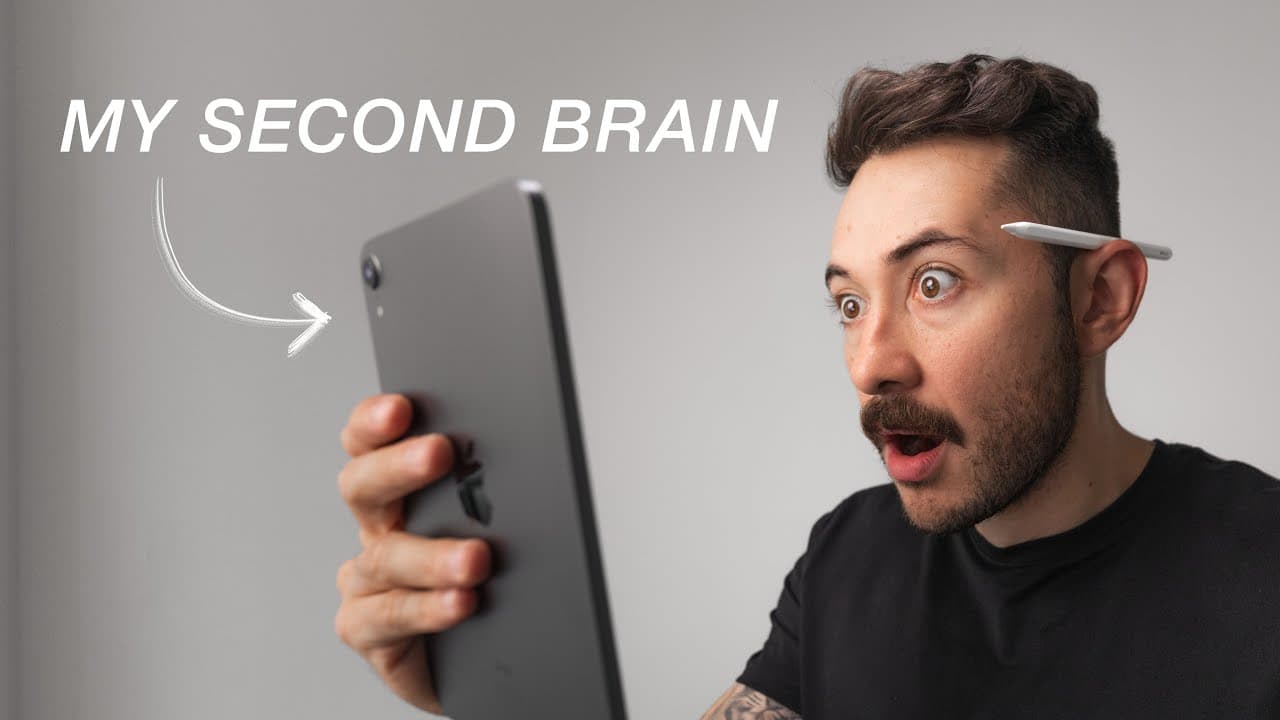
- 👻 Using a second screen, like an iPad, can increase productivity by allowing for seamless synchronization between devices.
- 😒 The "Homework for Life" method is a way to document daily highlights and gather stories for future use.
- 💁 Notion can serve as a centralized hub for all digital information, ensuring all data is easily accessible in one place.
- 🫵 Encouraging conversation and feedback from viewers can further enrich the discussion on simplifying digital devices.
Install to Summarize YouTube Videos and Get Transcripts
Explore YouTube Video Summarizer or Get YouTube Transcript Extractor
Questions & Answers
Q: How can simplifying digital devices help with productivity?
Simplifying digital devices can reduce distractions and make it easier to find important files and information. By having a clean and organized interface, users can focus better on their tasks and be more productive.
Q: What are the advantages of using external hard drives for file storage?
External hard drives, like the Samsung T7 and T5 mentioned, offer fast and reliable storage solutions for video projects and important documents. They also serve as backups for data that is not frequently accessed, keeping the main device clutter-free.
Q: How does Notion help with organization and productivity?
Notion is an all-in-one application that combines productivity, file management, and project management features. It allows users to create schedules, manage tasks, store files, and collaborate with others, making it a powerful tool for digital organization.
Q: What is the "Homework for Life" system mentioned in the content?
"Homework for Life" is a practice mentioned in the video, where individuals write down the highlight of their day every day. This helps create a collection of stories that can be shared later, fostering self-reflection and creativity.
Key Insights:
- Simplifying digital devices can enhance productivity by reducing distractions and improving focus.
- Organizing files and folders on laptops can make it easier to find and access important information.
- External hard drives are useful for storing large files and serving as backups.
- Notion is a versatile application that combines multiple productivity features in one place.
- Using a second screen, like an iPad, can increase productivity by allowing for seamless synchronization between devices.
- The "Homework for Life" method is a way to document daily highlights and gather stories for future use.
- Notion can serve as a centralized hub for all digital information, ensuring all data is easily accessible in one place.
- Encouraging conversation and feedback from viewers can further enrich the discussion on simplifying digital devices.
Note: The given content is structured in a script-like format, potentially for a video or spoken presentation.
Summary & Key Takeaways
-
The content discusses the importance of simplifying and organizing digital devices to minimize distractions and improve performance.
-
The speaker shares their process of keeping devices clean and minimal, both for aesthetics and to avoid addictive behaviors.
-
The use of specific tools like laptop folders, external hard drives, and the Notion application is highlighted for efficient file management and productivity.
Read in Other Languages (beta)
Share This Summary 📚
Summarize YouTube Videos and Get Video Transcripts with 1-Click
Try YouTube Summary with ChatGPT & Claude or YouTube Transcript Generator
Explore More Summaries from Robert Creating 📚
Summarize YouTube Videos and Get Video Transcripts with 1-Click
Try YouTube Summary with ChatGPT & Claude or YouTube Transcript Generator