HARNESS Your Creativity With this FREE Logo Checklist! [EP 3/44]
TL;DR
Effortlessly manage creative projects with a structured folder system.
Transcript
- So before starting, and during the project, it helps to have everything in place. So you don't have to waste time and energy thinking about organization. Having everything in place will enable you to hit the ground running. During a creative project, all your organization revolves around the project folder. This is simply a folder on your... Read More
Key Insights
- A well-organized project folder can save time and energy by eliminating the need to search for files and documents during a creative project.
- Creating a pre-composed folder system at the start of a project ensures a place for all work and materials, preventing disruptions.
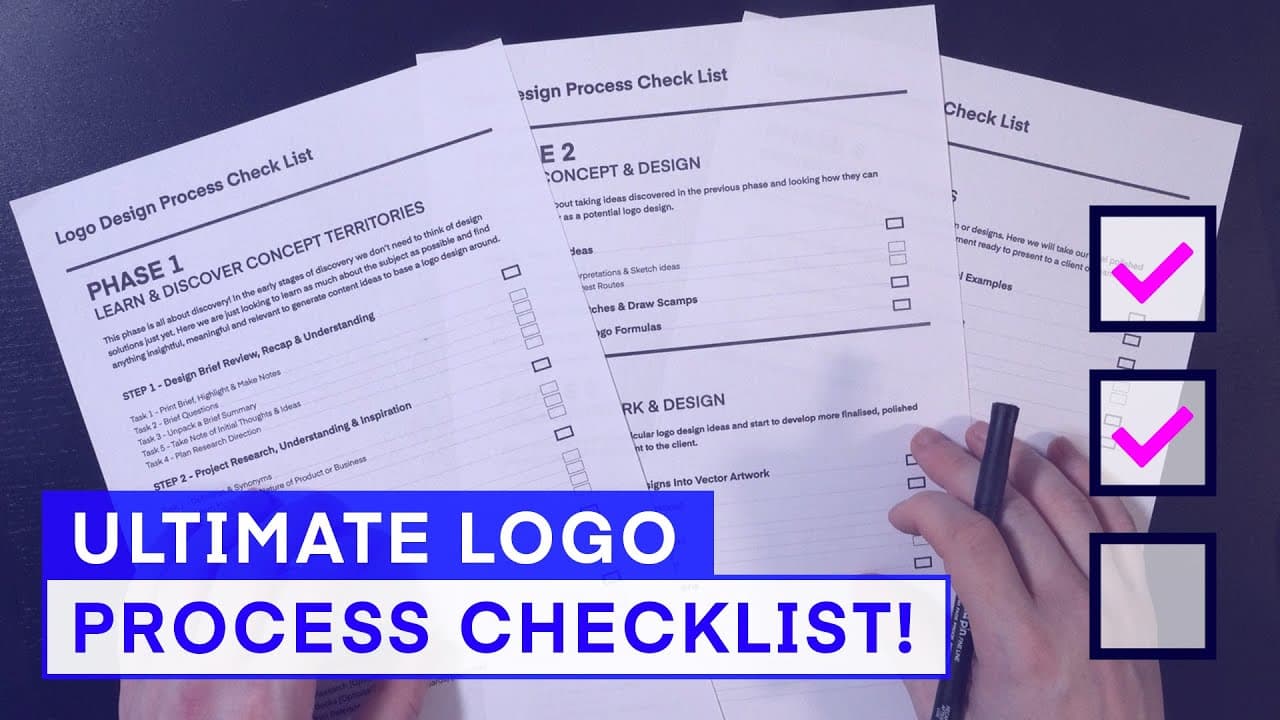
- The project folder template includes a design process checklist, aiding focus and making the creative process more efficient.
- The folder structure includes key folders like project wall, learn and discovery, design presentations, and deliverables, each with subfolders for detailed organization.
- A physical project folder complements the digital one, helping manage printed documents, research material, and sketches effectively.
- The course project folder includes resources such as a logo design process checklist, process documents, templates, and a logo proposal document example.
- Having all tools and equipment ready before starting a logo design project is crucial, with tools categorized into brief builder tools, stationary tools, reference material, and hardware/software.
- The video provides a step-by-step guide on setting up a project folder and highlights the importance of organization for creativity.
Install to Summarize YouTube Videos and Get Transcripts
Explore YouTube Video Summarizer or Get YouTube Transcript Extractor
Questions & Answers
Q: What is the main benefit of using a pre-composed folder system?
The main benefit of using a pre-composed folder system is the efficient organization it provides, allowing you to have a designated place for all project-related work and materials. This system prevents disruptions, saves time by eliminating the need to search for files, and enables you to focus more on the creative aspects of the project.
Q: How does the project folder structure aid in the design process?
The project folder structure aids in the design process by providing a clear and organized framework for storing all necessary materials at each step. Key folders like project wall, learn and discovery, design presentations, and deliverables, along with their subfolders, ensure that every aspect of the project is neatly filed, facilitating easy access and efficient workflow.
Q: Why is a physical project folder recommended alongside a digital one?
A physical project folder is recommended alongside a digital one because it helps manage printed documents, research material, and sketches that accumulate during a project. This physical organization ensures that all tangible materials are easily accessible and portable, complementing the digital organization and enhancing overall project management.
Q: What resources are included in the course project folder?
The course project folder includes a variety of resources designed to enhance the learning experience and assist in the design process. These resources include a logo design process checklist, process documents, templates, color sample charts, and a logo proposal document example, all of which can be used to aid in developing one's own logo project.
Q: How does the design process checklist contribute to the project's success?
The design process checklist contributes to the project's success by providing a structured guide to follow, ensuring that no steps are overlooked. It helps maintain focus and organization throughout the project, allowing for a systematic approach to design tasks and helping to track progress effectively, ultimately leading to a more efficient and successful project outcome.
Q: What types of tools are essential for logo design according to the video?
According to the video, essential tools for logo design fall into four categories: brief builder tools, stationary tools, reference material, and hardware/software tools. These tools provide the necessary support for each stage of the design process, ensuring that designers have the resources they need to create effective and professional logos.
Q: How can one access the project folder and its resources?
One can access the project folder and its resources by downloading it from the course overview video link provided in the description. The download includes detailed instructions on how to set up and utilize the folder structure, along with all the accompanying resources, to maximize the learning and design experience.
Q: What is the significance of organizing tools and equipment before starting a project?
Organizing tools and equipment before starting a project is significant because it ensures that everything needed is readily available, minimizing interruptions and allowing for a seamless workflow. This preparation enables designers to focus on creativity and execution without the distraction of searching for or setting up necessary tools during the design process.
Summary & Key Takeaways
-
The video emphasizes the importance of having a structured project folder to streamline creative projects. By using a pre-composed folder system, all work and materials are organized efficiently, preventing disruptions and saving time. This system includes a design process checklist to maintain focus throughout the project.
-
The project folder is meticulously organized with key folders and subfolders tailored to each step of the design process. A physical folder is also recommended to manage printed documents and sketches, ensuring easy access and portability during the project.
-
The course folder offers valuable resources, including a logo design process checklist and templates, enhancing the learning experience. The video guides viewers on setting up both digital and physical project folders, emphasizing the significance of preparation and organization in creative endeavors.
Read in Other Languages (beta)
Share This Summary 📚
Summarize YouTube Videos and Get Video Transcripts with 1-Click
Try YouTube Summary with ChatGPT & Claude or YouTube Transcript Generator
Explore More Summaries from Gareth David Studio 📚
![‘Texture’ Visual element of Graphic Design Ep5/45 [Beginners guide to Graphic Design] thumbnail](/_next/image?url=https%3A%2F%2Fi.ytimg.com%2Fvi%2FhECQpBM0b0Q%2Fhqdefault.jpg&w=750&q=75)
![Education to be a Graphic designer? Ep28/45 [Beginners Guide to Graphic Design] thumbnail](/_next/image?url=https%3A%2F%2Fi.ytimg.com%2Fvi%2FrqCPJKHxPUk%2Fhqdefault.jpg&w=750&q=75)
![Extract WINNING Ideas From a Design Brief [EP 5/44] thumbnail](/_next/image?url=https%3A%2F%2Fi.ytimg.com%2Fvi%2FTkGxTeVqLVs%2Fhqdefault.jpg&w=750&q=75)
![Colour Effects in After Effects Ep21/48 [Adobe After Effects for Beginners] thumbnail](/_next/image?url=https%3A%2F%2Fi.ytimg.com%2Fvi%2FYwBMOIJdbFw%2Fhqdefault.jpg&w=750&q=75)
Summarize YouTube Videos and Get Video Transcripts with 1-Click
Try YouTube Summary with ChatGPT & Claude or YouTube Transcript Generator