How to add Zoom CHAT OVERLAY For OBS Studio - REALLY!
TL;DR
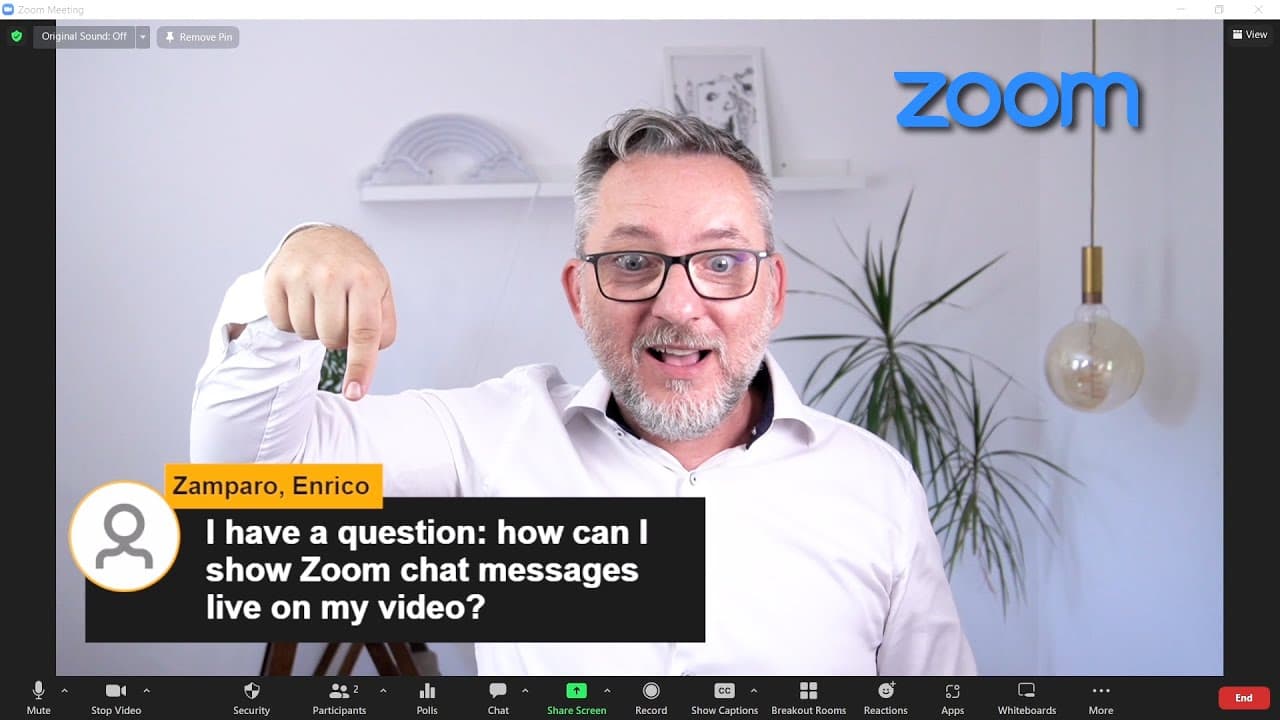
You can display Zoom chat messages live on your video by using OBS Studio and a browser extension called Social Stream.
Transcript
what if you could take your zoom chat messages and display them live on your video like this well guess what as you've seen it's possible let's manage expectations it's not a zoom built in feature but you need a little setup to make this work we'll do it with obs studio and if you know it already then it's easy if instead you're not familiar with o... Read More
Key Insights
- 😒 Displaying Zoom chat messages live on a video requires the use of OBS Studio and the Social Stream browser extension.
- 🥶 The Social Stream extension can be downloaded for free from the developer's website.
- 👊 Zoom chat messages can be captured and displayed using OBS Studio and the custom browser source feature.
- 👊 The chat overlay can be customized with different options, including filtering, hiding emojis, and excluding specific messages.
- 🫒 This feature is useful for facilitating Q&A sessions, adding interactivity to live videos, and improving the overall presentation experience.
- 👊 The process involves downloading and installing the extension, creating a scene in OBS Studio, and adding a chat overlay to the video.
- 👊 The chat overlay can be displayed on Zoom by using OBS Studio's virtual camera feature.
- 🙂 There are additional customization features available, such as light mode, source icon visibility, and branded colors.
- 👊 The overlay chat messages can be used for various applications, including icebreakers, brainstorming, and Q&A sessions.
Install to Summarize YouTube Videos and Get Transcripts
Explore YouTube Video Summarizer or Get YouTube Transcript Extractor
Questions & Answers
Q: What tools do I need to display Zoom chat messages live on my video?
To display Zoom chat messages, you will need OBS Studio and the Social Stream browser extension.
Q: Does the Social Stream extension work with all browsers?
Yes, the Social Stream extension works with all chromium-based browsers, including Chrome, Edge, and Brave.
Q: How do I create a scene in OBS Studio for Zoom?
In OBS Studio, you can create a scene by including your camera and setting up OBS to take information from the Social Stream extension. This will enable the display of chat messages on your video.
Q: Can I customize the appearance of the chat overlay?
Yes, the Social Stream extension offers various customization features, such as alignment, appearance, color options, and the ability to add platform icons.
Key Insights:
- Displaying Zoom chat messages live on a video requires the use of OBS Studio and the Social Stream browser extension.
- The Social Stream extension can be downloaded for free from the developer's website.
- Zoom chat messages can be captured and displayed using OBS Studio and the custom browser source feature.
- The chat overlay can be customized with different options, including filtering, hiding emojis, and excluding specific messages.
- This feature is useful for facilitating Q&A sessions, adding interactivity to live videos, and improving the overall presentation experience.
- The process involves downloading and installing the extension, creating a scene in OBS Studio, and adding a chat overlay to the video.
- The chat overlay can be displayed on Zoom by using OBS Studio's virtual camera feature.
- There are additional customization features available, such as light mode, source icon visibility, and branded colors.
- The overlay chat messages can be used for various applications, including icebreakers, brainstorming, and Q&A sessions.
- The feature enhances the professionalism of live videos and allows for better audience engagement and interaction.
Summary & Key Takeaways
-
The content explains how to set up OBS Studio and the Social Stream browser extension to display Zoom chat messages on a live video.
-
It provides step-by-step instructions on downloading and installing the necessary tools.
-
The video also demonstrates how to create a scene in OBS Studio, set up a social stream doc, and add a chat overlay to the video.
Read in Other Languages (beta)
Share This Summary 📚
Summarize YouTube Videos and Get Video Transcripts with 1-Click
Try YouTube Summary with ChatGPT & Claude or YouTube Transcript Generator