How to Pick up and Throw objects in Blender
TL;DR
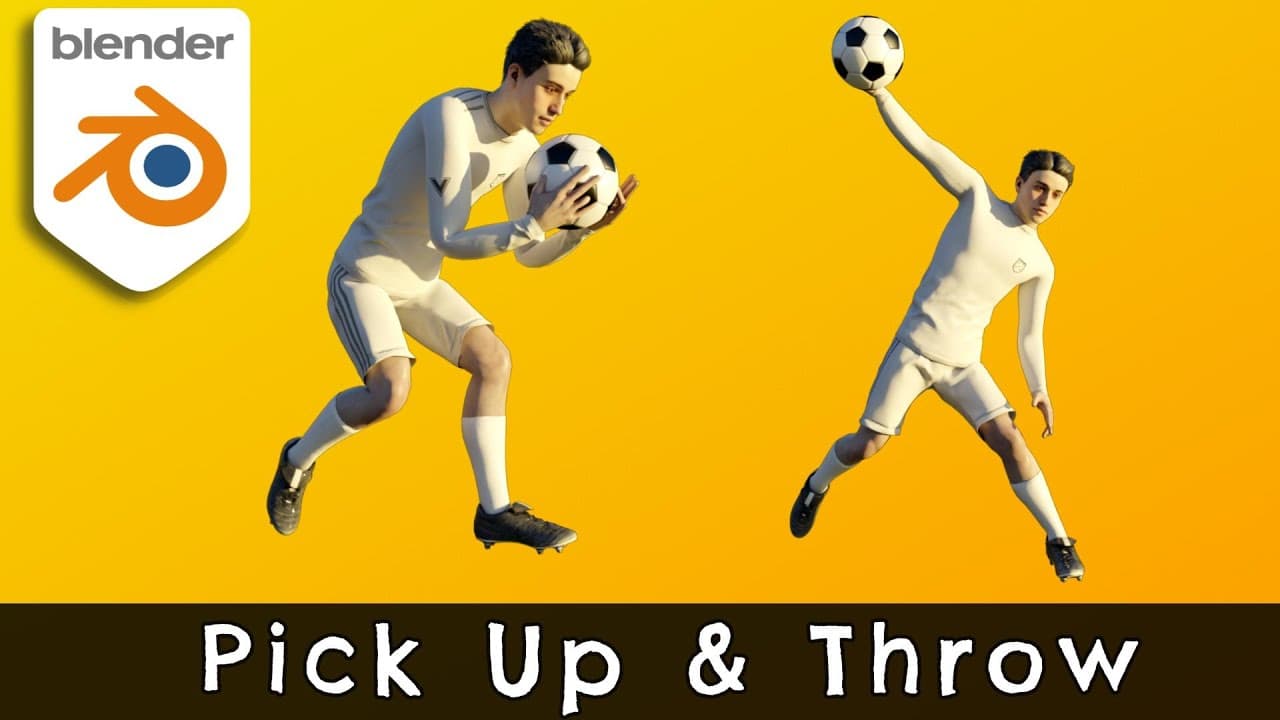
Learn to animate picking and throwing objects in Blender.
Transcript
hi everyone welcome to my channel in this tutorial we're going to learn how to pick up and throw objects in blender let's get started we have combined two mixamo animations if you'd like you can watch the tutorial on how to combine mixamo animations in blender we want to pick up the ball from the ground and then throw it awa... Read More
Key Insights
- The tutorial focuses on using Blender's 'Child Of' constraint to animate picking up and throwing objects, specifically a ball.
- Combining Mixamo animations in Blender is a prerequisite for this tutorial, enhancing the animation workflow.
- The 'Child Of' constraint is pivotal for creating parent-child relationships between objects, crucial for realistic character interactions.
- To pick up the ball, the tutorial instructs on selecting the right-hand bone as the parent for the ball using the 'Child Of' constraint.
- The 'Set Inverse' button is used to maintain the ball's position relative to the character's hand when parenting.
- Disabling and enabling the 'Child Of' constraint at specific frames ensures the ball's correct interaction with the character's hand.
- Keyframing is essential for enabling and disabling constraints, as well as for animating the ball's movement and rotation.
- The tutorial provides a step-by-step guide to animate the ball's release and subsequent movement after the throw.
Install to Summarize YouTube Videos and Get Transcripts
Explore YouTube Video Summarizer or Get YouTube Transcript Extractor
Questions & Answers
Q: How do you set up the 'Child Of' constraint in Blender?
To set up the 'Child Of' constraint, select the object you want to attach, navigate to the Constraint tab, and add a 'Child Of' constraint. Choose the target object or bone, like the character's hand bone, as the parent. This establishes the parent-child relationship necessary for realistic animations.
Q: Why is the 'Set Inverse' button important in this tutorial?
The 'Set Inverse' button is crucial because it maintains the object's position relative to the parent bone when the 'Child Of' constraint is applied. Without it, the object could shift undesirably, disrupting the animation. It ensures the ball stays correctly positioned in the character's hand during the animation.
Q: What role do keyframes play in this animation process?
Keyframes are vital for controlling when the 'Child Of' constraint is enabled or disabled. They also dictate the ball's movement and rotation during the animation. By strategically placing keyframes, you ensure smooth transitions and realistic interactions between the character and the ball throughout the animation sequence.
Q: How do you animate the ball's release from the character's hand?
To animate the ball's release, determine the frame where the character releases the ball, disable the 'Child Of' constraint, and add a keyframe. Then, move the ball slightly, add another keyframe for its new position and rotation, ensuring the ball's trajectory appears natural as it leaves the character's hand.
Q: What is the significance of combining Mixamo animations in Blender?
Combining Mixamo animations in Blender allows for more complex and realistic character animations by merging different motion sequences. It enhances the animation workflow, enabling smoother transitions between actions, such as picking up and throwing objects, which is crucial for creating dynamic and engaging animations.
Q: How do you ensure the ball returns to its initial position after being thrown?
To ensure the ball returns to its initial position, keyframe its location and rotation at the release frame. Then, adjust its position and add a new keyframe to define its trajectory. This method ensures the ball follows a realistic path and returns correctly after being thrown.
Q: What steps are involved in picking up the ball in Blender?
Picking up the ball involves determining the frame where the character first touches it, applying the 'Child Of' constraint, and setting the character's hand bone as the parent. Keyframes are then added to enable the constraint at the appropriate moment, ensuring the ball follows the hand's movement.
Q: How do you animate the ball's trajectory after the throw?
To animate the ball's trajectory, add keyframes for its location and rotation at the release frame. Move and rotate the ball slightly, then add additional keyframes to define its path. This sequence ensures the ball follows a realistic arc and behaves naturally after being thrown.
Summary & Key Takeaways
-
This tutorial teaches how to animate picking up and throwing a ball in Blender using the 'Child Of' constraint. It involves combining Mixamo animations and setting up parent-child relationships between the character's hand and the ball, with keyframing to control the animation.
-
The process begins by identifying the frame where the character first touches the ball, applying the 'Child Of' constraint, and setting the hand bone as the parent. Keyframes are added to enable and disable the constraint at appropriate moments.
-
To animate the throw, the tutorial guides through keyframing the ball's release and movement. The 'Set Inverse' button is crucial for maintaining the ball's position, and the tutorial emphasizes the importance of precise keyframing for realistic animation.
Read in Other Languages (beta)
Share This Summary 📚
Summarize YouTube Videos and Get Video Transcripts with 1-Click
Try YouTube Summary with ChatGPT & Claude or YouTube Transcript Generator
Explore More Summaries from MK Graphics 📚
Summarize YouTube Videos and Get Video Transcripts with 1-Click
Try YouTube Summary with ChatGPT & Claude or YouTube Transcript Generator