How I Use Mem For Note Taking
TL;DR
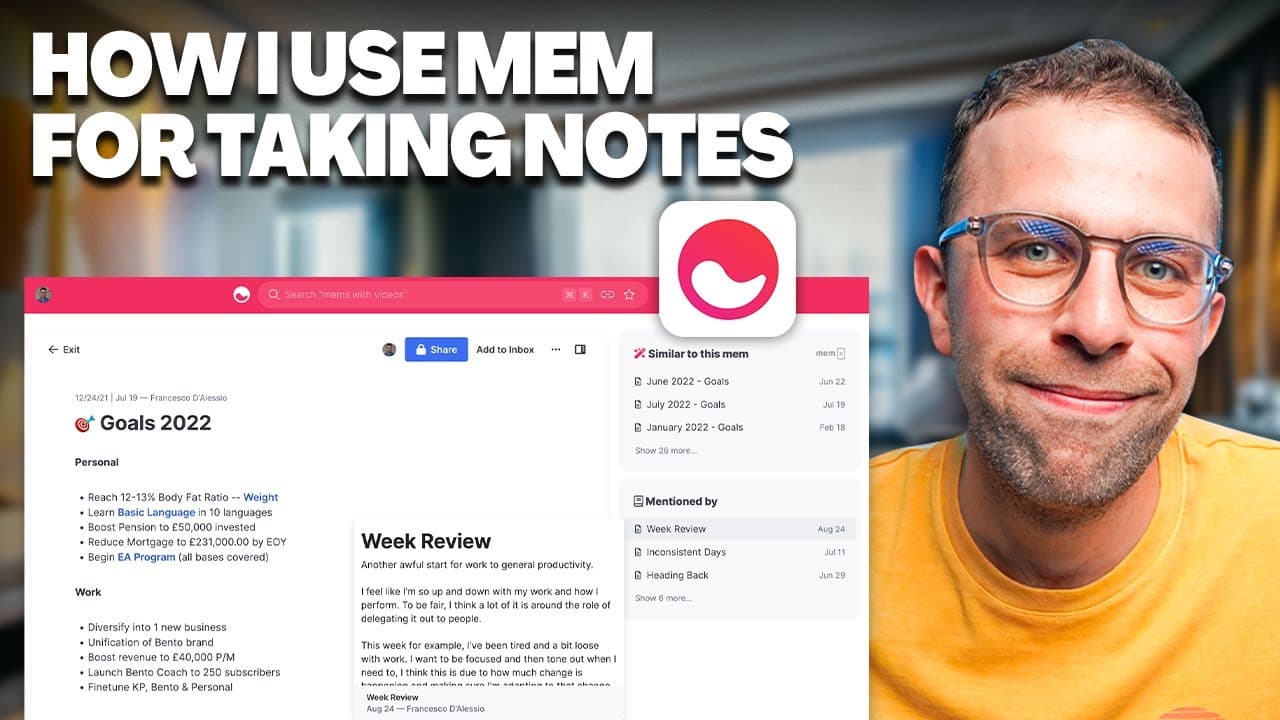
This video provides a comprehensive overview of how to use Mem, a new note-taking application, for creating anchor pages, journaling, and organizing goals.
Transcript
mem it's a fairly new note-taking application in this video I wanted to show you how I'm using it and a few of the different ways including page anchors journal and a bit of insight around the flows experience in it that gets me around my week so let's dive into today's video if you are new here to keep productive welcome please do hit su... Read More
Key Insights
- 😀 Mem is a note-taking app that offers features like page anchors, journaling, and templates, making it a versatile tool for productivity.
- 🧑⚕️ Anchor pages in Mem are useful for tracking progress in various areas of life, such as finances or health-related goals.
- 🫵 The timeline feature in Mem provides a visual representation of note creation and viewing, ideal for journaling and tracking over time.
- ⌛ Templates in Mem save time when creating recurring notes or structures like monthly goals or weekly reviews.
- 😫 Journaling in Mem helps users reflect on their week, set priorities, and track successes and challenges.
- 🥅 Goal tracking in Mem involves creating long-term goals and breaking them down into smaller, actionable steps.
- 👤 Mem's combination of journaling, anchor pages, and goal tracking helps users stay organized, focused, and motivated.
Install to Summarize YouTube Videos and Get Transcripts
Explore YouTube Video Summarizer or Get YouTube Transcript Extractor
Questions & Answers
Q: What are anchor pages in Mem?
Anchor pages in Mem are the core foundation of various setups, such as tracking mortgage balance or weight. They allow users to add updates and create an ongoing tally of progress.
Q: How does Mem's timeline feature work for journaling?
Mem's timeline captures when a note is created and viewed, providing a visual representation of the timeline. This is useful for journaling and tracking the journey over time.
Q: Can templates be used in Mem?
Yes, Mem offers templates that save time when creating recurring notes or structures like monthly goals or weekly reviews. Users can easily access and use these templates.
Q: How does journaling in Mem help with goal tracking?
By combining journaling and goal-setting, users can review and analyze their progress regularly. This helps in aligning short-term actions with long-term goals and making smaller movements towards them.
Key Insights:
- Mem is a note-taking app that offers features like page anchors, journaling, and templates, making it a versatile tool for productivity.
- Anchor pages in Mem are useful for tracking progress in various areas of life, such as finances or health-related goals.
- The timeline feature in Mem provides a visual representation of note creation and viewing, ideal for journaling and tracking over time.
- Templates in Mem save time when creating recurring notes or structures like monthly goals or weekly reviews.
- Journaling in Mem helps users reflect on their week, set priorities, and track successes and challenges.
- Goal tracking in Mem involves creating long-term goals and breaking them down into smaller, actionable steps.
- Mem's combination of journaling, anchor pages, and goal tracking helps users stay organized, focused, and motivated.
- The simplicity and speed of Mem make it a preferred note-taking app for those seeking a more straightforward productivity system.
Summary & Key Takeaways
-
Mem is a note-taking application that includes features like page anchors, journaling, and timeline tracking.
-
Anchor pages are the foundation of different setups and allow users to track progress over time, such as mortgage or weight tracking.
-
Journaling in Mem involves creating weekly reviews, setting goals, and logging successes and losses.
Read in Other Languages (beta)
Share This Summary 📚
Summarize YouTube Videos and Get Video Transcripts with 1-Click
Try YouTube Summary with ChatGPT & Claude or YouTube Transcript Generator
Explore More Summaries from Keep Productive 📚
Summarize YouTube Videos and Get Video Transcripts with 1-Click
Try YouTube Summary with ChatGPT & Claude or YouTube Transcript Generator