Products
Features
YouTube Video Summarizer
Summarize YouTube videos
Web & PDF Highlighter
Highlight web pages & PDFs
Chat with PDF
Ask any PDF questions with AI
Ask AI Clone
Chat with your highlights & memories
Audio Transcriber
Transcribe audio files to text
Glasp Reader
Read and highlight articles
Kindle Highlight Export
Export your Kindle highlights
Idea Hatch
Hatch ideas from your highlights
Integrations
Obsidian Plugin
Notion Integration
Pocket Integration
Instapaper Integration
Medium Integration
Readwise Integration
Snipd Integration
Hypothesis Integration
Apps & Extensions
Chrome Extension
Safari Extension
Edge Add-ons
Firefox Add-ons
iOS App
Android App
Discover
Discover
Ideas
Discover new ideas and insights
Articles
Curated articles and insights
Books
Book recommendations by great minds
Posts
Essays and notes from readers
Quotes
Inspiring quotes collection
Videos
Curated videos and summaries
Explore Glasp
Glasp Newsletter
Weekly insights and updates
Glasp Talk
Interview series with great minds
Glasp Blog
Latest news and articles
Glasp Use Cases
Learn how others use Glasp
Build & Support
Glasp API
Access Glasp's API for developers
MCP Connector
Connect Glasp to Claude & ChatGPT
Community
Glasp Reddit Community
Students
Student discount and benefits
FAQs
Frequently Asked Questions
AboutPricing
DashboardLog inSign up

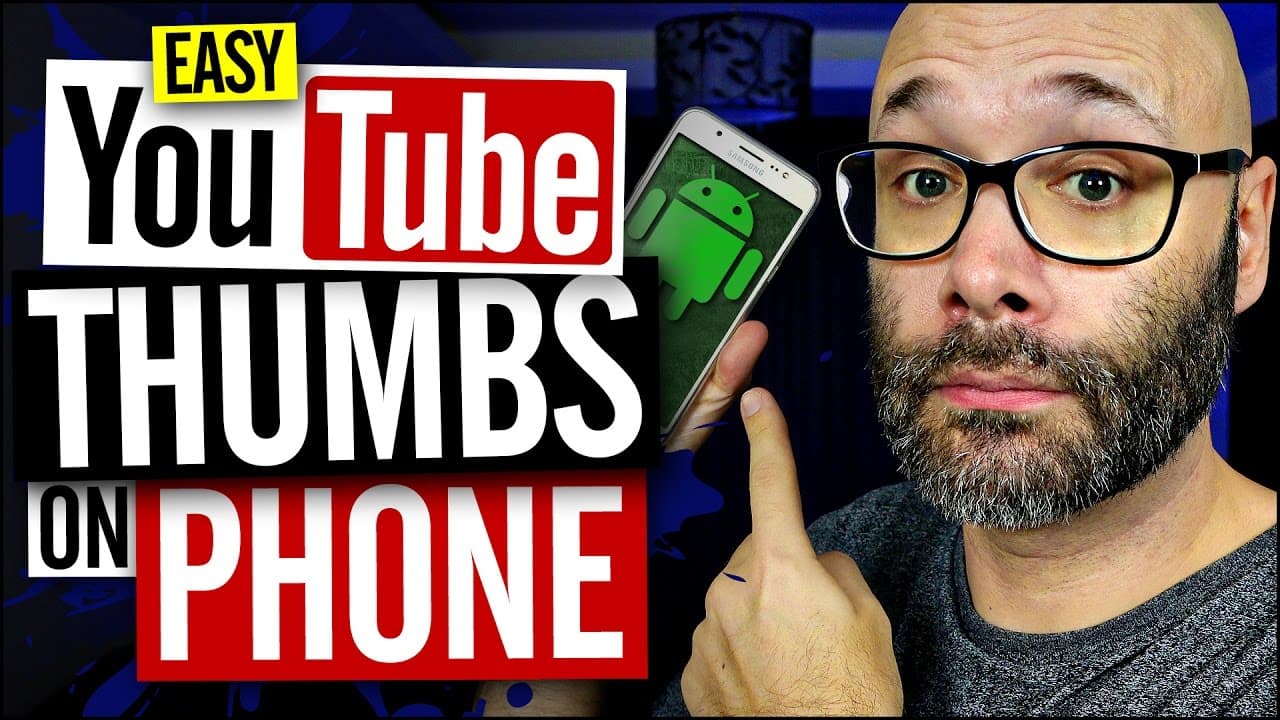
How To Make YouTube Thumbnails On Android With A Free App
1.4M views
•
March 20, 2017
by
Nick Nimmin
YouTube video player
How To Make YouTube Thumbnails On Android With A Free App

TL;DR

Learn how to make a YouTube thumbnail on your Android phone using the PixelLab app, with easy-to-follow steps and tips.

Transcript

  • [Instructor] I'm gonna show you how to make a YouTube thumbnail on your Android phone, and we're starting right now. The first thing you wanna do is you wanna install an application called PixelLab. You can get that for free on the Google Play Store. Once you have that installed, you wanna click on the icon to open it up. When you first open this... Read More

Key Insights

  • 😀 The PixelLab app on Android phones provides an easy and convenient way to create YouTube thumbnails.
  • ❓ Choosing YouTube's recommended thumbnail size (1280 by 720) ensures compatibility.
  • 💦 Locking the imported image and organizing layers are essential to prevent accidental changes while working on the thumbnail.
  • 🆘 Customizing the text by adjusting size, style, and effects helps make the thumbnail visually appealing.
  • 😀 The app offers features like background options, shape layers, and color customization to enhance the thumbnail's design.
  • 🧍 3D rotation can be used sparingly to make the text stand out, but it's crucial to maintain readability and overall cleanliness.
  • 😀 Exporting the final thumbnail in the desired format and dimensions allows for easy uploading to the YouTube Creator Studio app.

Install to Summarize YouTube Videos and Get Transcripts

Explore YouTube Video Summarizer or Get YouTube Transcript Extractor

Questions & Answers

Q: What is the first step in creating a YouTube thumbnail on an Android phone?

The first step is to install the PixelLab app from the Google Play Store and open it.

Q: How can you change the canvas size to a YouTube-friendly dimension?

Click on the three dots at the top right of the app, select "image size," and choose the preset option for a YouTube thumbnail (1280 by 720).

Q: How can you add an image to the thumbnail and adjust the crop?

Click on the plus icon, select an image from your gallery, and use the 16 by 9 ratio box to scale and position the image accordingly.

Q: How can you customize the text on the thumbnail?

Click on the text layer, then the A icon, to access various options like editing the text, changing style, size, color, and applying effects like shadows and strokes.

Summary & Key Takeaways

  • Install and open the PixelLab app on your Android phone.

  • Change the canvas size to a YouTube-friendly dimension (e.g., 1280 by 720).

  • Import an image, adjust the crop, and lock it in place.

  • Add and customize text layers for your thumbnail.

  • Explore additional options like rotation, style, background, shape layers, and exporting the final thumbnail.


Read in Other Languages (beta)

English

Share This Summary 📚

Summarize YouTube Videos and Get Video Transcripts with 1-Click

Download browser extensions on:

Try YouTube Summary with ChatGPT & Claude or YouTube Transcript Generator

Explore More Summaries from Nick Nimmin 📚

New YouTubers Should Focus On These Things In 2024 thumbnail
New YouTubers Should Focus On These Things In 2024
Nick Nimmin
Learn How To Grow YOUR YouTube Channel - Free Advice thumbnail
Learn How To Grow YOUR YouTube Channel - Free Advice
Nimmin Live - Learn How To Grow On YouTube
Proven Way To Increase YouTube Subscribers (How to Ask) thumbnail
Proven Way To Increase YouTube Subscribers (How to Ask)
Nick Nimmin
How To Make Cool DIY YouTube Backdrop thumbnail
How To Make Cool DIY YouTube Backdrop
Nick Nimmin
How To Grow YOUR YouTube Channel NOW And Into The Future thumbnail
How To Grow YOUR YouTube Channel NOW And Into The Future
Nick Nimmin
How To Be Comfortable On Camera thumbnail
How To Be Comfortable On Camera
Nick Nimmin

Summarize YouTube Videos and Get Video Transcripts with 1-Click

Download browser extensions on:

Try YouTube Summary with ChatGPT & Claude or YouTube Transcript Generator

Apps & Extensions

  • Chrome Extension
  • Safari Extension
  • Edge Add-ons
  • Firefox Add-ons
  • iOS App
  • Android App

Key Features

  • YouTube Video Summarizer
  • Web & PDF Summarizer
  • Web & PDF Highlighter
  • Chat with PDF
  • Ask AI Clone
  • Audio Transcriber
  • Glasp Reader
  • Kindle Highlight Export
  • Idea Hatch

Integrations

  • Obsidian Plugin
  • Notion Integration
  • Pocket Integration
  • Instapaper Integration
  • Medium Integration
  • Readwise Integration
  • Snipd Integration
  • Hypothesis Integration

More Features

  • APIs
  • MCP Connector
  • Blog & Post
  • Embed Links
  • Image Highlight
  • Personality Test
  • Quote Shots

Company

  • About us
  • Blog
  • Community
  • FAQs
  • Job Board
  • Newsletter
  • Pricing
Terms

•

Privacy

•

Guidelines

© 2026 Glasp Inc. All rights reserved.