Kivy with Python tutorial Part 12 - Adding better Navigation
TL;DR
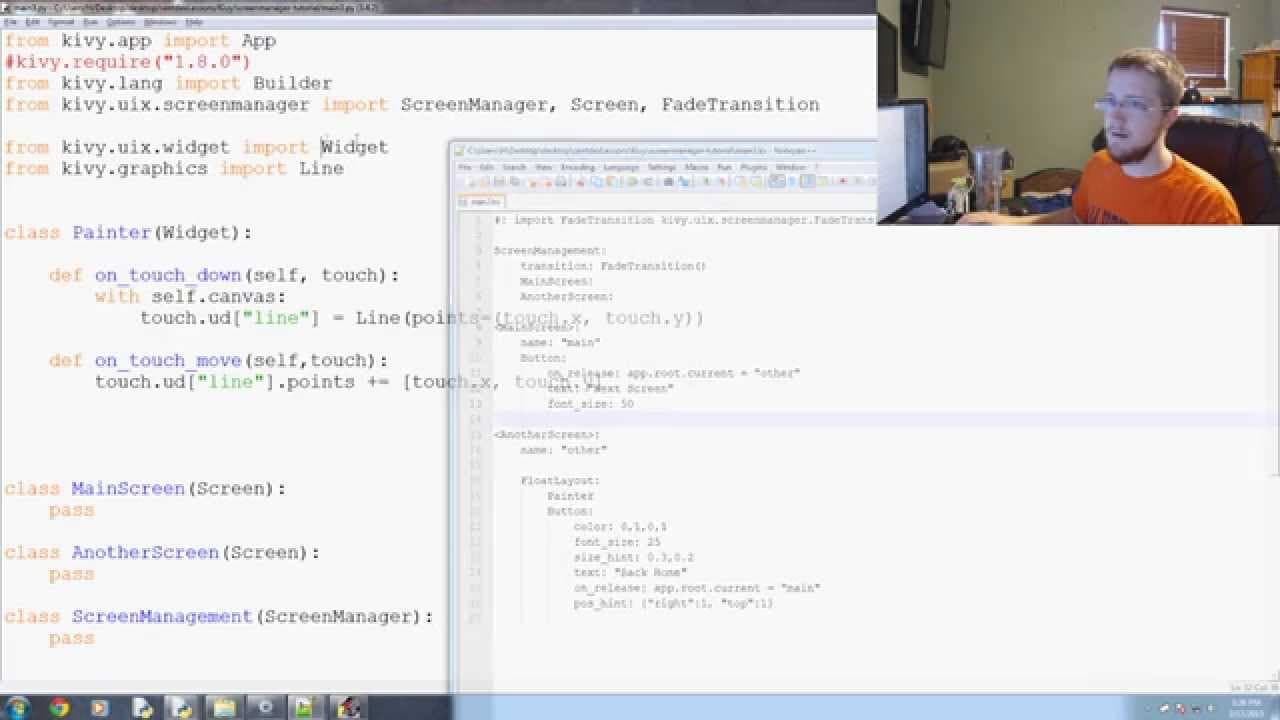
Learn how to add a button to a paint screen in a TV application and navigate back to the main screen.
Transcript
laronne and welcome to another TV basics tutorial video in this video I'm gonna be showing you guys how we can get saved from our paint screen back to our main screen so before it was really easy because we had just gigantic buttons but now I want to actually impose another button on this screen maybe a button here that you know says go back home o... Read More
Key Insights
- 🈸 TV applications can incorporate buttons to enhance user experience and provide navigation options.
- 😫 Adding a button to a screen involves loading the appropriate widgets, setting parameters, and defining actions.
- 🏣 The positioning of the button on the screen can be customized using post hints.
Install to Summarize YouTube Videos and Get Transcripts
Explore YouTube Video Summarizer or Get YouTube Transcript Extractor
Questions & Answers
Q: How do you add a button to a paint screen in a TV application?
To add a button, you need to load the painter widget and then create a button widget. Customize the button with parameters such as color, font size, size hints, and text. Specify an action for the button's release event to navigate back to the main screen.
Q: Can the button be positioned on the paint screen?
Yes, you can position the button using the post hints parameter. By specifying the positioning coordinates, such as right:1 and top:1, you can place the button at a specific location on the screen.
Q: Will the button appear on the main screen as well?
No, the button will only be added to the paint screen. It is not mentioned in the video how to add the button to the main screen, so it appears to be exclusive to the paint screen.
Q: Is there a challenge presented in the video?
Yes, the presenter challenges viewers to add a Clear button to the screen. While there might be code available online to achieve this, it is not shown in the video. The presenter encourages viewers to share their solutions with others.
Summary & Key Takeaways
-
In this tutorial video, the presenter demonstrates how to add a button to a paint screen in a TV application.
-
The button is created with specific parameters, including color, font size, size hints, text, and an action on release.
-
By adding the button, users can navigate back to the main screen from the paint screen.
Read in Other Languages (beta)
Share This Summary 📚
Summarize YouTube Videos and Get Video Transcripts with 1-Click
Try YouTube Summary with ChatGPT & Claude or YouTube Transcript Generator
Explore More Summaries from sentdex 📚






Summarize YouTube Videos and Get Video Transcripts with 1-Click
Try YouTube Summary with ChatGPT & Claude or YouTube Transcript Generator