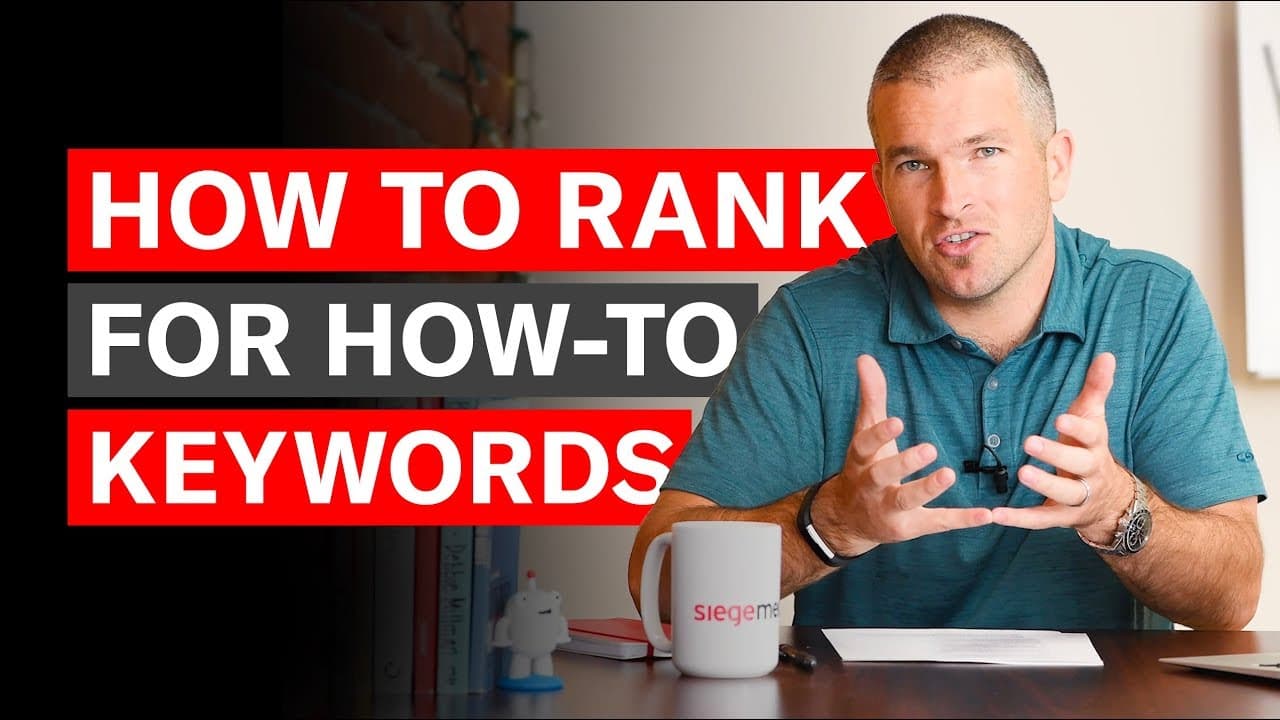
How to Rank for "How-to" Keywords
TL;DR
Learn strategies to rank for 'how-to' queries effectively.
Transcript
hi i'm ross founder sees media and today i want to show you how to rank for how to queries what i mean by how to query is basically any keyword or topic that starts with how to at the front that could be how to tie a tie how to paint a wall how to tie your shoes all these queries are have similar structure in terms of how to rank for them on the we... Read More
Key Insights
- Structuring your site with H2 subheads and verbs helps Google recognize and rank 'how-to' content more effectively by making it scannable and user-friendly.
- Including phrases like 'in X easy steps' or 'in X seconds' can improve click-through rates by promising efficiency and ease to users.
- Catering to multiple learning methods, such as text, video, and illustrations, ensures broader appeal and helps rank better for 'how-to' searches.
- Creating infographics or sub-visuals as part of your content can make it more linkable and shareable, boosting its visibility and ranking potential.
- Restating the title in a sentence before the subheads helps Google extract relevant information for quick answers, enhancing your content's ranking potential.
- Google favors content that can provide quick answers without needing to click through, so structuring your 'how-to' content accordingly is crucial.
- Using verbs in instructions makes the content more directional and understandable, aligning with Google's preference for clear, concise answers.
- Incorporating multiple shareable assets in your 'how-to' content lowers the friction for linking and sharing, improving overall content performance.
Install to Summarize YouTube Videos and Get Transcripts
Explore YouTube Video Summarizer or Get YouTube Transcript Extractor
Questions & Answers
Q: What is the significance of using H2 subheads and verbs in 'how-to' content?
Using H2 subheads and verbs in 'how-to' content is significant because it helps Google and users easily scan and understand the content. This structure signals to search engines that the content is instructional and user-friendly, improving its chances of ranking higher in search results.
Q: How can adding phrases like 'in X easy steps' improve click-through rates?
Adding phrases like 'in X easy steps' can improve click-through rates by appealing to users looking for efficient and straightforward solutions. It sets clear expectations about the content's simplicity and time commitment, making it more attractive to users who prefer quick, actionable information.
Q: Why is it important to cater to multiple learning methods in 'how-to' content?
Catering to multiple learning methods in 'how-to' content is important because it addresses the diverse preferences of users. By providing text, video, and illustrations, content creators can reach a broader audience, ensuring that all users can access information in their preferred format, which improves overall user experience and search rankings.
Q: What role do infographics play in enhancing 'how-to' content?
Infographics play a crucial role in enhancing 'how-to' content by making it more visually appealing and shareable. They provide a concise visual summary of the steps or processes involved, making the content easier to understand and more likely to be linked to and shared by other websites, thereby increasing its visibility and ranking potential.
Q: How does restating the title before subheads benefit 'how-to' content?
Restating the title before subheads benefits 'how-to' content by helping Google extract relevant information for quick answers. This practice reinforces the content's relevance to the query, increasing the confidence that the steps following the title are directly related to the search intent, which can enhance the content's ranking in search results.
Q: Why does Google prefer content that provides quick answers?
Google prefers content that provides quick answers because it aligns with their goal of enhancing user experience by delivering relevant information efficiently. Quick answers reduce the need for users to click through multiple pages, providing immediate value and convenience, which can lead to higher user satisfaction and engagement.
Q: What is the impact of using verbs in 'how-to' instructions?
Using verbs in 'how-to' instructions impacts the content by making it more directional and easier to follow. Verbs provide clear action steps, which helps users understand what needs to be done. This clarity aligns with Google's preference for concise and actionable content, potentially improving the content's ranking and user engagement.
Q: How do shareable assets influence the performance of 'how-to' content?
Shareable assets influence the performance of 'how-to' content by increasing its likelihood of being linked to and shared across platforms. By incorporating elements like infographics and sub-visuals, content becomes more engaging and easier to distribute, which can lead to higher visibility, more inbound links, and improved search engine rankings.
Summary & Key Takeaways
-
The video discusses effective strategies for ranking 'how-to' queries, emphasizing the importance of site structure, use of verbs, and scannability to improve visibility on search engines.
-
It highlights the value of including phrases like 'in X easy steps' to enhance click-through rates by appealing to users seeking quick and easy solutions.
-
The content underscores the need for diverse learning methods, such as video and illustrations, to cater to different user preferences and improve search rankings.
Read in Other Languages (beta)
Share This Summary 📚
Summarize YouTube Videos and Get Video Transcripts with 1-Click
Try YouTube Summary with ChatGPT & Claude or YouTube Transcript Generator
Explore More Summaries from Content and Conversation 📚




Summarize YouTube Videos and Get Video Transcripts with 1-Click
Try YouTube Summary with ChatGPT & Claude or YouTube Transcript Generator