Best Custom Settings for Sony WF-1000XM3 Earbuds
TL;DR
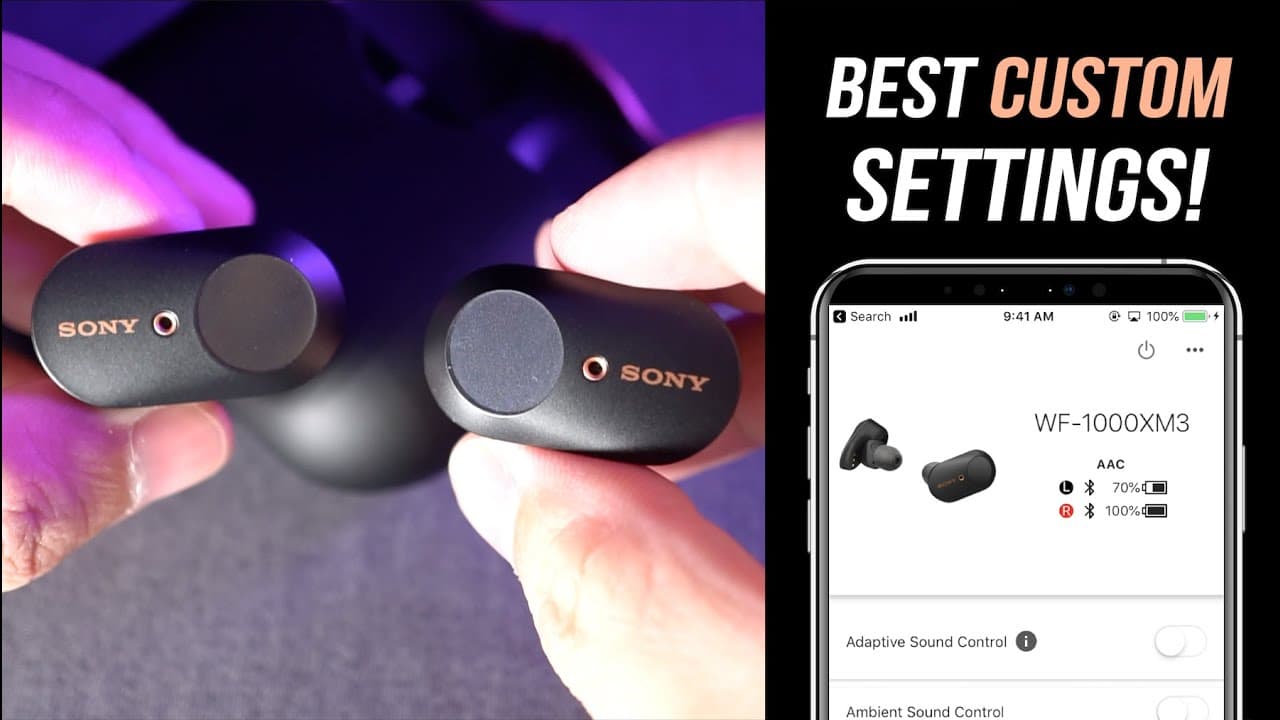
Explore optimized custom settings for the Sony WF-1000XM3 earbuds.
Transcript
hey Oscar bros my name is Aaron welcome back to another video and today we are gonna talk about my best custom settings for the Sony WF thousand except three-year but when I first got these year but the very first thing I did after I had box to them in this video is to jump into these Sony headphones connect app and try to figure out for myself wha... Read More
Key Insights
- 😀 Using the Sony Headphones Connect app is vital for customizing the Sony WF-1000XM3 earbuds, as it allows users to easily manage different functions.
- 🛟 Adaptive Sound Control and Ambient Sound Control can enhance the listening experience but may negatively affect battery life and should be adjusted to personal preference.
- 😫 The choice of setting for sound quality versus connection stability can impact audio performance, especially in environments with potential signal interference.
- 🪡 DSEE HX is beneficial for enhancing lower-quality audio files but comes with a trade-off in battery life, which users need to consider based on their music quality needs.
- 🚱 The customization process encourages individual experimentation, highlighting the non-universal nature of optimal settings for earbuds.
- 👤 Users should remain aware of their Bluetooth connection settings to improve audio consistency when using earbuds for commuting.
- 👤 Turning off automatic software updates gives users control over changes that could impact performance.
Install to Summarize YouTube Videos and Get Transcripts
Explore YouTube Video Summarizer or Get YouTube Transcript Extractor
Questions & Answers
Q: What is Adaptive Sound Control and how does it work?
Adaptive Sound Control is a feature that adjusts noise cancellation levels based on user activity detected through GPS data. It identifies whether the user is walking, running, or in public transport and optimizes the noise cancellation accordingly. However, some users have found it unresponsive, leading to preferences for manual settings instead.
Q: What’s the recommended setting for noise cancellation?
The speaker suggests switching off Adaptive Sound Control to achieve a consistent noise cancellation level that suits various environments better. They observed that the feature often fails to register the correct activity promptly, resulting in ineffective noise cancellation adjustments.
Q: How should I adjust the equalizer settings for the earbuds?
The video creator recommends exploring the preset equalizer options by listening to different profiles while playing a song. If customizing, users can adjust specific frequency bands but should be cautious, especially with the Clear Bass feature, which can drastically alter sound balance.
Q: Is it beneficial to leave the setting for pausing music when removing headphones on?
Yes, keeping the setting for pausing music activated when the earbuds are taken off is advised as it helps extend battery life. This feature ensures that music stops playing when the earbuds are removed, preventing unnecessary battery drain.
Summary & Key Takeaways
-
The video focuses on personalizing the Sony WF-1000XM3 earbuds using the Sony Headphones Connect app, emphasizing the importance of adjusting settings to individual preferences.
-
Key settings include Adaptive Sound Control, Ambient Sound Control, and various equalizer options, with recommendations to optimize noise cancellation and sound quality.
-
Viewers are encouraged to experiment with settings, as optimization differs for each user, and features may impact overall battery life and performance.
Read in Other Languages (beta)
Share This Summary 📚
Summarize YouTube Videos and Get Video Transcripts with 1-Click
Try YouTube Summary with ChatGPT & Claude or YouTube Transcript Generator
Explore More Summaries from Aaron X Loud and Wireless 📚




Summarize YouTube Videos and Get Video Transcripts with 1-Click
Try YouTube Summary with ChatGPT & Claude or YouTube Transcript Generator