Relax in 8K 360° - Insta360 Titan HDR photo, Stabilization, Low light & Timelapse samples
TL;DR
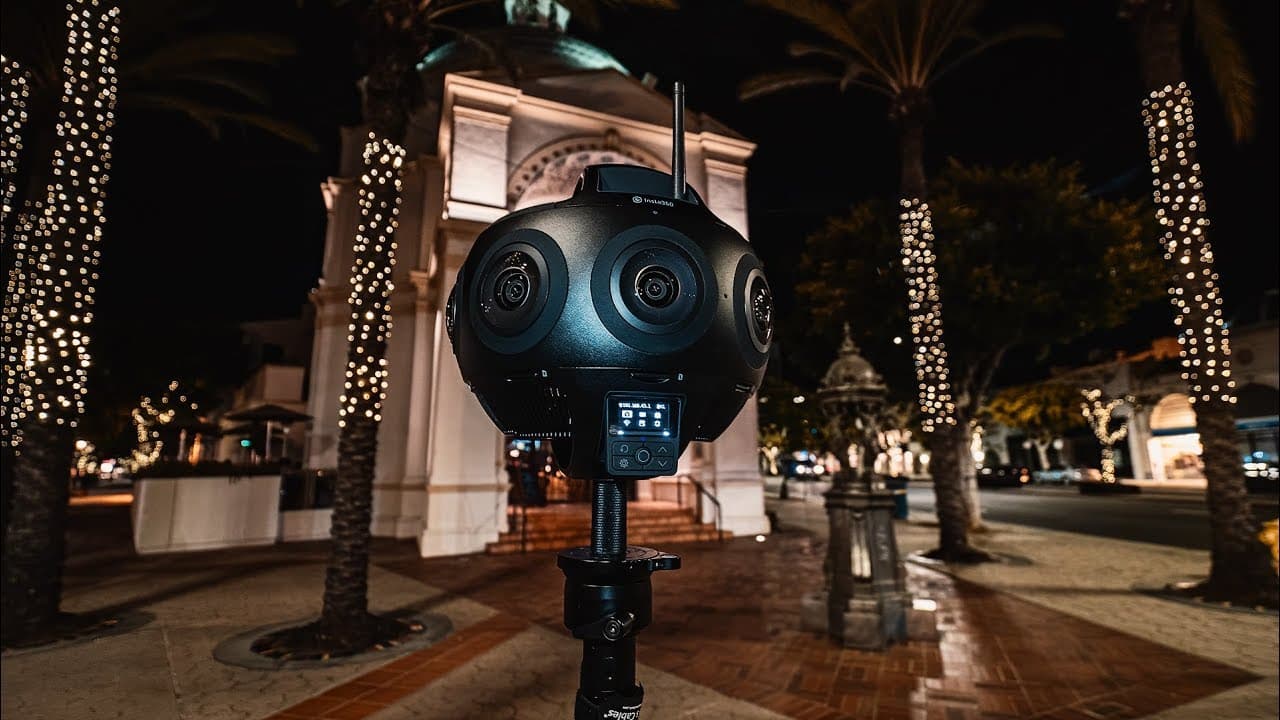
Insta360 Titan real-world test showcases the camera's features, including time-lapse, sunset video, flowstate stabilization, photos, and low-light footage.
Transcript
Thank you for watching another Insta360 Titan real-world test. Everything, from the initial 11K timelapse, to 10-bit sunset video, to flowstate stabilization test, to regular and HDR photos, finally low light city footage are all captured in my Insta360 Titan and stitched with the Insta360Stitcher. I will explain more in detail in the next 2D video... Read More
Key Insights
- 👌 The Insta360 Titan can capture impressive 11K time-lapse footage.
- 🎥 The camera's 10-bit sunset video showcases vibrant colors and high dynamic range.
- 🤝 Flowstate stabilization effectively reduces camera shake in various situations.
- 📷 The Insta360 Titan's regular and HDR photos demonstrate its capabilities in still photography.
- 🙂 The low-light city footage provides insight into how well the camera performs in challenging lighting conditions.
- ❓ The stitching process with the Insta360Stitcher software ensures seamless footage.
- 🌠 The next video will provide a follow-up review and shooting tutorial of the Insta360 Titan, offering further insights into its features and capabilities.
Install to Summarize YouTube Videos and Get Transcripts
Explore YouTube Video Summarizer or Get YouTube Transcript Extractor
Questions & Answers
Q: How does the Insta360 Titan perform in low-light conditions?
The video includes low-light city footage, which allows viewers to assess the camera's performance in challenging lighting situations. The footage will demonstrate the camera's ability to capture detailed and well-exposed imagery in low-light environments.
Q: What is flowstate stabilization and how does the Insta360 Titan utilize it?
Flowstate stabilization is a feature that minimizes camera shake and produces smooth footage. The video includes a flowstate stabilization test, providing a visual representation of how well the Insta360 Titan can stabilize footage in various situations, such as walking or running.
Q: Can the Insta360 Titan capture high-quality photos?
The content showcases regular and HDR photos captured with the Insta360 Titan. Viewers can evaluate the camera's ability to capture detailed and vibrant still images, helping them determine the camera's effectiveness for photography purposes.
Q: What is the stitching process involved in using the Insta360 Titan?
The footage is captured with the Insta360 Titan and then stitched using the Insta360Stitcher software. The next 2D video will provide a detailed explanation of the stitching process, offering viewers insights into how the camera and software work together to create seamless footage.
Key Insights:
- The Insta360 Titan can capture impressive 11K time-lapse footage.
- The camera's 10-bit sunset video showcases vibrant colors and high dynamic range.
- Flowstate stabilization effectively reduces camera shake in various situations.
- The Insta360 Titan's regular and HDR photos demonstrate its capabilities in still photography.
- The low-light city footage provides insight into how well the camera performs in challenging lighting conditions.
- The stitching process with the Insta360Stitcher software ensures seamless footage.
- The next video will provide a follow-up review and shooting tutorial of the Insta360 Titan, offering further insights into its features and capabilities.
- Viewers are encouraged to subscribe for more content related to the Insta360 Titan.
Summary & Key Takeaways
-
The content features a real-world test of the Insta360 Titan camera, showcasing its capabilities in various scenarios.
-
The video includes an 11K time-lapse, 10-bit sunset video, flowstate stabilization test, regular and HDR photos, and low-light city footage.
-
The footage is captured using the Insta360 Titan and stitched with the Insta360Stitcher software.
Read in Other Languages (beta)
Share This Summary 📚
Summarize YouTube Videos and Get Video Transcripts with 1-Click
Try YouTube Summary with ChatGPT & Claude or YouTube Transcript Generator
Explore More Summaries from Hugh Hou 📚
Summarize YouTube Videos and Get Video Transcripts with 1-Click
Try YouTube Summary with ChatGPT & Claude or YouTube Transcript Generator