Products
Features
YouTube Video Summarizer
Summarize YouTube videos
Web & PDF Highlighter
Highlight web pages & PDFs
Chat with PDF
Ask any PDF questions with AI
Ask AI Clone
Chat with your highlights & memories
Audio Transcriber
Transcribe audio files to text
Glasp Reader
Read and highlight articles
Kindle Highlight Export
Export your Kindle highlights
Idea Hatch
Hatch ideas from your highlights
Integrations
Obsidian Plugin
Notion Integration
Pocket Integration
Instapaper Integration
Medium Integration
Readwise Integration
Snipd Integration
Hypothesis Integration
Apps & Extensions
Chrome Extension
Safari Extension
Edge Add-ons
Firefox Add-ons
iOS App
Android App
Discover
Discover
Ideas
Discover new ideas and insights
Articles
Curated articles and insights
Books
Book recommendations by great minds
Posts
Essays and notes from readers
Quotes
Inspiring quotes collection
Videos
Curated videos and summaries
Explore Glasp
Glasp Newsletter
Weekly insights and updates
Glasp Talk
Interview series with great minds
Glasp Blog
Latest news and articles
Glasp Use Cases
Learn how others use Glasp
Build & Support
Glasp API
Access Glasp's API for developers
MCP Connector
Connect Glasp to Claude & ChatGPT
Community
Glasp Reddit Community
Students
Student discount and benefits
FAQs
Frequently Asked Questions
AboutPricing
DashboardLog inSign up

Windows Shortcuts

January 19, 2016
by
TechCrunch
YouTube video player
Windows Shortcuts

TL;DR

Learn essential Windows 10 keyboard shortcuts to improve your efficiency and navigate your computer easily.

Transcript

they're gonna be looking at some handy dandy Windows 10 keyboard shortcuts that I know what some of you are thinking oh that's cute the point of information adding all these keyboards hewitt good that just means you're cooler than me you're smarter than me you're not bad to look at if I may say so myself and I should be ashamed for wasting your tim... Read More

Key Insights

  • 🤩 The Windows key is a valuable tool for navigation and quick access to various features.
  • 🤩 Cortana can be activated with the Windows key + C for voice searches.
  • 📂 The Windows key + E opens the File Explorer for easy file management.
  • 🤩 The Windows key + i provides quick access to the Settings menu for system configurations.
  • 🤩 The Windows key + X opens the Quick Link menu for convenient access to essential functions.
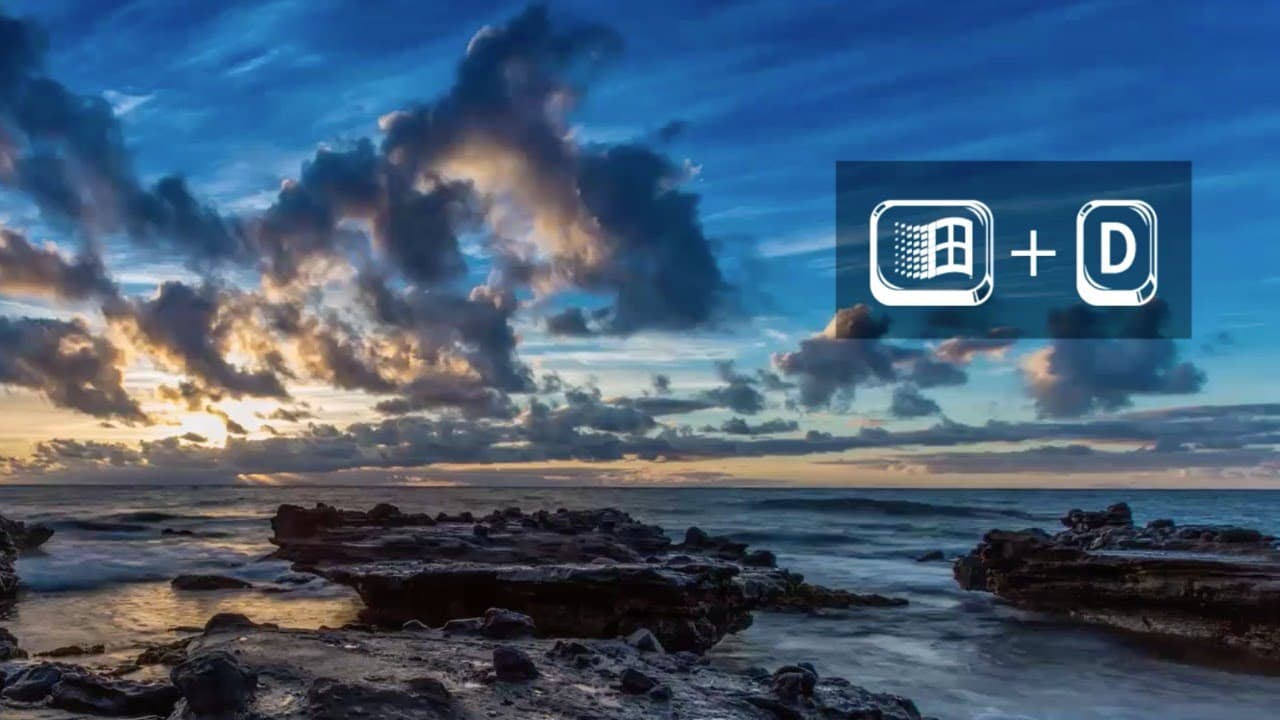
  • 🤗 The Windows key + D quickly minimizes all open windows and shows the desktop.
  • 🤩 To restore minimized windows, use the Windows key + shift + M.

Install to Summarize YouTube Videos and Get Transcripts

Explore YouTube Video Summarizer or Get YouTube Transcript Extractor

Questions & Answers

Q: How can I quickly search for something on Windows 10?

Press the Windows key + C to open Cortana for voice searches or use the Windows key + S to open the search bar and type your query.

Q: How do I access the File Explorer?

Simply press the Windows key + E, and the File Explorer will open, allowing you to browse through your files effortlessly.

Q: What is the Quick Link menu, and how can I access it?

The Quick Link menu can be opened by pressing the Windows key + X. It provides shortcuts to various useful functions like Device Manager, Control Panel, and Command Prompt.

Q: How can I manage multiple open windows more efficiently?

Use the Windows key + Tab to open the Task View, which displays all open windows. Simply click on the one you want to bring to the front.

Summary & Key Takeaways

  • Windows key: Opens and closes the Start menu and Action Center.

  • Windows key + C: Activates Cortana for quick voice searches.

  • Windows key + E: Opens the File Explorer to access files easily.

  • Windows key + i: Opens the Settings menu for quick access to system configurations.

  • Windows key + X: Opens the Quick Link menu for easy access to various functions.

  • Windows key + Tab: Opens the Task View to manage open windows.

  • Windows key + comma: Provides a quick peek at the desktop.

  • Windows key + D: Minimizes all windows and shows the desktop.

  • Windows key + shift + M: Restores minimized windows.

  • Windows key + L: Logs out of the computer.


Read in Other Languages (beta)

English

Share This Summary 📚

Summarize YouTube Videos and Get Video Transcripts with 1-Click

Download browser extensions on:

Try YouTube Summary with ChatGPT & Claude or YouTube Transcript Generator

Explore More Summaries from TechCrunch 📚

Zenly's Antoine Martin on Next-Level Location Sharing at Disrupt London 2016 thumbnail
Zenly's Antoine Martin on Next-Level Location Sharing at Disrupt London 2016
TechCrunch
Vinod Khosla Keeps It Real | Disrupt SF 2013 thumbnail
Vinod Khosla Keeps It Real | Disrupt SF 2013
TechCrunch
TechCrunch Live: How Deel raised $629 million without a pitch deck thumbnail
TechCrunch Live: How Deel raised $629 million without a pitch deck
TechCrunch
Blippar Is Building a Wikipedia of the Physical World thumbnail
Blippar Is Building a Wikipedia of the Physical World
TechCrunch
Nothing But Nets: Steph Curry at TechCrunch Disrupt SF 2016 thumbnail
Nothing But Nets: Steph Curry at TechCrunch Disrupt SF 2016
TechCrunch
Garry Kasparov |  What Constitutes Intelligence thumbnail
Garry Kasparov | What Constitutes Intelligence
TechCrunch

Summarize YouTube Videos and Get Video Transcripts with 1-Click

Download browser extensions on:

Try YouTube Summary with ChatGPT & Claude or YouTube Transcript Generator

Apps & Extensions

  • Chrome Extension
  • Safari Extension
  • Edge Add-ons
  • Firefox Add-ons
  • iOS App
  • Android App

Key Features

  • YouTube Video Summarizer
  • Web & PDF Summarizer
  • Web & PDF Highlighter
  • Chat with PDF
  • Ask AI Clone
  • Audio Transcriber
  • Glasp Reader
  • Kindle Highlight Export
  • Idea Hatch

Integrations

  • Obsidian Plugin
  • Notion Integration
  • Pocket Integration
  • Instapaper Integration
  • Medium Integration
  • Readwise Integration
  • Snipd Integration
  • Hypothesis Integration

More Features

  • APIs
  • MCP Connector
  • Blog & Post
  • Embed Links
  • Image Highlight
  • Personality Test
  • Quote Shots

Company

  • About us
  • Blog
  • Community
  • FAQs
  • Job Board
  • Newsletter
  • Pricing
Terms

•

Privacy

•

Guidelines

© 2026 Glasp Inc. All rights reserved.