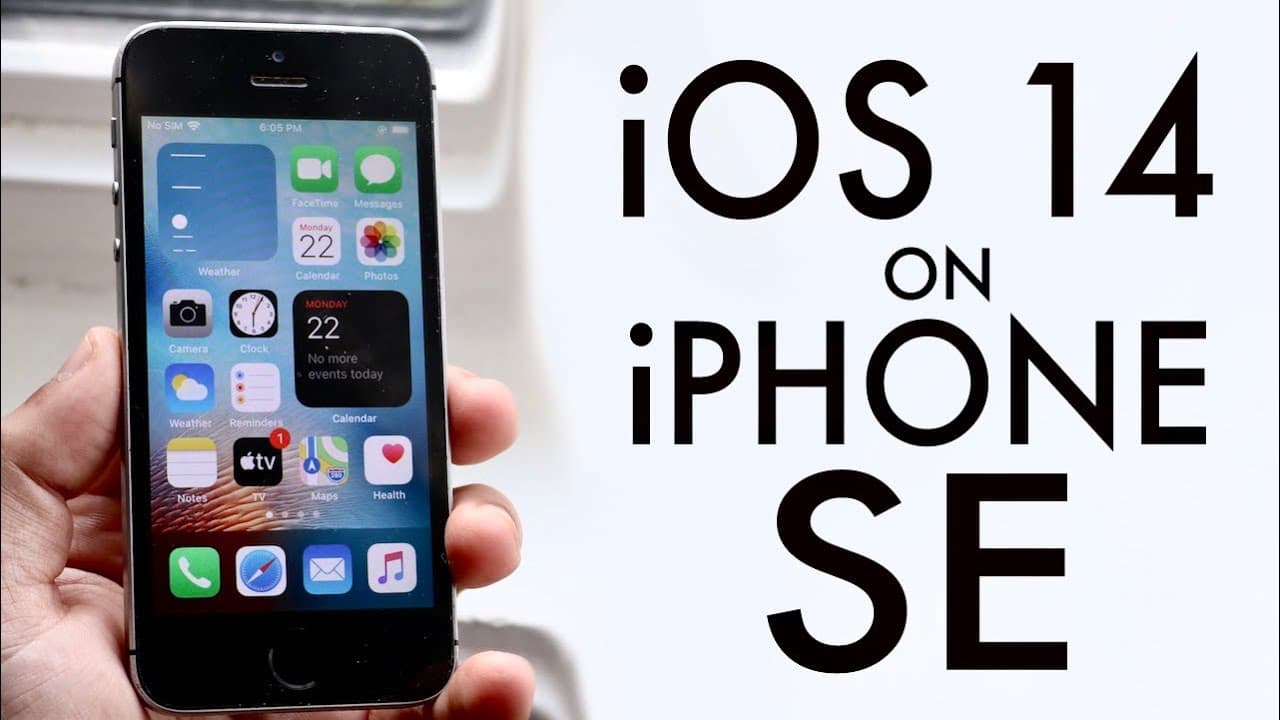
iPhone SE On iOS 14! (Review)
TL;DR
The iOS 14 beta offers exciting features but is unstable and risky to install.
Transcript
when I was 14 officially came out in a beta form and I got it installed on my iPhone se it was a pretty straightforward process there really wasn't too many crazy issues when it's stalling and if I'm being honest all my other devices that were this one it just kind of took a super long time my 6s and 6s plus were able to install it before the SC so... Read More
Key Insights
- 🤪 The iOS 14 beta installation on an iPhone SE went smoothly, highlighting the generally user-friendly approach of Apple towards software updates.
- 👻 The introduction of widgets represents a significant visual upgrade, allowing for more personalized home screens in iOS 14.
- 📲 The redesigned call interface reduces screen takeover during incoming calls, showcasing Apple's commitment to user convenience.
- 😀 App Library is designed for better app management, making it easier for users to find and delete apps without cluttering their home screens.
- 😀 Enhanced multitasking capabilities with Picture-in-Picture allow users to enjoy videos while engaging with other apps.
- 🐎 Performance benchmarks indicate that iOS 14 maintains similar speeds as previous models, though stability may still be an issue.
- 👶 New features in Messages aim to modernize the user experience, including new emoji options and enhancements for group chatting.
Install to Summarize YouTube Videos and Get Transcripts
Explore YouTube Video Summarizer or Get YouTube Transcript Extractor
Questions & Answers
Q: What are some notable features of iOS 14?
iOS 14 introduces several exciting features including home screen widgets for improved personalization, a new app library for better organization of applications, and picture-in-picture functionality that allows users to multitask more efficiently without needing to jailbreak their devices.
Q: Why should users hesitate to install the iOS 14 beta?
Users should be cautious about installing the iOS 14 beta due to its instability, which can lead to issues such as data loss or the inability to power on the device. The risks associated with beta software may outweigh the benefits, especially for those who rely on their devices for daily tasks.
Q: How does the performance of iOS 14 compare to previous iOS versions?
Although the benchmark scores for iOS 14 on the iPhone SE showed decent performance, there were no substantial improvements over prior versions. Users experienced a stable performance, but issues are expected given the software's beta status, which might improve upon the final release.
Q: What changes have been made to the incoming call interface in iOS 14?
The incoming call interface in iOS 14 has been redesigned to minimize disruptions; calls now appear as a banner at the top of the screen instead of taking over the entire display. This user-friendly adjustment enhances multitasking capabilities during calls.
Q: How does the new Picture-in-Picture feature work in iOS 14?
The Picture-in-Picture feature allows users to watch videos while navigating other apps. Users can resize the video window and position it anywhere on the screen, providing a seamless multitasking experience reminiscent of iPad functionality, without needing a jailbroken device.
Q: What is the App Library feature in iOS 14?
The App Library helps users organize their apps by automatically categorizing them into folders. By swiping to the side, users can access a complete list of installed applications, and they can easily delete apps from this interface, helping to declutter the home screen.
Q: What updates were made to the Messages app in iOS 14?
The Messages app received updates including the ability to pin conversations for quick access and enhanced features for group chats. Users can now integrate new emojis and customize their messaging experience, making conversations more interactive and engaging.
Q: Why does the reviewer suggest to wait for the public release of iOS 14?
The reviewer recommends waiting for the public release of iOS 14 because the current beta version is prone to instability and issues that could significantly hinder user experience. Older and more stable versions are preferred for critical daily usage until improvements are made.
Summary & Key Takeaways
-
The installation process for the iOS 14 beta on an iPhone SE was straightforward, although the update is not without problems. It requires caution, as there are risks of software instability and data loss.
-
iOS 14 introduces significant features such as home screen widgets, app library organization, and picture-in-picture functionality, enhancing user experience despite its beta status.
-
While performance benchmarks showed comparable multi-core scores, the update still has stability issues that may affect user experience prior to the public release.
Read in Other Languages (beta)
Share This Summary 📚
Summarize YouTube Videos and Get Video Transcripts with 1-Click
Try YouTube Summary with ChatGPT & Claude or YouTube Transcript Generator
Explore More Summaries from Simple Alpaca 📚






Summarize YouTube Videos and Get Video Transcripts with 1-Click
Try YouTube Summary with ChatGPT & Claude or YouTube Transcript Generator