What Are the Best Free AI Tools for Video Editing?
TL;DR
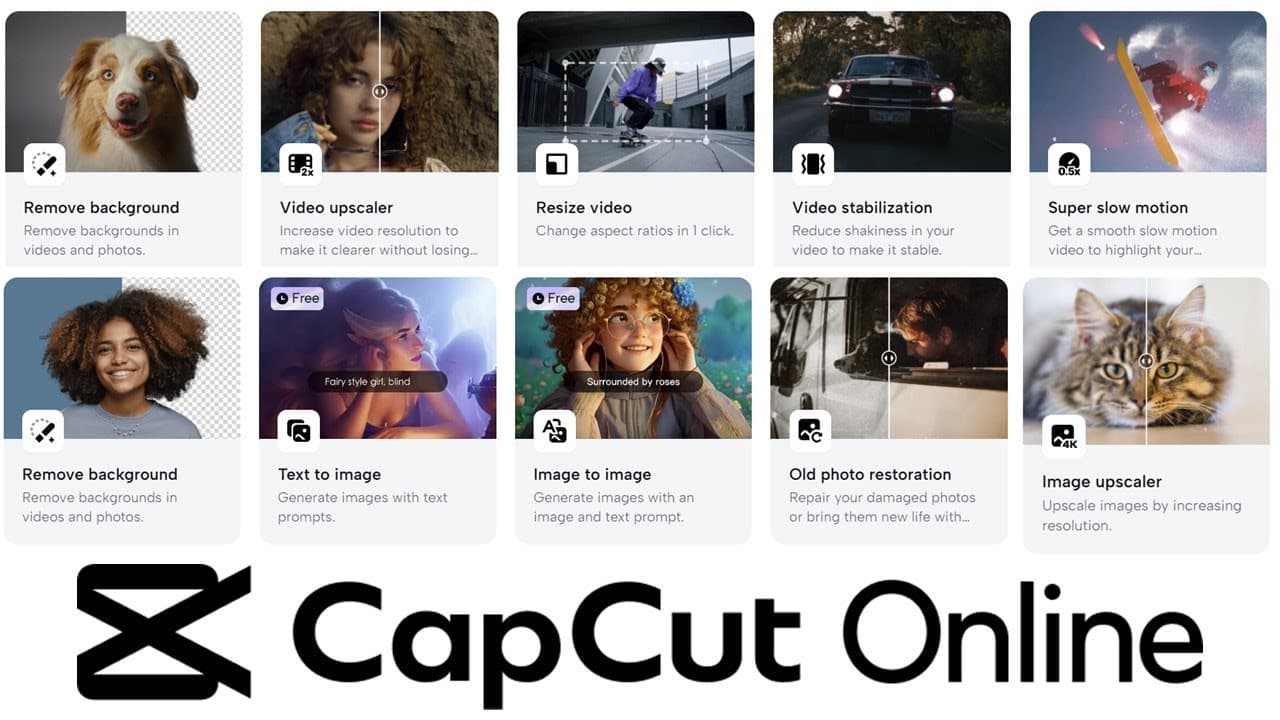
CapCut offers a free online video and image editor with no watermarks, featuring a variety of AI-driven tools like background removal, video upscaling, and text-to-design functions. Its user-friendly interface also includes templates for various social media formats, making it ideal for both casual creators and professional content producers.
Transcript
hi friends welcome back to the channel today I wanted to share with you a really nice AI video set of tools so this is called capcut online video editor there's actually a mobile online and PC versions of this and what it is is a selection of really useful Aid driven video and image tools and also a set of templates that link in with those as well ... Read More
Key Insights
- 🎮 CapCut's AI-driven tools significantly simplify video and image editing tasks, catering to both amateurs and professionals.
- 👻 The platform enhances content creation efficiency, allowing users to transform longer videos into shorter formats quickly, suitable for social media.
- 🫥 The absence of watermarks on free edits is a major draw, enabling users to publish their work without visible brandings or logos.
- 😘 CapCut includes features for image resolution enhancement, making it useful for those who need to upscale old or low-quality images.
- 👤 Templates for popular platforms like TikTok and YouTube are integrated, helping users adapt their content style for various audiences seamlessly.
- 👤 The platform design enhances user experience by categorizing tools and templates into intuitive sections, making it easy to navigate.
- 👻 CapCut provides training resources and demonstrations, allowing users to explore new features and techniques through tutorial videos.
Install to Summarize YouTube Videos and Get Transcripts
Explore YouTube Video Summarizer or Get YouTube Transcript Extractor
Questions & Answers
Q: What makes CapCut unique compared to other video editing tools?
CapCut stands out due to its comprehensive suite of AI-driven editing tools that are completely free and easy to use, without watermarks. This gives casual creators and professionals alike the ability to produce high-quality content with minimal barriers, which is a notable departure from many other platforms that may charge or impose limitations on free services.
Q: What specific AI tools does CapCut offer for video editing?
CapCut provides an extensive array of AI tools including background removal, video upscaling, stabilization, and super slow motion. It also features innovative functionalities such as "long video into shorts," which can significantly reduce the time required to repurpose longer content for social media. These tools streamline the editing process and enhance the final product’s quality.
Q: Are there costs associated with using CapCut?
While CapCut offers a robust selection of free tools and templates, there are optional Pro features available for purchase. Users can unlock additional storage and advanced functionalities for a fee, but the base platform provides ample resources for most users without needing to spend money.
Q: How can users access CapCut?
Users can access CapCut by visiting their website at capcut.com. The platform allows for online editing, and there are mobile and PC versions available for download, ensuring versatility in how users can engage with the tool based on their preferences.
Summary & Key Takeaways
-
CapCut is a versatile online video editor available on mobile and PC, featuring a variety of AI-driven tools and templates. Notably, these features are free and do not include watermarks, making them accessible for casual users and creators.
-
The platform includes useful functionalities like AI character creation, text-to-design features, and tools for video editing, image enhancement, and background removal. This variety enables efficient content creation, appealing especially to those working with social media platforms.
-
Users can explore templates designed for various formats such as TikTok and YouTube, helping them quickly tailor their content to fit different audiences and styles. CapCut's generous free tier offers significant value, with options to upgrade for advanced features.
Read in Other Languages (beta)
Share This Summary 📚
Summarize YouTube Videos and Get Video Transcripts with 1-Click
Try YouTube Summary with ChatGPT & Claude or YouTube Transcript Generator
Explore More Summaries from Dr Lyndon Walker 📚






Summarize YouTube Videos and Get Video Transcripts with 1-Click
Try YouTube Summary with ChatGPT & Claude or YouTube Transcript Generator