Unlock Data Factory Power with Existing Connections
TL;DR
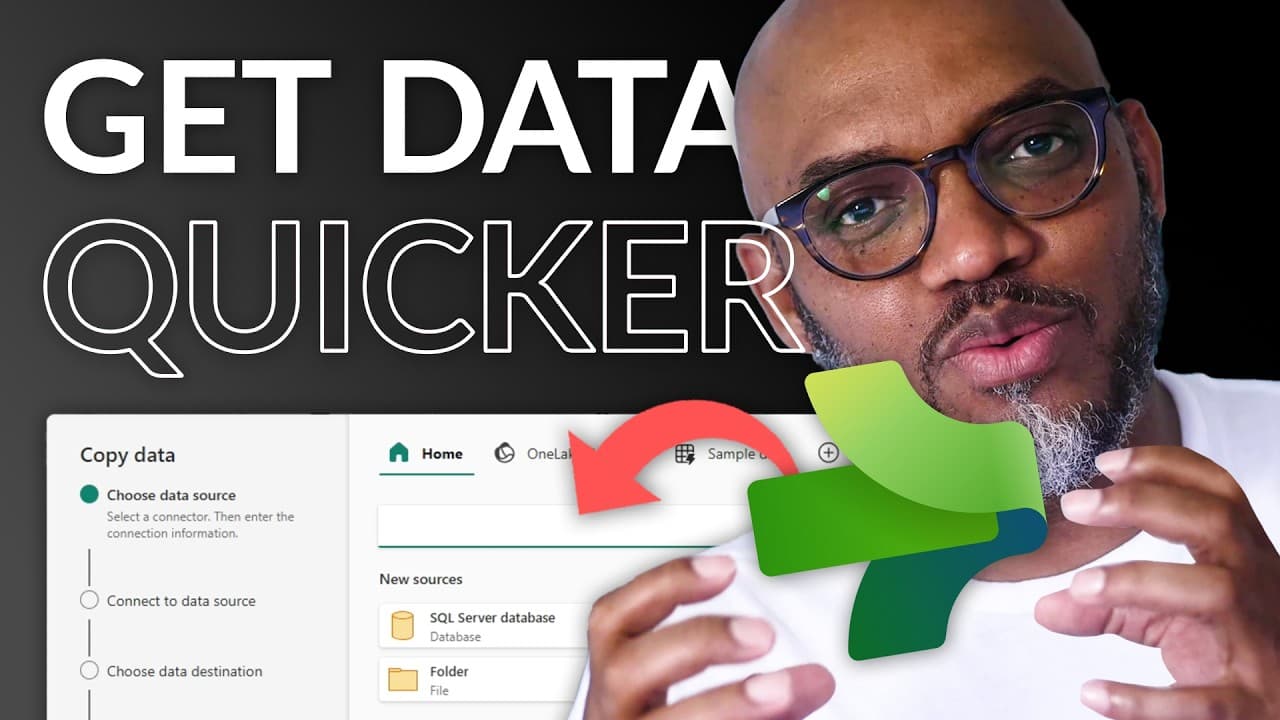
Learn to efficiently use existing connections in Data Factory.
Transcript
- Yooo! What's up? This is Patrick from Guy in a Cube, and I like to use Data Factory, specifically the copy assistant to get data into Fabric as quickly as possible. And the thing I struggle with, wait, wait, wait, wait, wait. Enough of all this talking, you know what I like to do. Let's do what? Let's head over to my lapto... Read More
Key Insights
- Patrick from Guy in a Cube demonstrates how to use Data Factory's copy assistant to streamline data integration processes in Microsoft Fabric.
- The video addresses the frustration of repeatedly filling out forms for connections and offers solutions to minimize these repetitive tasks.
- Alex Powers provides guidance on accessing recent and recommended connections in Data Factory, simplifying the connection process.
- By typing the connection name in the home search bar, users can quickly access and use existing connections without navigating through multiple menus.
- Patrick reveals a new experience for adding copy activities directly to the canvas, enhancing efficiency in data integration tasks.
- The video highlights the importance of leveraging cloud connections and discusses the roadmap for future support in dataflows.
- Patrick emphasizes the value of reducing 'click tax' by reusing established connections, thus saving time and effort.
- The content encourages viewers to explore further learning opportunities in Fabric, Power BI, and other data integration tools.
Install to Summarize YouTube Videos and Get Transcripts
Explore YouTube Video Summarizer or Get YouTube Transcript Extractor
Questions & Answers
Q: What problem does Patrick address in the video?
Patrick addresses the issue of having to repeatedly fill out forms for connections in Data Factory. He finds this process frustrating and seeks a more efficient way to utilize existing connections to streamline data integration tasks.
Q: How does Alex Powers help Patrick with Data Factory connections?
Alex Powers guides Patrick on how to access recent and recommended connections in Data Factory by using the home search bar. This approach allows users to quickly find and use existing connections without navigating through multiple menus, thereby saving time and effort.
Q: What new feature does Patrick reveal in the video?
Patrick reveals a new experience for adding copy activities directly to the canvas in Data Factory. This feature enhances efficiency by allowing users to quickly set up data integration tasks without the need to fill out repetitive forms for each connection.
Q: What is the significance of reducing 'click tax' according to Patrick?
Reducing 'click tax' refers to minimizing the number of clicks and repetitive tasks required to set up connections in Data Factory. By reusing established connections, users can save time and effort, making the data integration process more efficient and less burdensome.
Q: What does Patrick suggest about cloud connections in Data Factory?
Patrick suggests that cloud connections are valuable for streamlining data integration tasks in Data Factory. He mentions the roadmap for future support in dataflows, indicating that cloud connections will play a crucial role in enhancing the efficiency and capabilities of Data Factory.
Q: How does the video encourage further learning in data integration tools?
The video encourages viewers to explore further learning opportunities in Fabric, Power BI, and other data integration tools. Patrick and his team at Guy in a Cube offer training courses and resources to help users enhance their skills and knowledge in these areas.
Q: What is the overall goal of the video content?
The overall goal of the video content is to teach viewers how to efficiently use existing connections in Data Factory, thereby minimizing repetitive tasks and enhancing the data integration process. Patrick aims to provide practical solutions to common frustrations faced by users.
Q: What role does the home search bar play in Data Factory connections?
The home search bar in Data Factory serves as a quick access point for users to find and use existing connections. By typing the connection name, users can bypass multiple menus and directly access the required connection, streamlining the setup process and improving efficiency.
Summary & Key Takeaways
-
Patrick from Guy in a Cube discusses how to efficiently use existing connections in Microsoft Fabric's Data Factory, reducing the need for repetitive form-filling when integrating data.
-
Alex Powers demonstrates how to access recent and recommended connections through the home search bar, simplifying the process of setting up data connections.
-
The video introduces a new experience for adding copy activities directly to the canvas, highlighting the potential for enhanced efficiency in data integration tasks.
Read in Other Languages (beta)
Share This Summary 📚
Summarize YouTube Videos and Get Video Transcripts with 1-Click
Try YouTube Summary with ChatGPT & Claude or YouTube Transcript Generator
Explore More Summaries from Guy in a Cube 📚





Summarize YouTube Videos and Get Video Transcripts with 1-Click
Try YouTube Summary with ChatGPT & Claude or YouTube Transcript Generator