Best iMessage Tricks & Tips On iOS 18!
TL;DR
iOS 18 introduces exciting new iMessage features like scheduling, RCS support, and satellite messaging.
Transcript
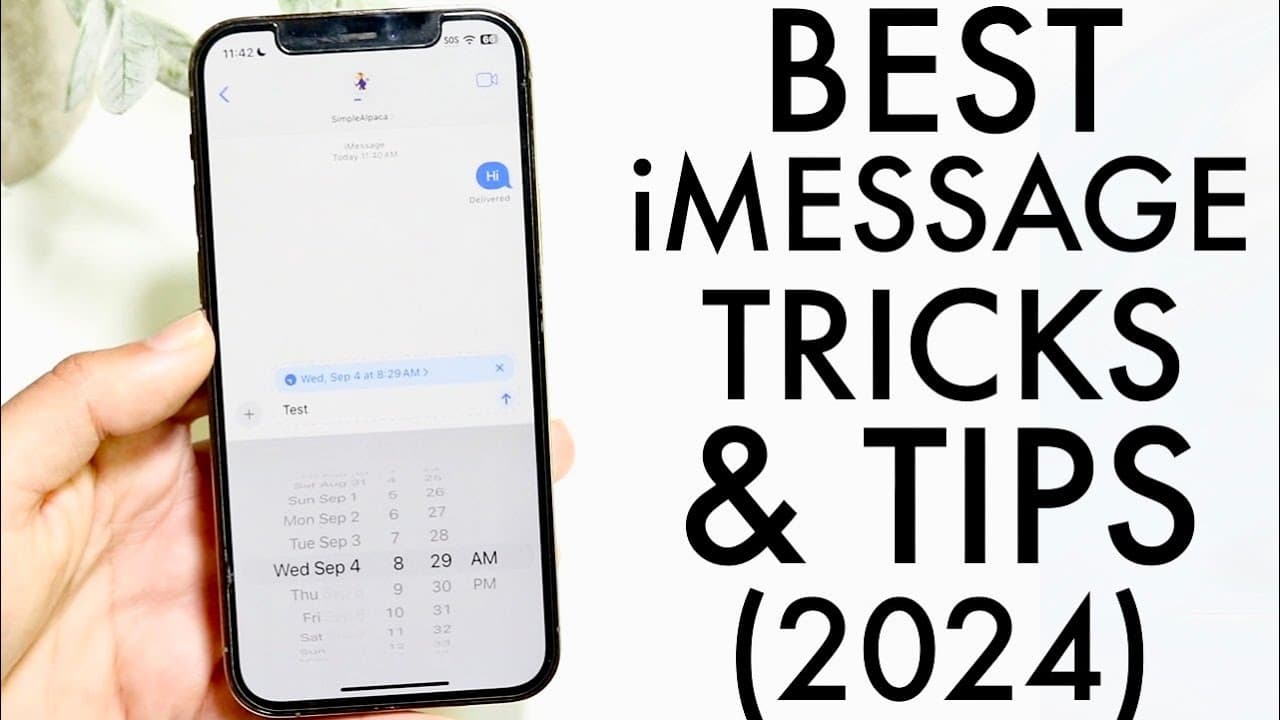
so iMessage has gotten so many improvements within iOS 18 and I wanted to kind of hit on some of my favorite new changes and tricks and tips within iOS 18 for iMessage that you should definitely take advantage of now number one my favorite new feature within iMessage that I'm so happy to see is send later so this option what it allows you to do is ... Read More
Key Insights
- 👤 iOS 18 introduces the "send later" feature, transforming how users manage and time their messages.
- 😑 Emoji customization allows users to enhance their text with personalized expressions, promoting creativity in conversations.
- ❓ RCS support broadens communication capabilities, integrating seamless messaging between Apple and Android devices.
- 😚 The ability to recover deleted messages ensures users do not lose vital information unintentionally.
- 👤 Satellite messaging provides a critical safety net for users in remote areas, emphasizing the importance of reliable messaging features.
- 👻 Enhanced customization for notification tabs promotes user-friendly interaction with iMessage, allowing for a more tailored experience.
- 👤 The overall enhancements in iMessage align with modern communication demands, showcasing Apple’s commitment to improving user experience.
Install to Summarize YouTube Videos and Get Transcripts
Explore YouTube Video Summarizer or Get YouTube Transcript Extractor
Questions & Answers
Q: What is the "send later" feature in iMessage on iOS 18?
The "send later" feature allows users to schedule text messages to be sent at a specific time, providing greater flexibility in communication. By tapping the plus button next to a message, users can select a desired date and time for their message to be sent, ensuring timely delivery even when they may not be able to send the message immediately. This is particularly useful for organizing reminders or sending good wishes at the right moment.
Q: How do you customize emojis for messages in iMessage after the iOS 18 update?
To customize emojis in iMessage on iOS 18, users can hold down on a specific message and tap the emoji icon. This opens a selection menu where they can choose from any available emojis to send alongside their text. This enhancement adds a personal touch to messages and allows for better expression of emotions, making the conversation more vibrant and enjoyable.
Q: What does RCS support mean for iMessage users on iOS 18?
RCS (Rich Communication Services) support allows iMessage users to better communicate with Android devices by adopting a messaging standard similar to iMessage for Android. This feature enhances the messaging experience by providing features such as read receipts, high-quality images, and typing indicators, bridging the communication gap between iOS and Android users for a more cohesive texting experience.
Q: How can users recover deleted iMessages in iOS 18?
Users can recover deleted iMessages by tapping the edit button at the top left corner of their messages app, which reveals the option to show recently deleted messages. By clicking this option, users can browse through messages they may have accidentally deleted, select the message they wish to recover, and tap the recover option, bringing it back into their active conversation history.
Q: What is the significance of satellite messaging in iOS 18?
Satellite messaging in iOS 18 is particularly significant as it allows users to send messages in emergency situations even without cellular signal coverage. If a user is in a remote area and has an iPhone 14 or newer model, their device can detect the lack of signal and utilize satellite communication to send urgent messages, thereby enhancing the reliability of communication during critical times.
Q: Are all iPhone models compatible with the new satellite messaging feature?
No, not all iPhone models are compatible with the satellite messaging feature introduced in iOS 18. This capability is specifically available for the iPhone 14 and later models. This limitation emphasizes the technology's advanced nature, as it requires specific hardware features that older models may lack, making it crucial for users to upgrade if they desire this functionality.
Summary & Key Takeaways
-
iOS 18 enhances iMessage with a new send later feature, allowing users to schedule messages for specific times, optimizing communication efficiency for various situations.
-
Customization options for messages have improved, letting users personalize their emojis while sending texts, making conversations more engaging and colorful.
-
New support for RCS messaging enables seamless communication with Android users, while satellite messaging capabilities ensure connectivity in emergencies without cellular signals.
Read in Other Languages (beta)
Share This Summary 📚
Summarize YouTube Videos and Get Video Transcripts with 1-Click
Try YouTube Summary with ChatGPT & Claude or YouTube Transcript Generator
Explore More Summaries from Simple Alpaca 📚






Summarize YouTube Videos and Get Video Transcripts with 1-Click
Try YouTube Summary with ChatGPT & Claude or YouTube Transcript Generator