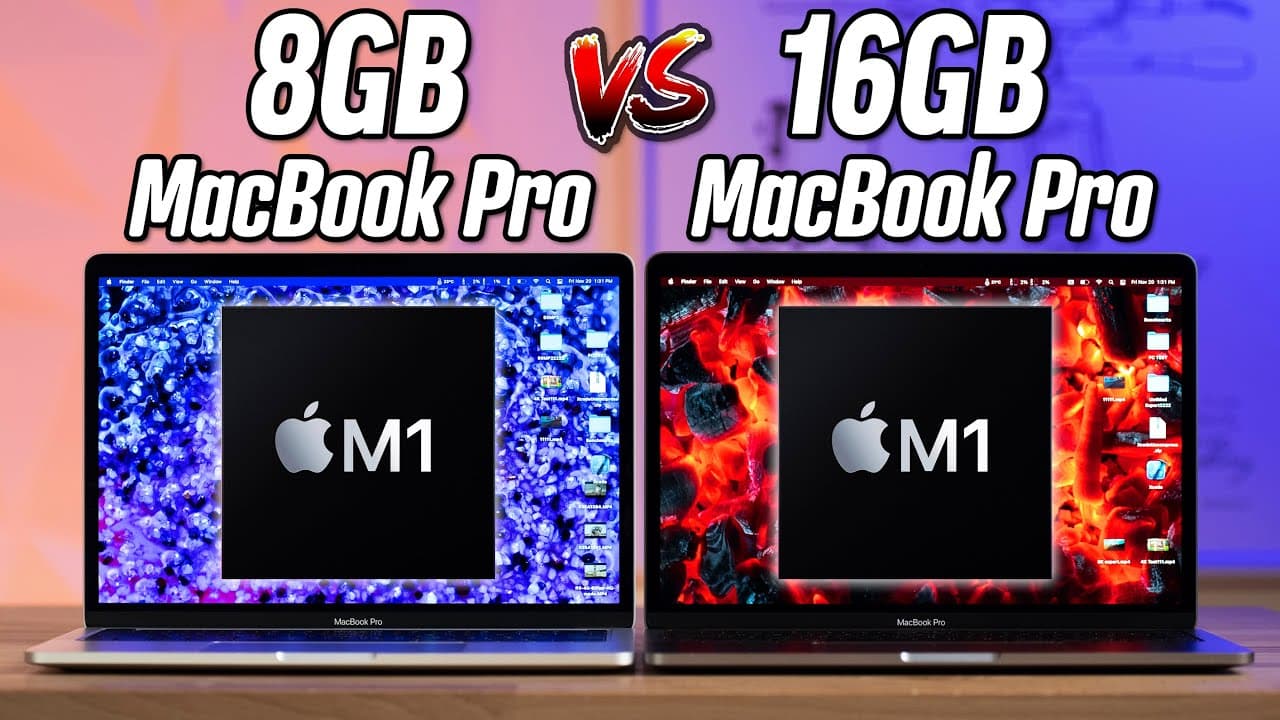
8GB vs 16GB M1 MacBook Pro - How much RAM do you NEED?!
TL;DR
Testing shows that 16GB of RAM on the M1 MacBook Pro offers minimal performance improvements compared to the base 8GB model in most tasks, except in extreme video editing scenarios where the 16GB model outperforms significantly.
Transcript
hey guys this is vadim with max tech and in this video i'm gonna answer the question that you guys have been asking me for days now and finally we have this video of course we've been working overtime i've got coffee right here because i'm tired all right we have eight gigs of ram on the m1 macbook pro right here this is the base model for thirteen... Read More
Key Insights
- 👍 Replicating benchmarks from previous videos, the M1 MacBook Pro's unified memory architecture proves to be highly efficient compared to Intel machines.
- 🐏 In RAM-intensive tasks like Lightroom Classic, the difference in performance between the 8GB and 16GB models is minimal (around 10%).
- 🛀 In Xcode programming, the 16GB model shows an 11% improvement in performance compared to the 8GB model.
- ⏲️ The most significant difference in performance is observed in extreme 8K video editing, where the 16GB model outperforms the 8GB model by 2.3 times.
Install to Summarize YouTube Videos and Get Transcripts
Explore YouTube Video Summarizer or Get YouTube Transcript Extractor
Questions & Answers
Q: Does having 16GB of RAM make a significant difference in overall performance compared to 8GB?
In most tasks and benchmarks, the performance difference between the two models is minimal. The scores on Geekbench 5, Cinebench R23, and Logic Pro music production tests are almost identical.
Q: Are there any scenarios where the 16GB model performs noticeably better?
Yes, in video editing tasks with extreme 8K footage, the 16GB model outperforms the 8GB model by 2.3 times. However, for regular 4K editing and other everyday tasks, there is no significant difference.
Q: Is 8GB of RAM limiting for most users?
No, the tests show that 8GB of RAM on the M1 MacBook Pro is surprisingly efficient. It performs almost on par with a high-end 16-inch MacBook Pro with 32GB of RAM. Apple's unified memory architecture makes 16GB on the M1 equivalent to 32GB on previous Intel systems.
Q: Is it worth upgrading to 16GB of RAM?
For most users, the 8GB model should be sufficient, considering the minimal performance difference in most tasks. However, for those involved in extreme video editing scenarios, upgrading to 16GB of RAM can lead to significant improvements in performance.
Key Insights:
- Replicating benchmarks from previous videos, the M1 MacBook Pro's unified memory architecture proves to be highly efficient compared to Intel machines.
- In RAM-intensive tasks like Lightroom Classic, the difference in performance between the 8GB and 16GB models is minimal (around 10%).
- In Xcode programming, the 16GB model shows an 11% improvement in performance compared to the 8GB model.
- The most significant difference in performance is observed in extreme 8K video editing, where the 16GB model outperforms the 8GB model by 2.3 times.
- Overall, the 8GB model is recommended for most users, as it performs exceptionally well in various tasks, even comparable to higher-end Intel MacBooks with 32GB of RAM.
Summary & Key Takeaways
-
The video compares the performance of the base model M1 MacBook Pro with 8GB RAM to the higher-end model with 16GB RAM.
-
Geekbench 5 tests show that despite the significant difference in available RAM, the benchmark scores are almost identical for both models.
-
In other benchmark tests like Cinebench R23 and Logic Pro music production, the difference in performance between the two models is negligible.
Read in Other Languages (beta)
Share This Summary 📚
Summarize YouTube Videos and Get Video Transcripts with 1-Click
Try YouTube Summary with ChatGPT & Claude or YouTube Transcript Generator
Explore More Summaries from Max Tech 📚





Summarize YouTube Videos and Get Video Transcripts with 1-Click
Try YouTube Summary with ChatGPT & Claude or YouTube Transcript Generator