16 Upload Mistakes That RUIN YouTube Videos
TL;DR
Using incorrect categories and neglecting metadata can significantly hinder your video's success on YouTube.
Transcript
this one could be quietly killing your channel and you not even know it the first of 16 most common upload mistakes that I would never ever make again after growing over 20 YouTube channels and uploading thousands of videos is only following the upload steps inside YouTube Studio they can be a little bit misleading moving on to mistake number two i... Read More
Key Insights
- 🫵 Choosing the correct video category can result in dramatic increases in view counts and audience reach.
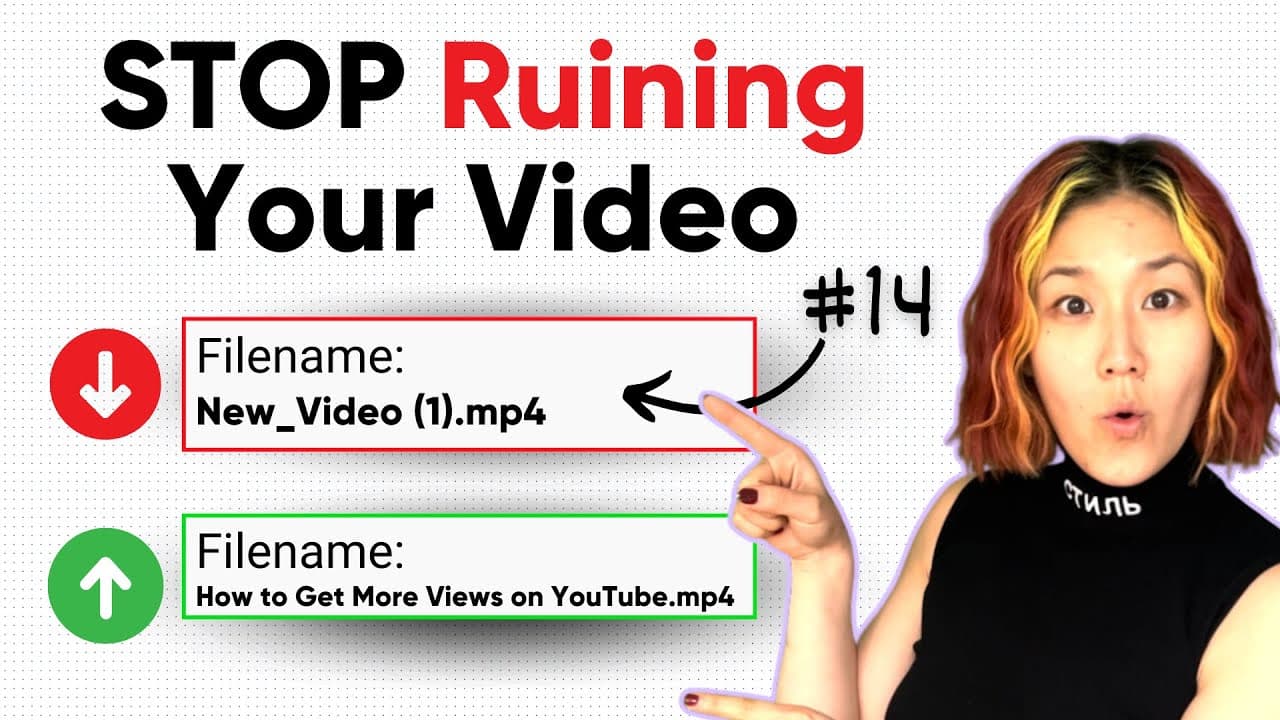
- 👨🔬 Metadata optimization, including video and thumbnail file names, is essential for enhancing search rankings on Google and YouTube.
- 🫵 Manual chapter titles improve both viewer engagement and SEO effectiveness compared to automatically generated chapters.
- 🦻 Utilizing hashtags strategically can aid in video discoverability and connect content to trending topics.
- 🥰 Subtitles and closed captions are vital for broadening audience accessibility, especially for those with hearing impairments.
- 🫠 Proper ad placements can maximize viewer retention during monetized content and optimize earnings.
- 👻 Avoiding unlisted video uploads allows for a better initial performance signal to YouTube's algorithm.
Install to Summarize YouTube Videos and Get Transcripts
Explore YouTube Video Summarizer or Get YouTube Transcript Extractor
Questions & Answers
Q: How can selecting the wrong video category impact a video's performance?
The video category plays a vital role in YouTube's algorithm, as it helps classify content for viewers. A wrong category can mislead the algorithm, causing your video not to appear in relevant search results. For instance, renaming a video to the right category resulted in a massive increase in views, demonstrating the impact of correct categorization.
Q: What are some best practices for optimizing video metadata?
Before uploading, renaming your video file and thumbnail to include target keywords helps improve search engine optimization (SEO). By incorporating relevant terms into your title, description, and tags, you enhance the likelihood of your video being recommended by Google and YouTube, leading to increased views and engagement.
Q: Why is it important to manually set chapters in video descriptions?
Manually created chapters can help your video rank better in search results by improving viewer navigation. Automatic chapters might misclassify content, while editing chapters to be SEO-friendly can lead to higher engagement and even help viewers reach specific segments of the video through search queries.
Q: What role do hashtags play in video discoverability on YouTube?
Hashtags help categorize your video and improve visibility in searches. They facilitate easier discovery by tying your video to trending topics or keywords relevant to your content. Proper use of hashtags alongside a mix of long-tail and short-tail keywords can broaden your viewer base and increase engagement.
Q: What are some common mistakes to avoid when uploading a YouTube video?
Common mistakes include failing to categorize videos correctly, ignoring metadata, mismanaging thumbnail filenames, and not utilizing keywords effectively. Creators may also overlook the importance of adding subtitles, selecting the proper audience setting, and optimizing ad placements.
Q: How can subtitles enhance a YouTube video's reach?
Subtitles help make videos accessible for deaf or hard-of-hearing viewers, ensuring they can enjoy your content. Additionally, using an SRT file allows for translations into multiple languages, broadening your potential audience even further and enabling non-English speakers to find and engage with your videos.
Q: Why is manually selecting ad placements critical for video monetization?
Automated ad placements may not always align with the video's content or flow, potentially leading to viewer drop-off. By customizing ad placements, you ensure that ads are positioned at natural break points, keeping viewers engaged while optimizing revenue opportunities.
Q: How does uploading videos unlisted affect their performance?
Publishing videos as unlisted initially can lead to lower view counts and engagement, as YouTube detects fewer initial interactions. Instead, scheduling videos or keeping them private until ready to go live activates their performance potential, signaling to YouTube that the content is indeed valuable.
Summary & Key Takeaways
-
Many creators fail to choose the appropriate video category in YouTube Studio, which can drastically affect view counts. For example, changing a video’s category from comedy to how-to resulted in a jump from 100,000 to over 1 million views.
-
Properly utilizing metadata, including titles, descriptions, and tags, is crucial for improving search engine visibility and driving more traffic to a YouTube video. Renaming video files and thumbnails with relevant keywords can lead to better rankings in search results.
-
Manual chapter creation and strategic hashtag use enhance a video's chances of appearing in relevant searches, while subtitles help make content accessible to a wider audience, including those who are hard of hearing.
Read in Other Languages (beta)
Share This Summary 📚
Summarize YouTube Videos and Get Video Transcripts with 1-Click
Try YouTube Summary with ChatGPT & Claude or YouTube Transcript Generator