Class 6: Architectural Origami
TL;DR
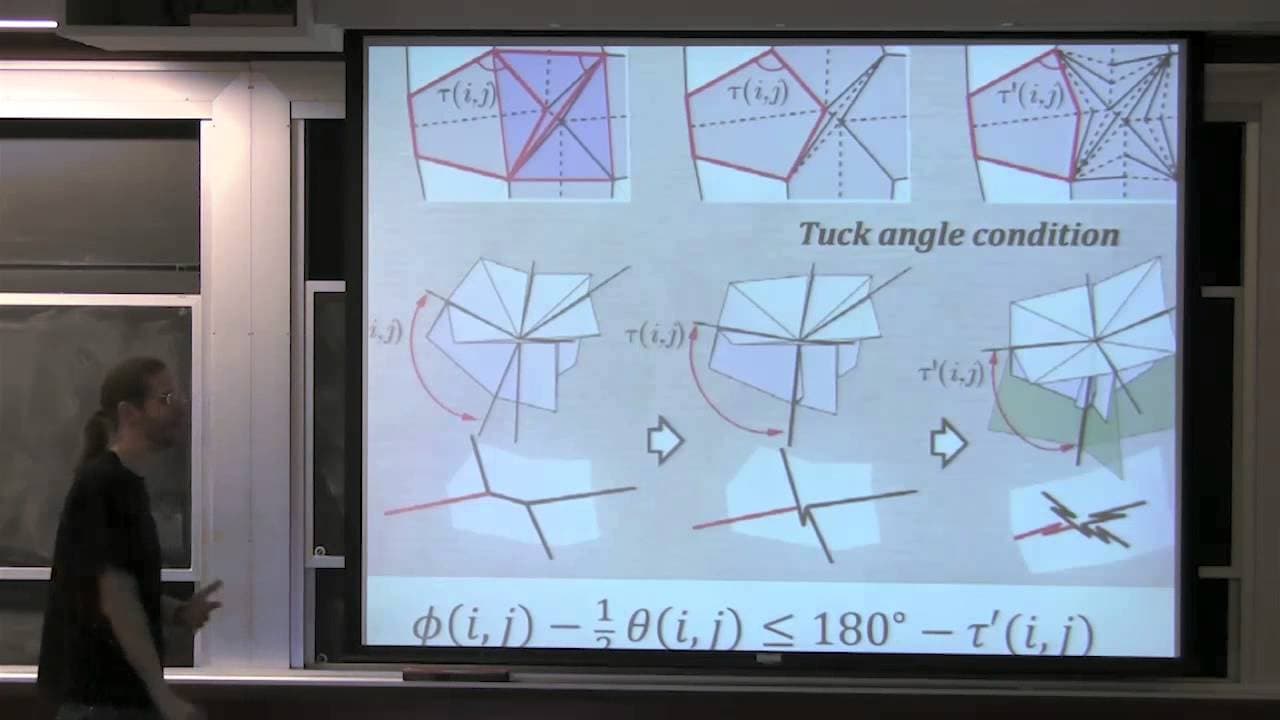
This content discusses various origami design software and techniques, including Origamizer, Freeform Origami Designer, Rigid Origami Simulator, and manual folding.
Transcript
PROFESSOR: All right, so this lecture we talked about lots of cool origami design software, all written by Tomohiro Tachi. We had Origamizer, Freeform Origami Designer, Rigid Origami Simulator. And then he talked about a bunch of other things that he's built using that kind of technology, like cylinder folding and so on. And I got a bunch of questi... Read More
Key Insights
- 🙏 Origami design software, such as Origamizer, Freeform Origami Designer, and Rigid Origami Simulator, offers tools to create and fold intricate origami models.
- 🪭 Precreasing is an essential step in origami folding, guiding the folding process and ensuring precise creases.
- 🫓 Constraints such as developability and flat foldability are crucial in achieving desired 3D shapes in origami folding.
Install to Summarize YouTube Videos and Get Transcripts
Explore YouTube Video Summarizer or Get YouTube Transcript Extractor
Questions & Answers
Q: What is the purpose of precreasing in origami folding?
Precreasing is the process of folding crease patterns along the desired creases. It helps in guiding the folding process and makes it easier to achieve precise folds.
Q: What are the constraints involved in Freeform Origami Designer?
Freeform Origami Designer involves constraints such as developability, which ensures that each vertex is flat, and flat foldability, which guarantees that the Kawasaki condition is satisfied.
Q: What are the key differences between Rigid Origami Simulator and Freeform Origami Designer?
Rigid Origami Simulator focuses on maintaining the rigidity of the folded model while Freeform Origami Designer allows for more flexibility in folding, with the option to add various constraints and design complex shapes.
Q: Can you fold any crease pattern using robotic folding machines?
Robotic folding machines, like the ones mentioned in the content, offer automation and precision in folding but are limited to specific folds and shapes. Complex crease patterns may require a combination of manual and automated techniques.
Summary & Key Takeaways
-
The content introduces different origami design software created by Tomohiro Tachi, such as Origamizer, Freeform Origami Designer, and Rigid Origami Simulator.
-
It provides instructions for folding a simple crease pattern and explores the process of precreasing and collapsing flaps.
-
The lecturer showcases examples of complex folded models created using these software, including non-convex vertices and intricate tucks.
Read in Other Languages (beta)
Share This Summary 📚
Summarize YouTube Videos and Get Video Transcripts with 1-Click
Try YouTube Summary with ChatGPT & Claude or YouTube Transcript Generator
Explore More Summaries from MIT OpenCourseWare 📚

Summarize YouTube Videos and Get Video Transcripts with 1-Click
Try YouTube Summary with ChatGPT & Claude or YouTube Transcript Generator