The Ultimate Apple Productivity Setup: My 5 Device Ecosystem
TL;DR
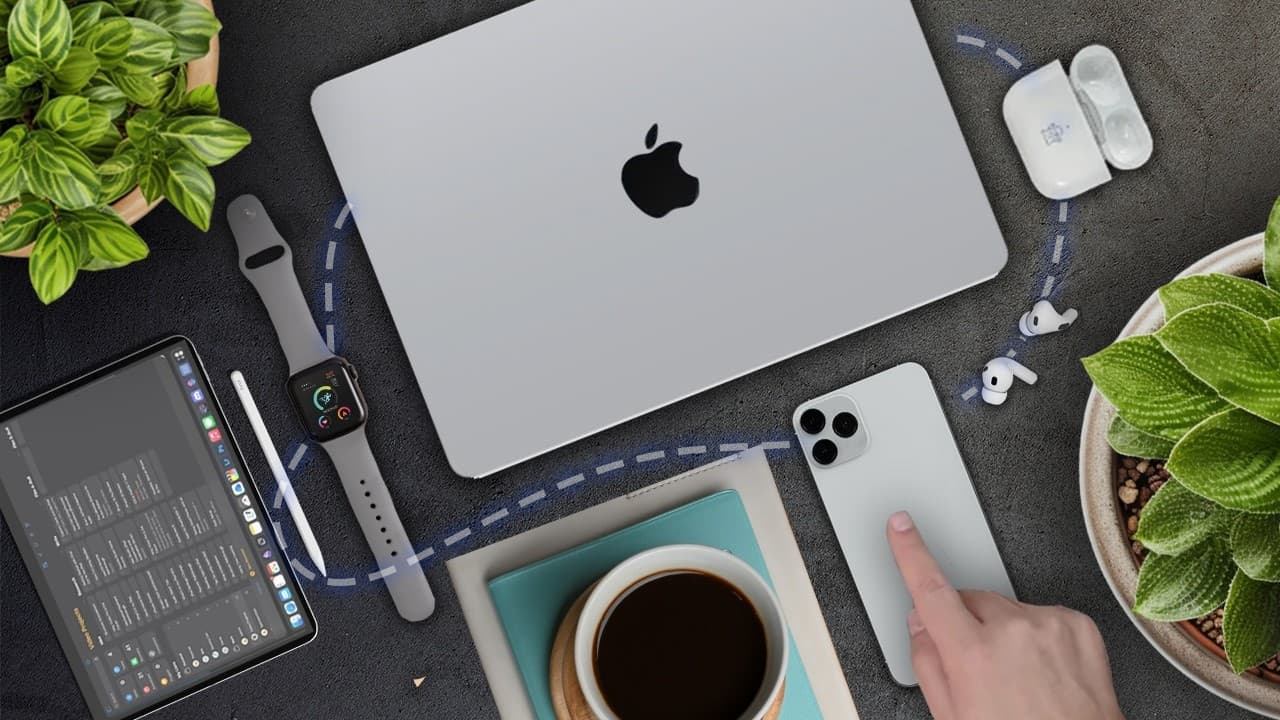
Five Apple devices enhance productivity through seamless integration.
Transcript
I've been a lifelong Windows user my whole life all the way back to Windows 98 until 3 years ago when I bought this very MacBook and in terms of purchases the MacBook was one of the best things I've ever bought in terms of increasing my productivity not just the MacBook but my whole five device Apple ecosystem so my five Apple devices work seamless... Read More
Key Insights
- The MacBook M1 is central to the user's productivity, offering seamless integration with other Apple devices, enhancing workflow efficiency.
- AirPods Pro are surprisingly effective for productivity, offering noise cancellation that aids concentration in noisy environments like coffee shops.
- The iPhone serves primarily as a task and calendar manager, with most notifications turned off to minimize distractions during focused work sessions.
- Habitify app on the iPhone helps track fitness goals, supporting the user’s training for an Iron Man Triathlon with insightful widgets.
- The Apple Watch, although not central to productivity, enhances fitness tracking, offering metrics on calories, heart rate, and sleep quality.
- The iPad Mini is the least used device in the ecosystem, mainly serving as a note-taking tool during meetings and occasionally as a second screen.
- Magical, a Chrome extension, automates repetitive tasks, such as data scraping from LinkedIn, significantly reducing time spent on such activities.
- The synergy effect of the Apple ecosystem allows for seamless transitions between devices, enhancing overall productivity and user satisfaction.
Install to Summarize YouTube Videos and Get Transcripts
Explore YouTube Video Summarizer or Get YouTube Transcript Extractor
Questions & Answers
Q: What role does the MacBook play in the user's productivity?
The MacBook M1 is central to the user's productivity, serving as the primary device used for work. It integrates seamlessly with other Apple devices, allowing for efficient workflows. Its features, such as excellent battery life, display quality, and powerful speakers, make it indispensable in the user's daily routine.
Q: How do AirPods Pro contribute to productivity?
AirPods Pro enhance productivity through their active noise cancellation feature, which is particularly useful in noisy environments like coffee shops. This allows the user to maintain focus during deep work sessions without distractions. The convenience of wireless connectivity also adds to their effectiveness as a productivity tool.
Q: What apps does the user rely on for productivity on the iPhone?
The user primarily relies on Google Calendar and Todoist for productivity on the iPhone. These apps help manage tasks and schedules efficiently. Additionally, the Habitify app is used to track fitness goals, supporting the user's training regimen for an Iron Man Triathlon with helpful widgets and reminders.
Q: How does the Apple Watch fit into the user's lifestyle?
The Apple Watch is primarily used for fitness tracking rather than productivity. It provides detailed metrics on calories burned, heart rate, and sleep quality, which are beneficial for the user's training for an Iron Man Triathlon. Its convenience and comfort make it a valuable addition to the user's fitness routine.
Q: What is the main use of the iPad Mini in the user's setup?
The iPad Mini is mainly used for taking notes during meetings and as a secondary screen. Although not central to productivity, it occasionally serves for brainstorming and watching media when other devices are unavailable. Its role in the ecosystem is less significant compared to other devices.
Q: How does the Magical Chrome extension enhance productivity?
The Magical Chrome extension enhances productivity by automating repetitive tasks such as data scraping from LinkedIn profiles. It allows the user to collect information quickly and efficiently, reducing the time spent on mundane tasks. This automation frees up time for more critical activities, demonstrating the power of productivity tools.
Q: What is the user's approach to managing notifications on the iPhone?
The user manages notifications on the iPhone by turning off 90% of them and frequently using the 'Do Not Disturb' mode. This approach minimizes distractions during deep work sessions, allowing the user to maintain focus and productivity. The strategy highlights the importance of controlling digital interruptions for effective work.
Q: What is the synergy effect mentioned in the content?
The synergy effect refers to the seamless integration and enhanced functionality achieved by using multiple Apple devices together. The combined effect of the devices working in harmony is greater than their individual capabilities, leading to improved productivity and a more enjoyable work experience. This highlights the benefits of a cohesive tech ecosystem.
Summary & Key Takeaways
-
The user's five Apple devices create a seamless ecosystem that significantly boosts productivity and enjoyment during work. The MacBook M1 serves as the central hub, with AirPods Pro, iPhone, Apple Watch, and iPad Mini supporting various aspects of work and fitness.
-
AirPods Pro provide effective noise cancellation, aiding concentration in noisy environments. The iPhone is used primarily for task management with minimal notifications, while the Apple Watch enhances fitness tracking with detailed metrics on health and activity.
-
The iPad Mini is the least utilized device, primarily for note-taking and occasional second screen use. The Magical Chrome extension automates tasks like data scraping, freeing up time for more important activities, highlighting the importance of productivity tools.
Read in Other Languages (beta)
Share This Summary 📚
Summarize YouTube Videos and Get Video Transcripts with 1-Click
Try YouTube Summary with ChatGPT & Claude or YouTube Transcript Generator
Explore More Summaries from Mike Dee 📚


Summarize YouTube Videos and Get Video Transcripts with 1-Click
Try YouTube Summary with ChatGPT & Claude or YouTube Transcript Generator