Products
Features
YouTube Video Summarizer
Summarize YouTube videos
Web & PDF Highlighter
Highlight web pages & PDFs
Chat with PDF
Ask any PDF questions with AI
Ask AI Clone
Chat with your highlights & memories
Audio Transcriber
Transcribe audio files to text
Glasp Reader
Read and highlight articles
Kindle Highlight Export
Export your Kindle highlights
Idea Hatch
Hatch ideas from your highlights
Integrations
Obsidian Plugin
Notion Integration
Pocket Integration
Instapaper Integration
Medium Integration
Readwise Integration
Snipd Integration
Hypothesis Integration
Apps & Extensions
Chrome Extension
Safari Extension
Edge Add-ons
Firefox Add-ons
iOS App
Android App
Discover
Discover
Ideas
Discover new ideas and insights
Articles
Curated articles and insights
Books
Book recommendations by great minds
Posts
Essays and notes from readers
Quotes
Inspiring quotes collection
Videos
Curated videos and summaries
Explore Glasp
Glasp Newsletter
Weekly insights and updates
Glasp Talk
Interview series with great minds
Glasp Blog
Latest news and articles
Glasp Use Cases
Learn how others use Glasp
Build & Support
Glasp API
Access Glasp's API for developers
MCP Connector
Connect Glasp to Claude & ChatGPT
Community
Glasp Reddit Community
Students
Student discount and benefits
FAQs
Frequently Asked Questions
AboutPricing
DashboardLog inSign up

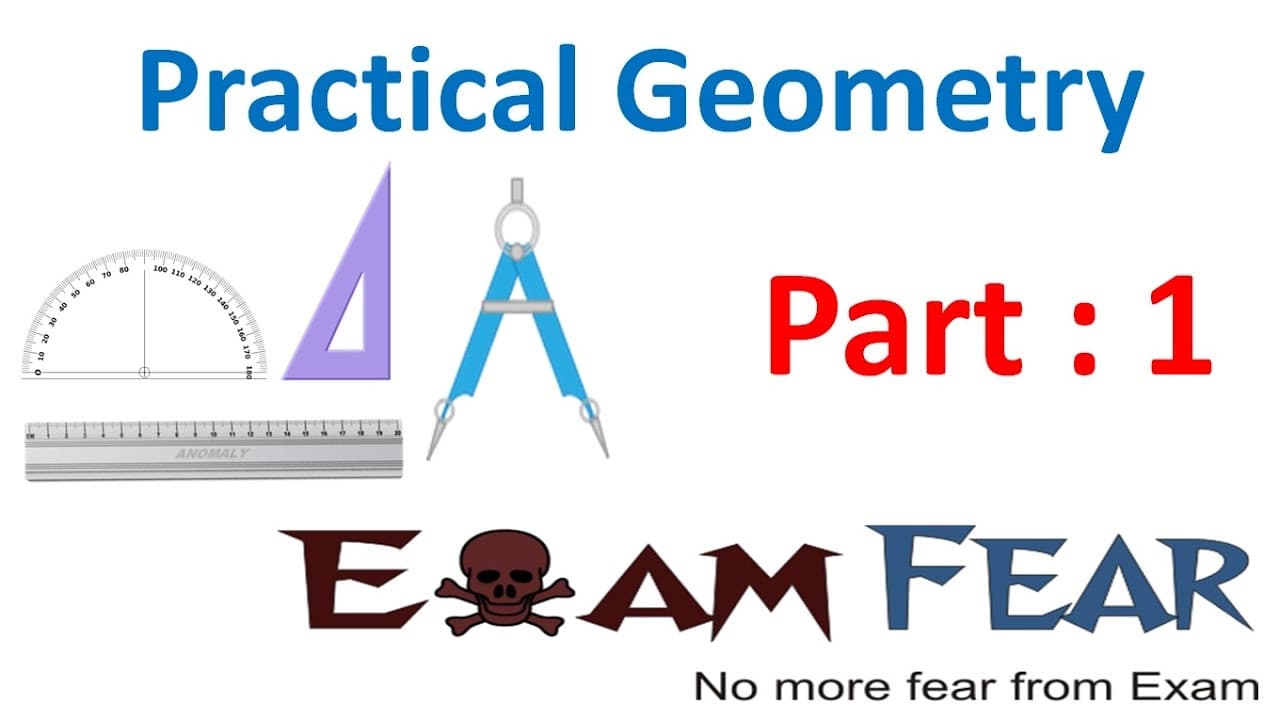
Maths Practical Geometry part 1 (Contents of Geometry Box) CBSE Class 6 Mathematics VI
January 11, 2017
by
LearnoHub - Class 11, 12
YouTube video player
Maths Practical Geometry part 1 (Contents of Geometry Box) CBSE Class 6 Mathematics VI

TL;DR

Learn about practical geometry and how to draw accurate geometrical shapes using different tools from your geometry box.

Transcript

hello friends this video on practical geometry part 1 is brought to you by exam for calm no more pure from exam topics to be covered in this lesson our introduction know the contents of your geometry box drawing circles drawing line segments drawing perpendiculars drawing perpendicular bisectors drawing angles using protractor and using compass so ... Read More

Key Insights

  • 💠 Practical geometry is about accurately drawing geometric shapes.
  • 💯 To draw a perfect circle, each point on the circle needs to be equidistant from the center.
  • 😫 Tools like ruler, protractor, compass, divider, and set squares are essential for drawing accurate geometrical shapes.
  • 🔺 A protractor is used to measure and draw angles.
  • 🫠 A compass is used to draw circles, arcs, and mark equal lengths.
  • 🫥 Set squares help draw perpendicular and parallel lines.
  • ❓ Accuracy and precision are crucial in practical geometry.

Install to Summarize YouTube Videos and Get Transcripts

Explore YouTube Video Summarizer or Get YouTube Transcript Extractor

Questions & Answers

Q: How can I ensure that the circle I draw is a perfect circle?

To draw a perfect circle, each point on the circle needs to be equidistant from the center. You can compare the distances of multiple points from the center and adjust accordingly to ensure accuracy.

Q: What is a protractor used for in practical geometry?

A protractor is primarily used to measure and draw angles. By aligning the baseline of the protractor with a line segment, you can determine the angle measure or use it to draw a specific angle.

Q: How is a compass used in practical geometry?

A compass is primarily used to draw circles and arcs. By fixing the pointed tip of the compass at the center point and rotating it, you can draw precise circles of different sizes. It can also be used to mark equal lengths and draw arcs.

Q: How can set squares help in drawing perpendicular and parallel lines?

Set squares, which have angles of 90 degrees, 45 degrees, and 60 degrees, can be used to draw perpendicular lines. By aligning the set square along an existing line segment, you can draw a line perpendicular to it. To draw parallel lines, you can slide the set square along the ruler while maintaining alignment and draw another line.

Summary & Key Takeaways

  • This video provides an introduction to practical geometry, teaching viewers how to draw accurate geometrical shapes with precision using various tools from their geometry box.

  • The content covers topics such as drawing circles, line segments, perpendiculars, angles, and using a protractor and compass.

  • Viewers are also introduced to the contents of their geometry box, which include a ruler, protractor, set squares, divider, and compass.


Read in Other Languages (beta)

English

Share This Summary 📚

Summarize YouTube Videos and Get Video Transcripts with 1-Click

Download browser extensions on:

Try YouTube Summary with ChatGPT & Claude or YouTube Transcript Generator

Explore More Summaries from LearnoHub - Class 11, 12 📚
Maths Elementary Shapes part 20 (Questions: Quadrilateral) CBSE Class 6 Mathematics VI thumbnail
Maths Elementary Shapes part 20 (Questions: Quadrilateral) CBSE Class 6 Mathematics VI
LearnoHub - Class 11, 12
Maths Factorization part 2 (Method of Common Factor) CBSE Class 8 Mathematics VIII thumbnail
Maths Factorization part 2 (Method of Common Factor) CBSE Class 8 Mathematics VIII
LearnoHub - Class 11, 12
Physics Light Part 14 (Least distance of distinct vision) Class 8  VIII thumbnail
Physics Light Part 14 (Least distance of distinct vision) Class 8 VIII
LearnoHub - Class 11, 12
Maths Elementary Shapes part 9 (Questions 1: Angles) CBSE Class 6 Mathematics VI thumbnail
Maths Elementary Shapes part 9 (Questions 1: Angles) CBSE Class 6 Mathematics VI
LearnoHub - Class 11, 12
Biology Getting to Know Plants Part 3 (Creepers, Climbers, Plant parts) Class 6 VI thumbnail
Biology Getting to Know Plants Part 3 (Creepers, Climbers, Plant parts) Class 6 VI
LearnoHub - Class 11, 12
Crash Course Class 10 Chemistry revision in 2 hrs thumbnail
Crash Course Class 10 Chemistry revision in 2 hrs
LearnoHub - Class 11, 12

Summarize YouTube Videos and Get Video Transcripts with 1-Click

Download browser extensions on:

Try YouTube Summary with ChatGPT & Claude or YouTube Transcript Generator

Apps & Extensions

  • Chrome Extension
  • Safari Extension
  • Edge Add-ons
  • Firefox Add-ons
  • iOS App
  • Android App

Key Features

  • YouTube Video Summarizer
  • Web & PDF Summarizer
  • Web & PDF Highlighter
  • Chat with PDF
  • Ask AI Clone
  • Audio Transcriber
  • Glasp Reader
  • Kindle Highlight Export
  • Idea Hatch

Integrations

  • Obsidian Plugin
  • Notion Integration
  • Pocket Integration
  • Instapaper Integration
  • Medium Integration
  • Readwise Integration
  • Snipd Integration
  • Hypothesis Integration

More Features

  • APIs
  • MCP Connector
  • Blog & Post
  • Embed Links
  • Image Highlight
  • Personality Test
  • Quote Shots

Company

  • About us
  • Blog
  • Community
  • FAQs
  • Job Board
  • Newsletter
  • Pricing
Terms

•

Privacy

•

Guidelines

© 2026 Glasp Inc. All rights reserved.