How to Create and Customize Pie Charts in Matplotlib
TL;DR
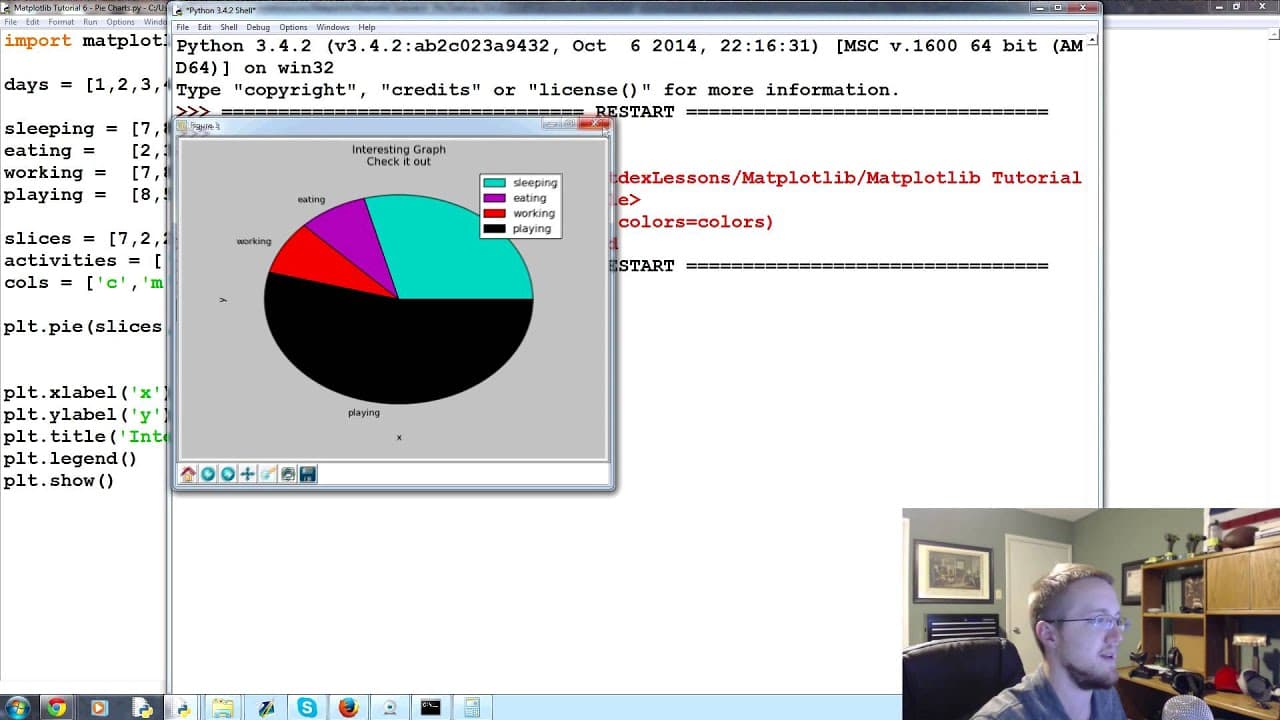
To create and customize pie charts in Matplotlib, use the plt.pie function with your data slices and labels. You can adjust colors, starting angles, add shadows, explode slices for emphasis, and display percentage labels automatically. This makes it easy to visualize data as parts of a whole, enhancing comprehension.
Transcript
what's going on everybody welcome to the 6th matplotlib tutorial video in this video what we're talking about is pie charts so pie charts are a lot like the stack plots that we just showed only instead of showing maybe over time like a like a stack plot does this just shows a slice of time no pun intended or was it anyway so what we're going to do ... Read More
Key Insights
- 🥧 Pie charts are a useful visualization tool for representing data as slices of a whole.
- 😒 Matplotlib provides easy-to-use functions for creating and customizing pie charts.
- 💥 Customization options include colors, starting angle, shadow effect, and exploding slices.
- 🥧 Pie charts automatically calculate the percentage or size of each slice based on the provided data.
- 🥧 Pie charts can be enhanced by adding percentage labels to each slice.
- 😥 Exploding slices can draw attention to specific data points in a pie chart.
- 👻 Matplotlib allows for flexibility in designing visually appealing and informative pie charts.
Install to Summarize YouTube Videos and Get Transcripts
Explore YouTube Video Summarizer or Get YouTube Transcript Extractor
Questions & Answers
Q: What is the purpose of a pie chart?
A pie chart is used to visually represent data as a circular graph, with each "slice" representing a specific category or data point.
Q: How can I create a pie chart using Matplotlib?
To create a pie chart in Matplotlib, you need to use the "plt.pie()" function and provide it with the data values (slices) and labels for each slice.
Q: Can I customize the appearance of a pie chart?
Yes, you can customize various aspects of a pie chart, such as colors, starting angle, shadow effect, exploding slices, and adding percentage labels.
Q: How are slices plotted on a pie chart?
Slices on a pie chart are plotted counterclockwise, starting from the specified starting angle. Each slice represents a data point or category.
Summary & Key Takeaways
-
The video tutorial provides an overview of pie charts and explains their difference from stack plots.
-
The presenter demonstrates how to create a pie chart using the Matplotlib library in Python.
-
The tutorial covers various customization options such as colors, starting angle, shadow effect, exploding slices, and displaying percentages.
Read in Other Languages (beta)
Share This Summary 📚
Summarize YouTube Videos and Get Video Transcripts with 1-Click
Try YouTube Summary with ChatGPT & Claude or YouTube Transcript Generator
Explore More Summaries from sentdex 📚






Summarize YouTube Videos and Get Video Transcripts with 1-Click
Try YouTube Summary with ChatGPT & Claude or YouTube Transcript Generator