How to Design a Print
TL;DR
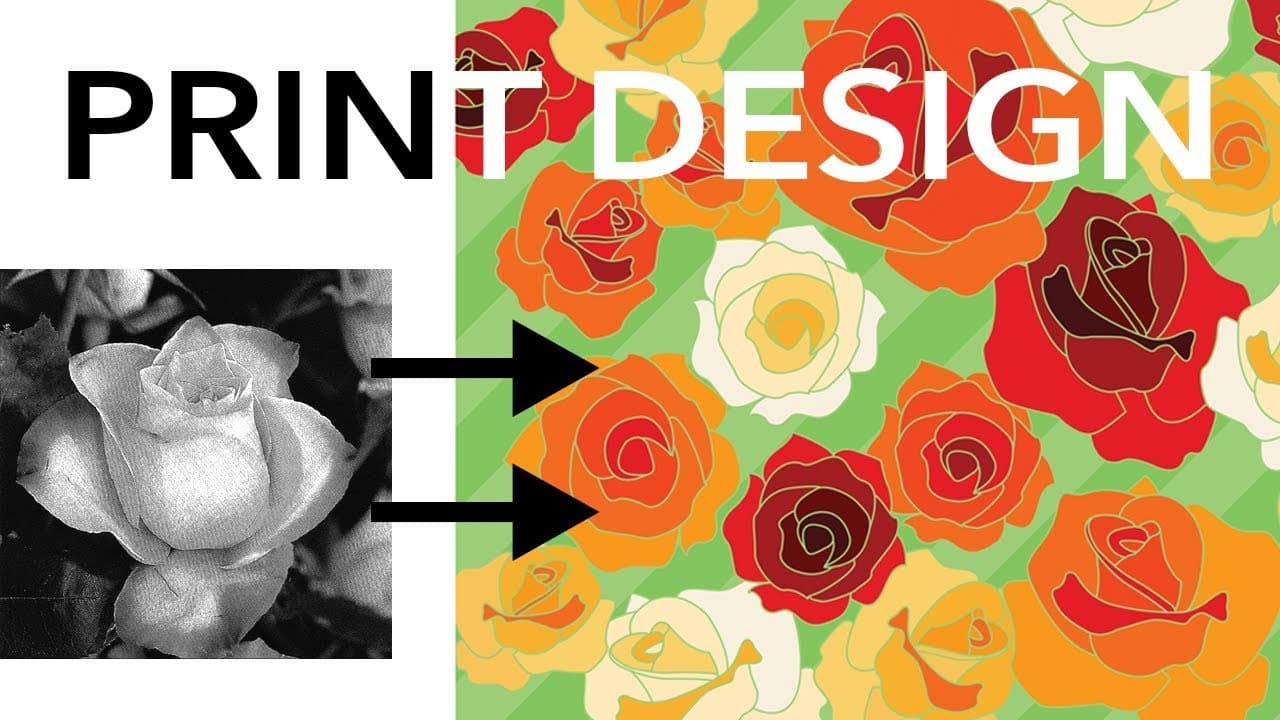
Learn how to design flower prints by scanning and manipulating flower images, creating mock-ups, and exploring different print layouts and styles.
Transcript
hey hey party people this video is all about how I design a flower print and hopefully you can watch this video and pick up some tips and tricks to apply to designing all kinds of prints because the process will be fairly similar and I am gonna be demonstrating on a fairly simple ish ish print and then of course you can get simpler and more complex... Read More
Key Insights
- 💐 Flower books provide a valuable resource for inspiration and reference when designing flower prints.
- 👻 Scanning images at a high resolution allows for more flexibility in working with the image and prevents low-quality prints.
- 🙃 Mock-ups help visualize how the print will look on garments and allow for experimentation with different layouts and additional elements.
- 💦 Different print layouts, such as block, brick, half-drop, and diamond, offer various design options.
- 🎨 Print styles can be explored using Photoshop filters for inspiration, while the final design should be created in vector art for better quality and scalability.
- 💠 Various repeat formats, including block, half-drop, brick, diamond, border, all-over, turnover, tessellation, dot, stripe, and border, offer different visual effects and layout possibilities.
- 👣 Print direction should be considered to ensure the print appears cohesive and aligned on pattern pieces.
Install to Summarize YouTube Videos and Get Transcripts
Explore YouTube Video Summarizer or Get YouTube Transcript Extractor
Questions & Answers
Q: How does using a focus flower book help in the print design process?
Using a flower book allows the designer to browse through different flowers, select ones that match their collection theme, and consider factors like scale, composition, and background options.
Q: What is the importance of scanning images at a high resolution?
Scanning images at a high resolution allows for greater flexibility in manipulating the image and ensures that the final print will not appear pixelated or low quality.
Q: Can mock-ups be created digitally instead of using tracing paper and figure templates?
Yes, mock-ups can be created on a computer using software like Photoshop or Illustrator. However, the video focuses on the manual process to demonstrate the method without relying on specific software skills.
Q: How does considering print direction impact the design process?
Print direction is vital in determining how the design will be cut and laid out on the fabric. Different print directions may require specific instructions on pattern pieces or adjustments to create a cohesive look.
Summary & Key Takeaways
-
The video provides step-by-step instructions on how to design flower prints using a flower book as inspiration and scanning images into the computer.
-
The process involves erasing backgrounds, manipulating colors and sizes, and creating multiple copies of the flower image.
-
Mock-ups are created by laying out flowers on figure templates and exploring different layouts and additional elements like leaves or backgrounds.
Read in Other Languages (beta)
Share This Summary 📚
Summarize YouTube Videos and Get Video Transcripts with 1-Click
Try YouTube Summary with ChatGPT & Claude or YouTube Transcript Generator
Explore More Summaries from Zoe Hong 📚

Summarize YouTube Videos and Get Video Transcripts with 1-Click
Try YouTube Summary with ChatGPT & Claude or YouTube Transcript Generator