Microsoft Designer is here...
TL;DR
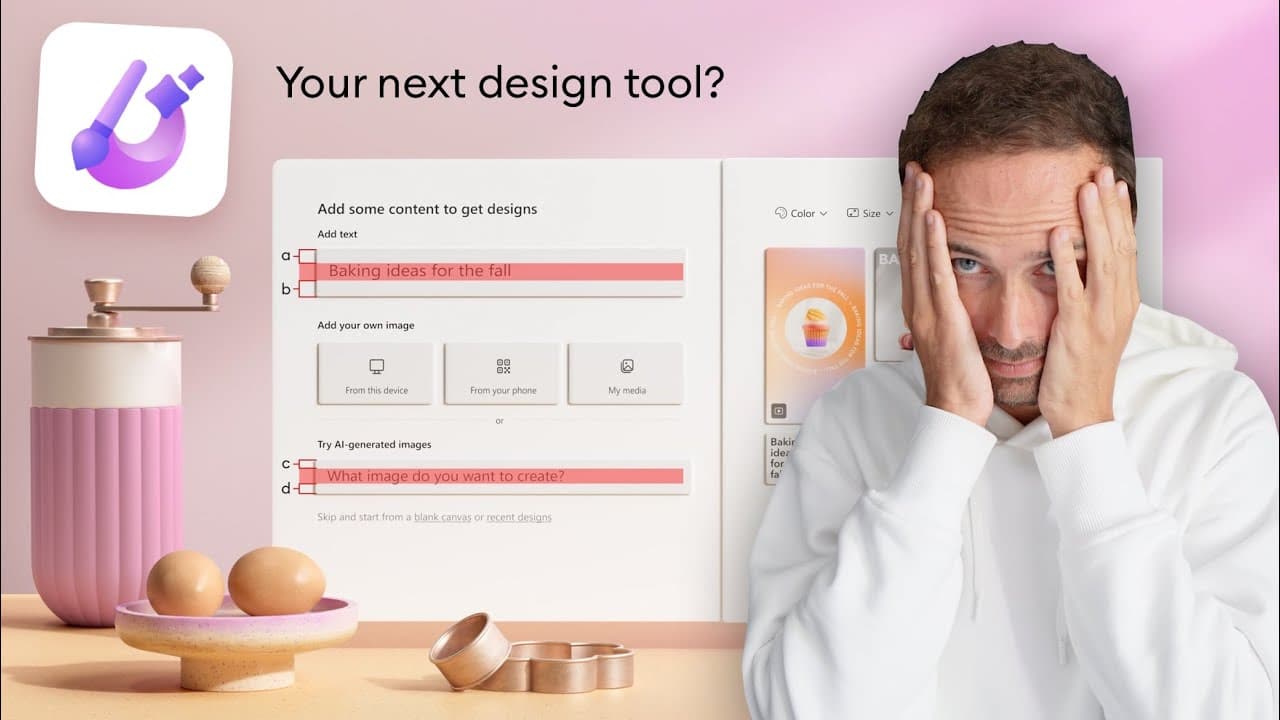
Microsoft announced a new tool called Microsoft Designer, which is aimed at non-designers to create simple visual elements like birthday invitations and social media posts.
Transcript
just as we got hit with the Adobe figma acquisition another giant Corporation is announcing that they're entering the design tool field Microsoft just announced Microsoft designer a tool based on AI that helps you create designs faster and that is a very Innovative and creative name I must say that's very Microsoft notice how I use the word design ... Read More
Key Insights
- 👶 Microsoft has announced a new tool called Microsoft Designer, targeted at non-designers.
- 🛄 The tool aims to provide regular people with the ability to create simple visual elements like birthday invitations and social media posts.
- 🎨 Microsoft Designer is not designed to directly compete with Figma or other professional design tools.
- 🎨 It focuses on creating content or artful style content and is not intended for UI or interface design.
- 🎨 The tool utilizes new morphism, giving it a quirky and friendly design aesthetic.
- 🎨 However, some design choices, such as inconsistent icon line thicknesses and optical alignment issues, may not appeal to everyone.
- 🎨 The animated presentation of the app is well-designed, with satisfying interactions and sound design.
Install to Summarize YouTube Videos and Get Transcripts
Explore YouTube Video Summarizer or Get YouTube Transcript Extractor
Questions & Answers
Q: What is Microsoft Designer?
Microsoft Designer is a new tool introduced by Microsoft that enables non-designers to create simple visual elements like birthday invitations and social media posts.
Q: Is Microsoft Designer a direct competitor to Figma?
No, Microsoft Designer is not designed to directly compete with Figma. It is more focused on providing a simple design tool for non-designers rather than professionals.
Q: What kind of designs can be created with Microsoft Designer?
Microsoft Designer is primarily intended for creating content or artful style content, such as birthday invitations, social media posts, and missing card posters.
Q: Will Microsoft Designer replace UI and UX designers?
No, Microsoft Designer is not an AI tool that will take away jobs from UI and UX designers. It is aimed at non-designers and provides them with a user-friendly tool for creating simple visual elements.
Key Insights:
- Microsoft has announced a new tool called Microsoft Designer, targeted at non-designers.
- The tool aims to provide regular people with the ability to create simple visual elements like birthday invitations and social media posts.
- Microsoft Designer is not designed to directly compete with Figma or other professional design tools.
- It focuses on creating content or artful style content and is not intended for UI or interface design.
- The tool utilizes new morphism, giving it a quirky and friendly design aesthetic.
- However, some design choices, such as inconsistent icon line thicknesses and optical alignment issues, may not appeal to everyone.
- The animated presentation of the app is well-designed, with satisfying interactions and sound design.
- While the app itself is minimal and well-aligned, the presentation of the tool could have been better to showcase its design capabilities.
Summary & Key Takeaways
-
Microsoft Designer is an AI-based tool that allows regular people, non-designers, to create simple visual elements.
-
It is not a direct competition to Figma but more like a simple design tool, similar to Canvas.
-
The tool is focused on creating content or artful style content, rather than UI or interface design.
Read in Other Languages (beta)
Share This Summary 📚
Summarize YouTube Videos and Get Video Transcripts with 1-Click
Try YouTube Summary with ChatGPT & Claude or YouTube Transcript Generator
Explore More Summaries from Malewicz 📚




Summarize YouTube Videos and Get Video Transcripts with 1-Click
Try YouTube Summary with ChatGPT & Claude or YouTube Transcript Generator