Using ChatGPT and Fusion 360 API to Create a Script | How To Make A Script for Fusion with GPT3.5
TL;DR
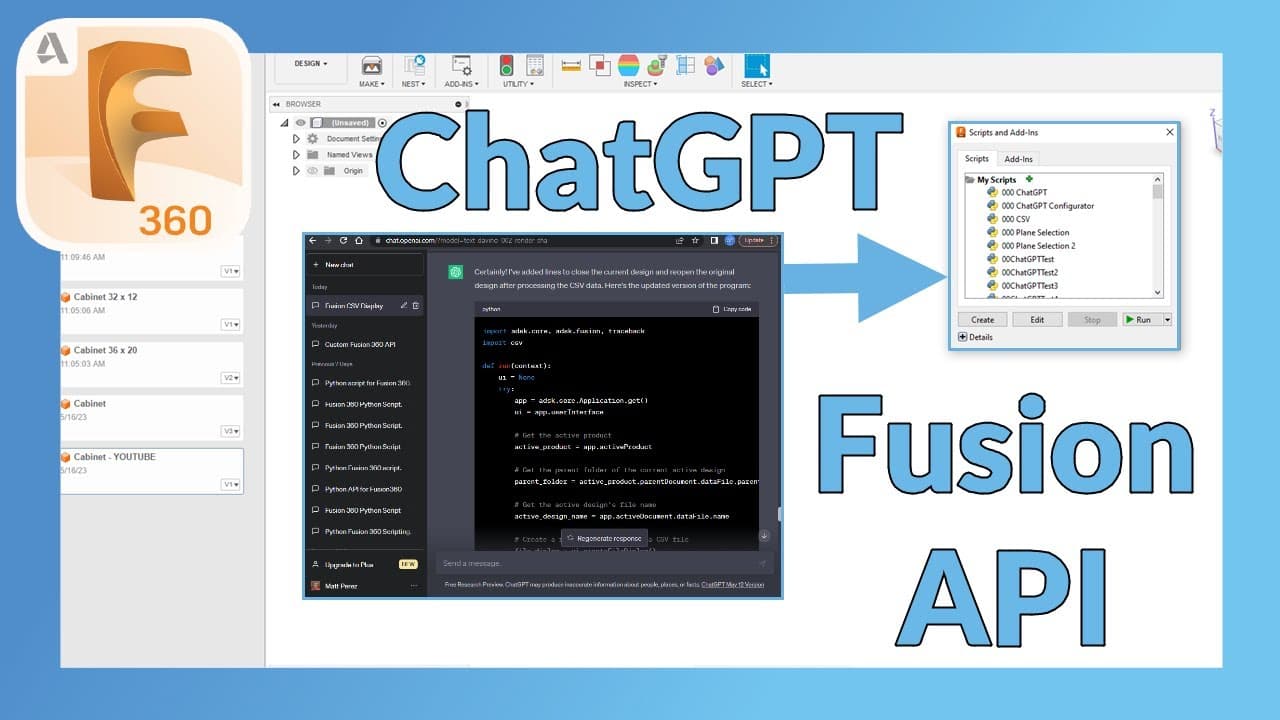
In this video, the content creator explores the process of using Chat GPT 3.5 and Fusion 360 to develop an API script for creating a configurator of parts based on CSV inputs.
Transcript
in this video we're going to be using chat GPT 3.5 and fusion 360 to make an API script so stay tuned hey everyone this is Matt with learn everything about design and in this video we're going to be using chat GPT to try to make a script in Fusion 360. now I figured for this project and full disclosure I've tried to do this probably a dozen times b... Read More
Key Insights
- 🥶 Chat GPT 3.5 is being utilized as a free service for this project, as it is currently accessible, unlike other versions.
- 👨💻 Some adjustments and code modifications are necessary when using Chat GPT to generate a script in Fusion 360, such as removing unnecessary code and addressing import statement issues.
- 👫 The content creator acknowledges the limitations of Chat GPT and mentions that other AI resources may be more up-to-date and suitable for different purposes.
- 💳 Specific prompts and error messages are crucial for guiding Chat GPT in generating the desired script.
- 📂 The video demonstrates the process of generating a script for the initial steps of opening a CSV file and displaying the data within Fusion 360.
- ☢️ The content creator highlights the importance of understanding the differences between active product and active document when accessing data in Fusion 360.
- 🎨 The video explores the process of capturing data from the current open design in Fusion 360 and saving it as a new design with updated user parameters.
Install to Summarize YouTube Videos and Get Transcripts
Explore YouTube Video Summarizer or Get YouTube Transcript Extractor
Questions & Answers
Q: What is the purpose of using Chat GPT and Fusion 360 in this video?
The purpose of using Chat GPT and Fusion 360 is to create an API script that can generate a configurator of parts based on CSV inputs.
Q: Why is the content creator using Chat GPT 3.5 instead of a different version?
The content creator is using Chat GPT 3.5 because it is currently available for free, while other versions either require payment or are not accessible. The limitations of this version are acknowledged.
Q: What are some issues faced during the process of using Chat GPT and Fusion 360?
Some issues encountered include incorrect import statements, the need to manually remove unnecessary code, and confusion between active product and active document when accessing data.
Q: What are the key takeaways from this video?
The key takeaways include the usage of Chat GPT 3.5 and Fusion 360 to create an API script, the limitations of the current version, and the importance of providing specific prompts and error messages.
Key Insights:
- Chat GPT 3.5 is being utilized as a free service for this project, as it is currently accessible, unlike other versions.
- Some adjustments and code modifications are necessary when using Chat GPT to generate a script in Fusion 360, such as removing unnecessary code and addressing import statement issues.
- The content creator acknowledges the limitations of Chat GPT and mentions that other AI resources may be more up-to-date and suitable for different purposes.
- Specific prompts and error messages are crucial for guiding Chat GPT in generating the desired script.
- The video demonstrates the process of generating a script for the initial steps of opening a CSV file and displaying the data within Fusion 360.
- The content creator highlights the importance of understanding the differences between active product and active document when accessing data in Fusion 360.
- The video explores the process of capturing data from the current open design in Fusion 360 and saving it as a new design with updated user parameters.
- The content creator discusses the potential for further additions, such as user input for file names and closing the design to ensure proper updates in the data panel.
Summary & Key Takeaways
-
The content creator aims to recreate a project from a previous API series episode using Chat GPT and Fusion 360. The project involves creating a configurator of parts based on CSV inputs.
-
Chat GPT 3.5 is being used as a free service for this project, as other versions were either paid or not readily available.
-
The video goes through the process of using Chat GPT to generate a script, addresses various issues encountered along the way, and discusses the limitations of the current version.
Read in Other Languages (beta)
Share This Summary 📚
Summarize YouTube Videos and Get Video Transcripts with 1-Click
Try YouTube Summary with ChatGPT & Claude or YouTube Transcript Generator
Explore More Summaries from Learn Everything About Design 📚
Summarize YouTube Videos and Get Video Transcripts with 1-Click
Try YouTube Summary with ChatGPT & Claude or YouTube Transcript Generator