AUDIENT ID24: BEST VALUE INTERFACE UNDER $400!
TL;DR
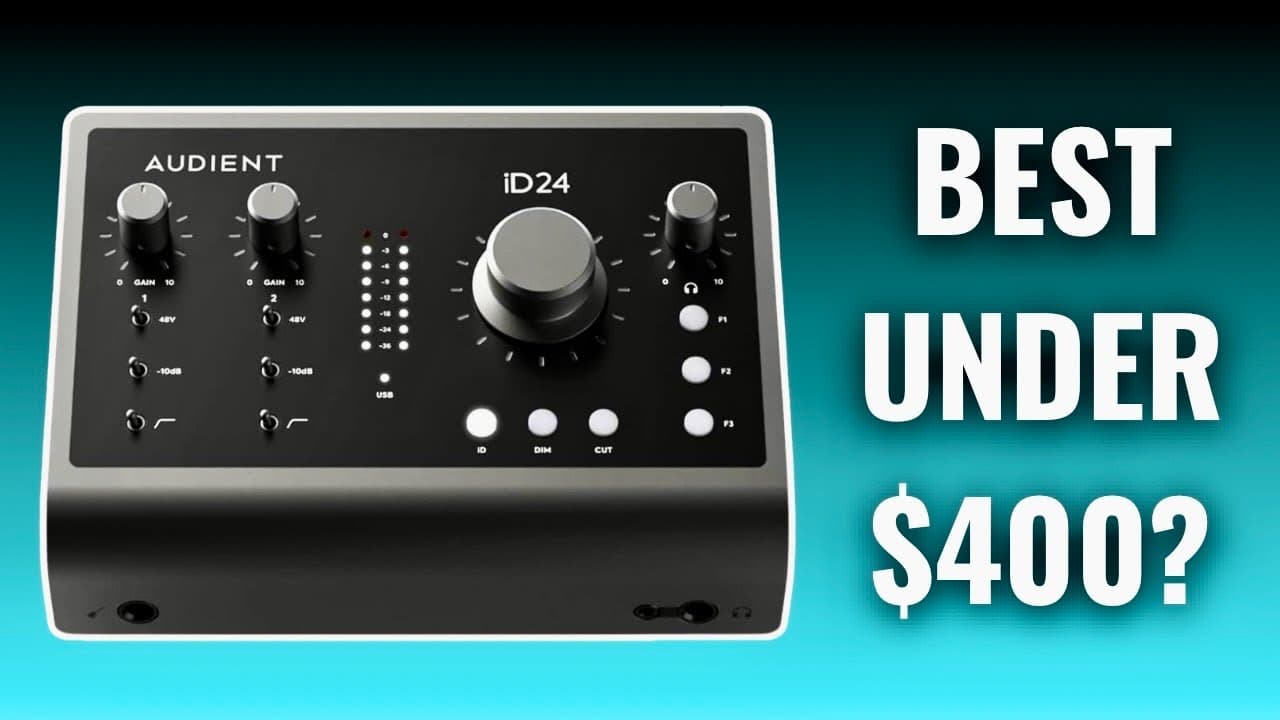
The Audient ID24 is a versatile and affordable audio interface ideal for musicians and content creators.
Transcript
in this video we're going to be reviewing the audient id24 audio interface first let's talk about the price this interface retails for 399 dollars at the time of shooting this video in the Box you're gonna get the audio interface an instruction manual and a USBC cable next let's have a look at the actual hardware and all of its functions starting w... Read More
Key Insights
- ⚡ The Audient ID24's $399 price tag offers significant value for its professional-grade features.
- 🤕 The interface includes flexible connectivity options ideal for various recording scenarios, from solo artists to full bands.
- 👤 Sleek design ensures compatibility and aesthetics that blend well in modern studio setups, especially for Mac users.
- 🔑 Key features like high-pass filtering and pad switches enhance recording quality by managing audio dynamics effectively.
- 👤 Comprehensive ID mixer software adds crucial functionality, though users may need to invest time to master it.
- 👂 Premium sound quality through its clean preamps yields impressive results for both vocal and instrumental recordings.
- 👨💼 Designed for portability, the bus-powered USB-C connection allows easy travel and usage with laptops.
Install to Summarize YouTube Videos and Get Transcripts
Explore YouTube Video Summarizer or Get YouTube Transcript Extractor
Questions & Answers
Q: What is the price of the Audient ID24 audio interface?
The Audient ID24 is priced at $399, making it a competitive option for musicians and content creators looking for quality audio recording solutions without breaking the bank.
Q: What are the notable physical features of the ID24?
The ID24 includes a sleek space-grade finish that appeals to aesthetic sensibilities, dual headphone outputs for collaboration, and various inputs/outputs for instruments and external gear, highlighting its versatility in a compact design.
Q: How does the ID24 handle loud audio sources?
The interface features a pad switch which is essential for managing high-volume sources like drums or amplified instruments, allowing users to capture clean recordings without distortion while utilizing the 48-volt switch for condenser mics.
Q: What benefits does the ID Mixer software provide?
The ID Mixer software enables users to create custom audio mixes for different outputs, granting control over how their own voice and other audio sources are balanced, crucial for collaborative work and screen shares.
Q: Are there any downsides to the ID24 interface?
Some users may experience a learning curve with the ID Mixer software, and the preamp levels may require higher settings compared to higher-end models like the Apollo Twin. However, these factors do not overshadow its overall value for serious recording.
Q: Who is the Audient ID24 recommended for?
The ID24 is recommended for serious musicians, content creators, podcasters, and voiceover artists, thanks to its combination of quality features and affordability, catering to both novices and those looking to expand their recording capabilities.
Q: What future-proofing features does the ID24 offer?
The ID24 allows for expansion with up to ten channels through a channel rack, making it an ideal investment for users anticipating growth in their recording needs, ensuring it won't quickly become obsolete as their projects evolve.
Summary & Key Takeaways
-
The Audient ID24 audio interface is priced at $399, includes essential accessories, and boasts a sleek design that complements Mac devices.
-
Key features include dual headphone outputs, variable gain controls, a built-in high-pass filter, and compatibility with various recording setups, making it suitable for both beginners and advanced users.
-
The interface's software allows for flexible custom mixes and audio adjustments, although initial setup may require a learning curve for new users.
Read in Other Languages (beta)
Share This Summary 📚
Summarize YouTube Videos and Get Video Transcripts with 1-Click
Try YouTube Summary with ChatGPT & Claude or YouTube Transcript Generator
Explore More Summaries from Home Studio Academy 📚

Summarize YouTube Videos and Get Video Transcripts with 1-Click
Try YouTube Summary with ChatGPT & Claude or YouTube Transcript Generator