Which AI Tool is Best for Video Editing: Final Cut Pro or Descript?
TL;DR
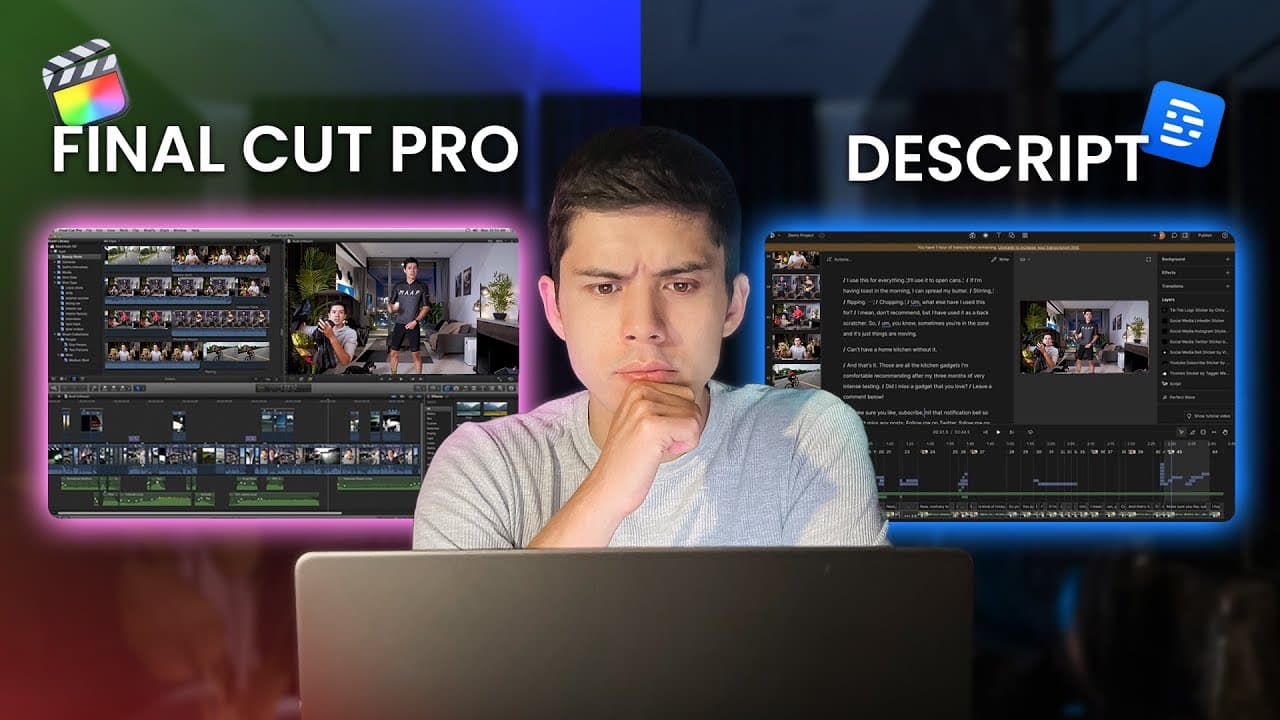
Final Cut Pro and Descript cater to different editing needs. Final Cut Pro is ideal for professional-grade editing with advanced features, while Descript offers a faster, text-based editing process suitable for simpler projects. Your choice depends on your editing requirements and workflow preferences.
Transcript
I've been creating videos for 10 years now, and I've tested pretty much every editing tool out there. And if you have edited videos before, you probably share my pain in that video editing can be a very timeconsuming job. Fortunately, literally just over the last 12 months or so, with the help of AI, editing has become so much faster. And I've been... Read More
Key Insights
- Final Cut Pro is a professional editing tool that integrates seamlessly with the Apple ecosystem, offering advanced features like multi-camera editing and color grading.
- Descript allows for text-based editing by transcribing video content, enabling faster editing for projects like talking head videos.
- Final Cut Pro's integration with Apple devices provides a streamlined workflow, especially for users already in the Apple ecosystem.
- Descript's AI features, like Overdub and automatic subtitle generation, enhance efficiency for common editing tasks.
- Final Cut Pro's one-time cost of $299 is cost-effective for regular content creators, while Descript offers a free plan with affordable subscription options.
- Descript is particularly suited for beginners or those looking to reduce editing time, while Final Cut Pro is better for complex, cinematic projects.
- Final Cut Pro is optimized for Apple Silicon, ensuring smooth performance with high-resolution footage and complex editing tasks.
- Descript's flexibility across Mac and PC makes it accessible to a broader audience but lacks the deep integration found in Final Cut Pro.
Install to Summarize YouTube Videos and Get Transcripts
Explore YouTube Video Summarizer or Get YouTube Transcript Extractor
Questions & Answers
Q: How does Final Cut Pro integrate with Apple's ecosystem?
Final Cut Pro integrates seamlessly with Apple's ecosystem by syncing footage automatically through iCloud, allowing for a smooth transition between devices like iPhone, iPad, and MacBook. This integration streamlines the editing process, enabling content creators to start editing before reaching their desk and maintaining project consistency across devices.
Q: What are the key features of Descript for video editing?
Descript's key features include text-based editing through automatic transcription, AI-powered tools like Overdub for speech corrections, and automatic subtitle generation. These features make Descript particularly efficient for editing talking head videos and other content that can benefit from a faster, text-centric workflow.
Q: Why choose Final Cut Pro for professional video editing?
Final Cut Pro is ideal for professional video editing due to its advanced features such as multi-camera editing, professional-grade color grading, and comprehensive audio mixing tools. It offers a complete post-production pipeline, especially beneficial for creators deeply integrated into the Apple ecosystem, ensuring smooth performance and high-quality output.
Q: What makes Descript suitable for beginners?
Descript is suitable for beginners because it simplifies the editing process with its text-based approach, allowing users to edit video content like text documents. This reduces the learning curve and editing time significantly, making it accessible for those with limited editing experience or those seeking a quicker workflow.
Q: How does Descript's pricing compare to Final Cut Pro?
Descript offers a free plan and affordable subscription options starting at $16 per month on an annual plan, making it accessible for beginners and casual users. In contrast, Final Cut Pro requires a one-time purchase of $299, which is cost-effective for regular creators but represents a larger upfront investment.
Q: What are the advantages of Final Cut Pro's hardware optimization?
Final Cut Pro is optimized for Apple Silicon, allowing it to handle high-resolution footage and complex editing tasks smoothly. This hardware-software synergy ensures real-time playback and efficient media management, making it ideal for professional projects requiring high performance and reliability.
Q: Can Descript handle complex video projects?
While Descript excels in efficiency for simpler projects, it is not designed for complex multi-camera work or advanced color grading. It focuses on making common editing tasks faster, which is beneficial for specific workflows but lacks the comprehensive capabilities needed for more intricate video editing projects.
Q: What are the limitations of using Final Cut Pro?
Final Cut Pro is limited to the Apple ecosystem, meaning users must commit to using Apple devices for their editing workflow. While this enables deep integration and efficiency, it restricts flexibility for those who may prefer or require cross-platform compatibility with non-Apple devices.
Summary & Key Takeaways
-
Final Cut Pro offers a comprehensive suite of professional editing tools, making it ideal for complex projects requiring advanced features like multi-camera editing and color grading. Its integration with Apple's ecosystem enhances workflow efficiency for users already using Apple devices.
-
Descript provides a unique text-based editing approach by transcribing video content, which significantly reduces editing time for simpler projects. Its AI features like Overdub and automatic subtitles are beneficial for creators focused on efficiency and speed.
-
Choosing between Final Cut Pro and Descript depends on your specific editing needs and workflow preferences. While Final Cut Pro is suited for professional-grade projects, Descript offers an accessible and faster editing solution for simpler, text-focused content.
Read in Other Languages (beta)
Share This Summary 📚
Summarize YouTube Videos and Get Video Transcripts with 1-Click
Try YouTube Summary with ChatGPT & Claude or YouTube Transcript Generator
Explore More Summaries from Mike Dee 📚

Summarize YouTube Videos and Get Video Transcripts with 1-Click
Try YouTube Summary with ChatGPT & Claude or YouTube Transcript Generator