iOS Control Center Vs Android Control Center! (Which Is Better?)
TL;DR
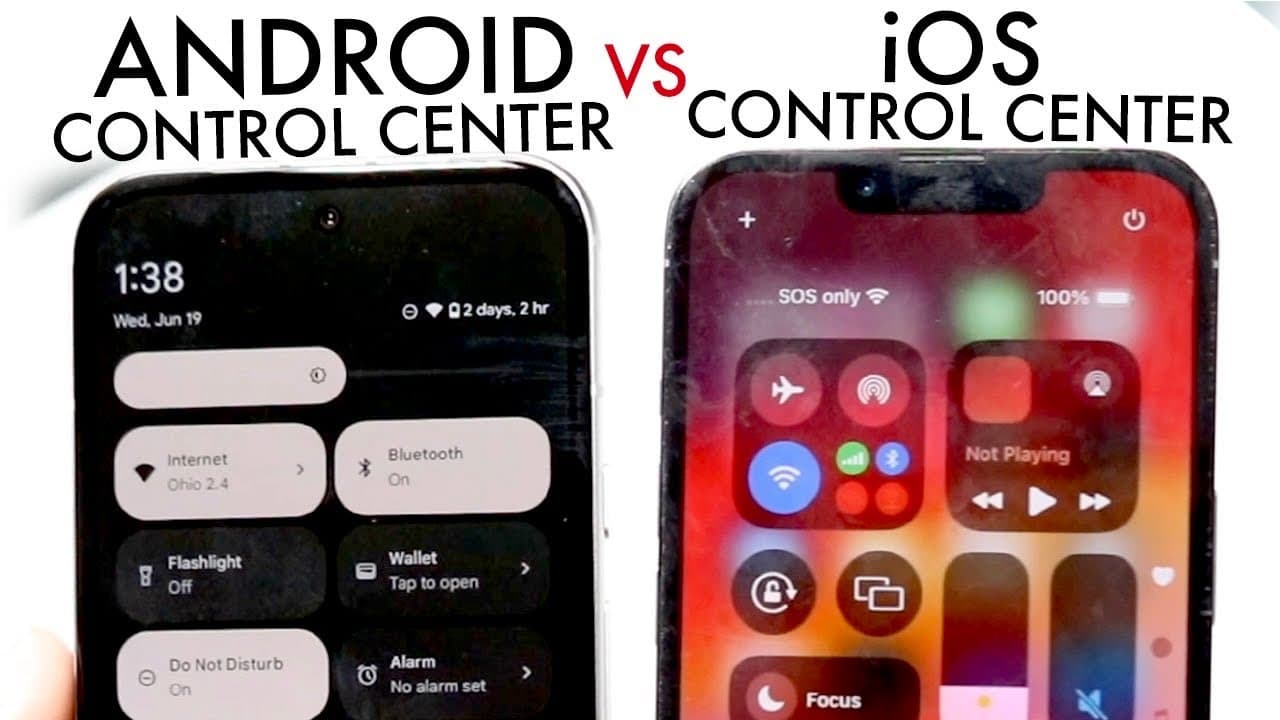
iOS 18's control center introduced features similar to Android, enhancing user customization and functionality.
Transcript
so most of you probably know this by now but you probably saw that iOS 18 brought a massive change in the control center and I wanted to make a quick video on how the control center kind of Compares against a stock Android phone on you know standard Android 14 or Android 15 now if we swipe down from the side of both these particular phones you can ... Read More
Key Insights
- ✊ The introduction of a power button in iOS 18 aligns its functionality more with Android, enhancing user convenience.
- 👻 Both iOS and Android support customizable control center layouts, allowing users to organize essential toggles according to their needs.
- 😄 iOS has improved the organization of toggles by categorizing them, which may enhance ease of use compared to Android's simpler layout.
- 🥺 Users can now add and remove toggles in both systems more intuitively, leading to a more personalized experience.
- 🎮 Despite advancements, both operating systems still lack certain toggle functionalities, such as sound control in the control center, which could enhance user experience.
- 👶 Navigational challenges are presented in iOS 18 due to its new swipe functionality, warranting a potential review to improve user flow.
- 👤 The similarities noted in control centers indicate a trend towards standardizing features that improve user experience across both Apple and Android platforms.
Install to Summarize YouTube Videos and Get Transcripts
Explore YouTube Video Summarizer or Get YouTube Transcript Extractor
Questions & Answers
Q: What new feature was added to the iOS 18 control center that Android users have had for a while?
iOS 18 introduced a power button within the control center, allowing users to quickly power off or restart their devices. This feature mirrors those found on stock Android, enhancing accessibility and user convenience, making it easier to manage device power settings without navigating through multiple menus.
Q: How does the layout of iOS 18's control center compare to Android's?
The layout of iOS 18's control center is noted to be fairly similar to Android's, with both offering customizable toggle options. However, iOS 18 provides a cleaner categorization of toggles into sections like accessibility and connectivity, while Android opts for a more streamlined and less segmented layout that highlights commonly used functions.
Q: What concerns were raised about the swipe gesture functionality in iOS 18's control center?
The concern about swipe gesture functionality in iOS 18 is that it complicates navigation, as swiping up now leads to the next page in the control center rather than returning to the notification panel. Users accustomed to the simplicity of going back quickly may find this change cumbersome, possibly impacting their user experience with the updated control center.
Q: Are there any notable features that remain absent in both operating systems' control centers?
Yes, both iOS 18 and stock Android currently lack a dedicated sound option within the control center, which limits users' ability to quickly adjust audio settings. iOS does provide some sound control functionality within the overall settings, but the absence of this option directly in the control center is a noticeable missing feature for both systems.
Summary & Key Takeaways
-
The iOS 18 control center has introduced customizable features that resemble the stock Android experience, emphasizing user-friendly access to important functions.
-
Both operating systems allow users to add various toggles, but iOS has a cleaner layout that categorizes them into accessibility, connectivity, and more, while Android maintains a simpler approach.
-
The swipe functionality in iOS 18's control center has some drawbacks compared to Android, which might complicate navigation for users accustomed to the previous gesture.
Read in Other Languages (beta)
Share This Summary 📚
Summarize YouTube Videos and Get Video Transcripts with 1-Click
Try YouTube Summary with ChatGPT & Claude or YouTube Transcript Generator
Explore More Summaries from Simple Alpaca 📚






Summarize YouTube Videos and Get Video Transcripts with 1-Click
Try YouTube Summary with ChatGPT & Claude or YouTube Transcript Generator