How To Install Eye Contact AI | NVIDIA MAXINE | Gaze Redirect
TL;DR
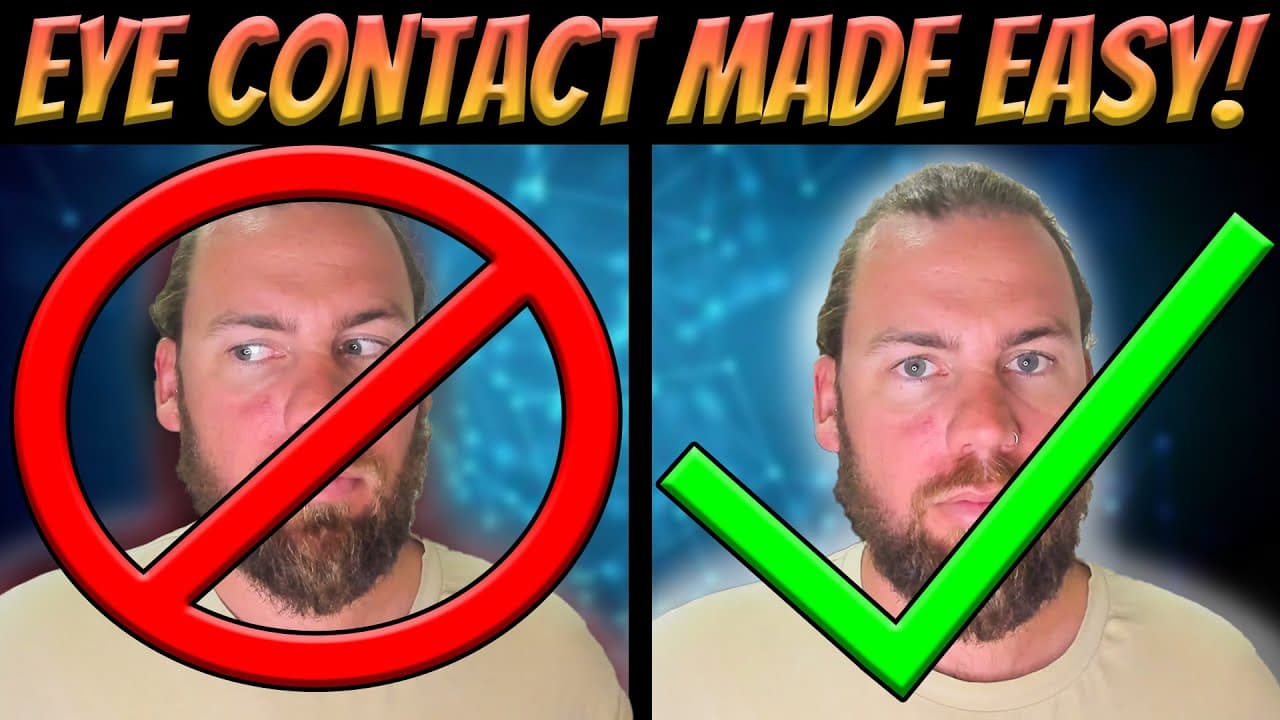
Gauge Redirect AI Facial Recognition is a tool that keeps your eyes focused on the webcam during virtual meetings or content creation.
Transcript
do you struggle with eye contact whilst you're talking to a webcam during a meeting or when you're making content or when you're just live on Twitch or whatever else you want to be doing well today I'm going to do a full download and install of the gauge redirect AI facial recognition it will keep your eyes on the webcam at all times as you can see... Read More
Key Insights
- 🥖 Gauge Redirect AI Facial Recognition is an essential tool for maintaining eye contact during webcam usage, especially when reading scripts.
- 😊 The tool enhances engagement with the audience by keeping the eyes focused on the webcam.
- 🗃️ Installation involves downloading specific files from GitHub and Nvidia NGC catalog and following step-by-step instructions.
- 🔨 The tool can be used for various purposes, including virtual meetings, content creation, and live streaming on platforms like Twitch.
- 👀 Users can choose between a split screen view or only seeing the AI-changed eyes.
- ❓ The installation process requires attention to detail and following the instructions precisely.
- 🔨 The tool improves the overall experience of interacting with the audience during webcam usage.
Install to Summarize YouTube Videos and Get Transcripts
Explore YouTube Video Summarizer or Get YouTube Transcript Extractor
Questions & Answers
Q: How does Gauge Redirect AI Facial Recognition help with maintaining eye contact during webcam usage?
Gauge Redirect AI Facial Recognition uses facial recognition technology to track and focus your eyes on the webcam, ensuring consistent eye contact with the audience.
Q: Can Gauge Redirect AI Facial Recognition be used for live streaming on platforms like Twitch?
Yes, Gauge Redirect AI Facial Recognition can be used for live streaming on platforms like Twitch, ensuring that your eyes stay focused on the webcam, enhancing viewer engagement.
Q: What are the key steps in installing Gauge Redirect AI Facial Recognition?
The installation process involves downloading and extracting files, signing in to the Nvidia NGC catalog, and dragging and dropping the required folders into the appropriate locations.
Q: Can the tool be customized to show both the original head and the AI-changed eyes?
Yes, by changing the "split screen view" parameter in the notepad, users can choose to see both the original head and the AI-altered eyes during webcam usage.
Key Insights:
- Gauge Redirect AI Facial Recognition is an essential tool for maintaining eye contact during webcam usage, especially when reading scripts.
- The tool enhances engagement with the audience by keeping the eyes focused on the webcam.
- Installation involves downloading specific files from GitHub and Nvidia NGC catalog and following step-by-step instructions.
- The tool can be used for various purposes, including virtual meetings, content creation, and live streaming on platforms like Twitch.
- Users can choose between a split screen view or only seeing the AI-changed eyes.
- The installation process requires attention to detail and following the instructions precisely.
- The tool improves the overall experience of interacting with the audience during webcam usage.
- Further tutorials and updates regarding Gauge Redirect AI Facial Recognition may be available in the future.
Summary & Key Takeaways
-
Gauge Redirect AI Facial Recognition is a tool that ensures your eyes stay on the webcam, improving engagement with your audience.
-
By using this tool, your eyes will remain focused on the webcam even if you're looking around the screen, making it ideal for reading scripts.
-
The process involves downloading and installing the tool, following specific steps outlined in the video.
Read in Other Languages (beta)
Share This Summary 📚
Summarize YouTube Videos and Get Video Transcripts with 1-Click
Try YouTube Summary with ChatGPT & Claude or YouTube Transcript Generator